主要内容

QHL IIR Interpolator

R2026b

Interpolate signals using cascaded biquad IIR filter optimized for QHL

Since R2026b

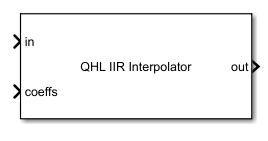
  • QHL IIR Interpolator block with two input ports - in and coefficients and one output port.

Libraries:
Embedded Coder Support Package for Qualcomm Hexagon Processors / Hexagon / DSP

Description

The QHL IIR Interpolator block performs infinite impulse response (IIR) interpolation on input samples using cascaded biquad filters optimized for Qualcomm® Hexagon® library (QHL) with a specified interpolation factor.

Examples

expand all

Create an input signal and specify the filter coefficients. Use constant blocks to pass the input and coefficients to the input ports of the QHL IIR Interpolator block.

x = rand(240,10,'single');
Coefficients = single([0.238129, 0.476258, -0.267690, 0.238129, 0.281005, ...
    0.238129, 0.476258, -0.267690, 0.238129, 0.281005, ...
    0.238129, 0.476258, -0.267690, 0.238129, 0.281005]);

Open the model and click Run.

open_system("QhlIirInterpolator");
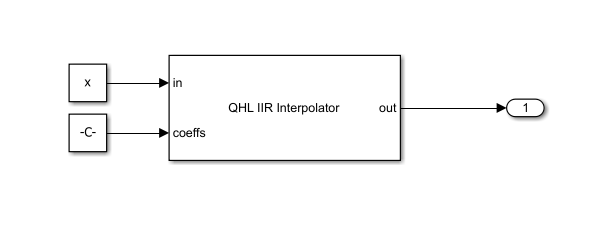
QHL IIR Interpolator block with input signal x and coefficient input coeffs, producing an output signal.

Ports

Input

expand all

Input signal samples, specified as a column vector or matrix. The input length must be less than 512/interpolation factor.

If the input signal is a matrix, the block treats each column of the matrix as an independent channel.

Data Types: single

IIR filter coefficients, specified as a vector of biquad section coefficients formatted for QHL execution. Specify each biquad section using five coefficients in the following order:

[b0,b1,a1,b2,a2]
The coefficient a0 is 1, and the block normalizes all other coefficients with respect to a0.

To use multiple biquad sections, concatenate the coefficients for each section into a single row vector in the specified order.

Data Types: single

Output

expand all

Output of the interpolator, returned as a column vector or a matrix.

Data Types: single

Parameters

expand all

To edit block parameters interactively, use the Property Inspector. From the Simulink® Toolstrip, on the Simulation tab, in the Prepare gallery, select Property Inspector.

Interpolation factor, specified as a positive scalar.

Data Types: single | double

Extended Capabilities

expand all

C/C++ Code Generation
Generate C and C++ code using Simulink® Coder™.

Version History

Introduced in R2026b