adeGetSignalList
R2026bDescription
signalName = adeGetSignalListadeInfo
object present in the MATLAB® base workspace.
Note
This function only works when you launch MATLAB is from Cadence.
Examples
Consider a Cadence Virtuoso setup with five simulated signals.
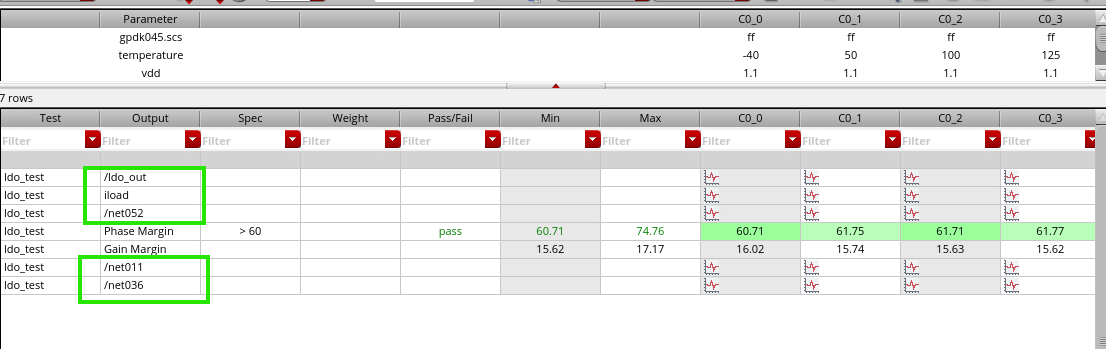
Launch MATLAB from Cadence by clicking the M button from the toolbar. To export the list of signals to base workspace, in the command window, type:
net=adeGetSignalList

This returns the list of signal names as a cell array of strings.
To extract the waveform data for '/ldo_out' and
'iload' signals to the Mixed-Signal Analyzer, in the
command window, type:
adeinfo2msa(metricsOnly=false,signalList=net(1:2))

You can then visualize the waveform data for the '/ldo_out' and
'iload' signals and perform further analysis.

Output Arguments
Version History
Introduced in R2026a

