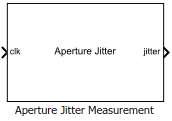
Aperture Jitter Measurement
Measure aperture jitter of periodic signals
Libraries:
Mixed-Signal Blockset /
ADC /
Measurements & Testbenches
Description
The Aperture Jitter Measurement measure the aperture jitter of periodic signals. In practical data converters, there is a delay between the sampling edge of the sample clock signal and when the sample is actually taken. This delay is known as aperture delay. Aperture jitter is the sample to sample variation between aperture delay.
Ports
Input
Clock signal input, specified as a scalar in volts.
Data Types: double
Output
Aperture jitter output, returned as a scalar in seconds.
Data Types: double
Parameters
Select the jitter metric you want to measure, specified as RMS Aperture
Jitter or RMS Period Jitter.
Programmatic Use
Block parameter:
JitterMetrick |
| Type: character vector |
Values:
RMS Aperture Jitter | RMS Period
Jitter |
Default:
RMS Aperture Jitter |
Select this parameter to enable the use external reference signal against which to measure aperture jitter. By default, this option is cleared.
Dependencies
To enable this parameter, set Jitter Metric to
RMS Aperture Jitter.
Programmatic Use
Block parameter:
ExternalReference |
| Type: character vector |
| Values: off | on |
| Default: off |
Minimum value of clock signal, specified as a real scalar in volts.
Dependencies
To enable this parameter, set the Jitter Metric parameter
to RMS Aperture Jitter and select the Use
external reference signal parameter.
Programmatic Use
Block parameter:
InputMin |
| Type: character vector |
| Values: real scalar |
Default:
0 |
Maximum value of clock signal, specified as a real scalar in volts.
Dependencies
To enable this parameter, set the Jitter Metric parameter
to RMS Aperture Jitter and select the Use
external reference signal parameter.
Programmatic Use
Block parameter:
InputMax |
| Type: character vector |
| Values: real scalar |
Default:
1 |
Average frequency of the input clock signal, specified as a real positive scalar in Hz.
Dependencies
To enable this parameter:
Either set the Jitter Metric parameter to
RMS Aperture Jitterand clear the Use external reference signal parameter.Or set the Jitter Metric parameter to
RMS Period Jitter.
Programmatic Use
Block parameter:
Frequency |
| Type: character vector |
| Values: real positive scalar |
Default:
1e6 |
Phase of the input clock signal, specified as a real scalar in seconds.
Dependencies
To enable this parameter, set the Jitter Metric parameter
to RMS Aperture Jitter and clear the Use
external reference signal parameter.
Programmatic Use
Block parameter:
Phase |
| Type: character vector |
| Values: real scalar |
Default:
0 |
Select this parameter to specify the window length of the moving average to compensate for the effects of a static frequency offset. By default, this option is cleared.
Dependencies
To enable this parameter, set Jitter Metric to
RMS Aperture Jitter.
Programmatic Use
Block parameter:
SpecifyWindowLength |
| Type: character vector |
| Values: off | on |
| Default: off |
Window length of the moving average to compensate for the effects of a static frequency offset, specified as a positive real integer.
Dependencies
To enable this parameter, set the Jitter Metric parameter
to RMS Aperture Jitter and select the Specify
window length parameter.
Programmatic Use
Block parameter:
WindowLength |
| Type: character vector |
| Values: positive real integer |
Default:
1000 |
Delays measurement analysis to avoid corruption by transients, specified as a nonnegative real scalar in seconds.
Programmatic Use
Block parameter:
HoldOffTime |
| Type: character vector |
| Values: nonnegative real scalar |
Default:
0 |
This parameter is read-only.
Minimum time the simulation must run for meaningful result, returned as a scalar in seconds. This is calculated using the JEDEC Standards for measuring aperture jitter.
Version History
Introduced in R2019aThe Aperture Jitter Measurement block now uses an updated algorithm to better cover cases where the reference signal is not a perfect frequency or good phase match for the measured signal.
MATLAB Command
You clicked a link that corresponds to this MATLAB command:
Run the command by entering it in the MATLAB Command Window. Web browsers do not support MATLAB commands.
选择网站
选择网站以获取翻译的可用内容,以及查看当地活动和优惠。根据您的位置,我们建议您选择:。
您也可以从以下列表中选择网站:
如何获得最佳网站性能
选择中国网站(中文或英文)以获得最佳网站性能。其他 MathWorks 国家/地区网站并未针对您所在位置的访问进行优化。
美洲
- América Latina (Español)
- Canada (English)
- United States (English)
欧洲
- Belgium (English)
- Denmark (English)
- Deutschland (Deutsch)
- España (Español)
- Finland (English)
- France (Français)
- Ireland (English)
- Italia (Italiano)
- Luxembourg (English)
- Netherlands (English)
- Norway (English)
- Österreich (Deutsch)
- Portugal (English)
- Sweden (English)
- Switzerland
- United Kingdom (English)