Use Internal Signals for Debugging in RSLogix 5000 IDE
For debugging, you can generate code for test point outputs
from the top-level subsystem of your model. The coder generates code
that maps the test pointed output to optional AOI output parameters
for RSLogix™ 5000 IDEs. In the generated code, the variable tags
that correspond to the test points have the property Required=false.
This example assumes that you have a model appropriately configured
for the coder, such as plcdemo_simple_subsystem.
Open the
plcdemo_simple_subsystemmodel.openExample('plcdemo_simple_subsystem');In the Configuration Parameters dialog box, set Target IDE to
Rockwell RSLogix 5000: AOI.In the top-level subsystem of the model, right-click the output signal of
SimpleSubsystemand select Properties.The Signal Properties dialog box is displayed.
On the Logging and accessibility tab, click the Test point check box.
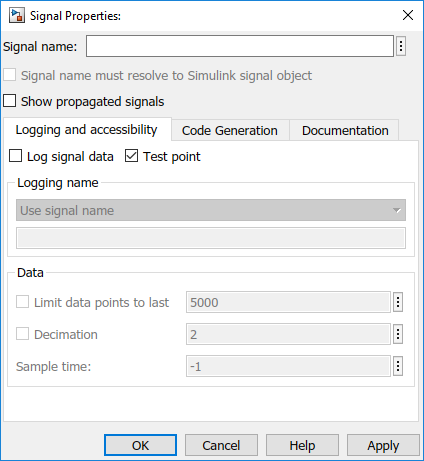
Click OK.
Generate code for the top-level subsystem.
Inspect the generated code for the string
Required=false.
For more information on signals with test points, see What Is a Test Point?.

