主要内容

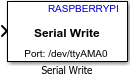
Serial Write

Write data to the serial device

  • Serial Write block

Libraries:
Raspberry Pi Blockset / Communication

Description

Write data to a serial device connected to the Raspberry Pi® hardware.

Note

To generate code C/C++ code for this block, you must have an Embedded Coder® license.

Ports

Input

expand all

The input port through which the block accepts data.

Data Types: single | double | int8 | int16 | int32 | uint8 | uint16 | uint32

Parameters

expand all

Select the specific board that you are using. Changing the board updates the pin choices that you get. To open the pin map of the Raspberry Pi board, click the View pin map.

The port to which to you want to connect from the selected Raspberry Pi board to the serial device. For Pi 3 Model B board, the default serial port is /dev/ttyS0.

Select the rate at which the data is read over the serial line. The baud rate is measured as the number of bits read per second.

Select the parity added to the data transmitted. A parity bit is used to detect error in data transmission.

  • None – None value in this parameter means that no parity is used for error detection in the data transmission.

  • Even parity – The parity bit value is 1, if the number of bits with value as 1 is odd. The parity bit value is 0, if the number of bits with value as 1 is even.

  • Odd parity – The parity bit value is 1, if the number of bits with value as 1 is even. The parity bit value is 0, if the number of bits with value as 1 is odd.

Select the bit used as the stop bit in the data transmission. A stop bit marks the end of a unit of transmission.

Extended Capabilities

expand all

Version History

Introduced in R2017a