Inertia (AB)
R2026bInertia (AB) block

To add a block to a model, double-click the canvas and start typing the block name. Then, select the block from the list.
Libraries:
Simscape /
Foundation Library /
Rotational /
Elements
Description
The Inertia (AB) block represents an ideal inertia in angle-based rotational systems. The block uses the equation
where:
t is torque of the rotational network acting on the inertia.
I is inertia.
ω is inertia angular velocity.
B and F are angle-based rotational conserving ports. The ports are rigidly connected to each other. Positive torque accelerates the inertia in the positive direction.
Use the Visible ports parameter to select whether to expose both ports or only one port, B or F, depending on your diagram layout. Because the two ports are rigidly connected to each other, the difference between the one-port and two-port variants is purely graphical.
Variables
To set the priority and initial target values for the block variables prior to simulation, use the Initial Targets section in the block dialog box or Property Inspector. For more information, see Set Priority and Initial Target for Block Variables.
Nominal values provide a way to specify the expected magnitude of a variable in a model. Using system scaling based on nominal values increases the simulation robustness. Nominal values can come from different sources, one of which is the Nominal Values section in the block dialog box or Property Inspector. For more information, see Modify Nominal Values for a Block Variable.
Examples
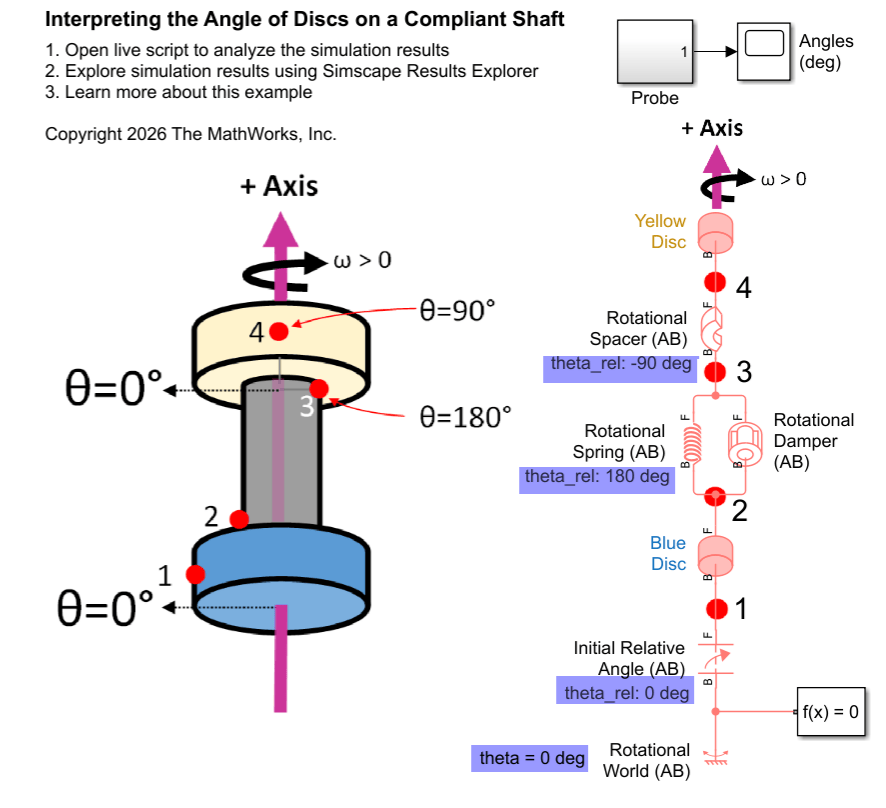
Interpreting Angle in the Angle-Based Rotational Domain
Set up and interpret angles in angle-based rotational models. It provides background information to explain the underlying concepts. The angle-based rotational domain tracks angle, θ, and rotational velocity, ω, at every node. Use angle-based rotational blocks to model rotational systems where knowing multiple component angles is important.
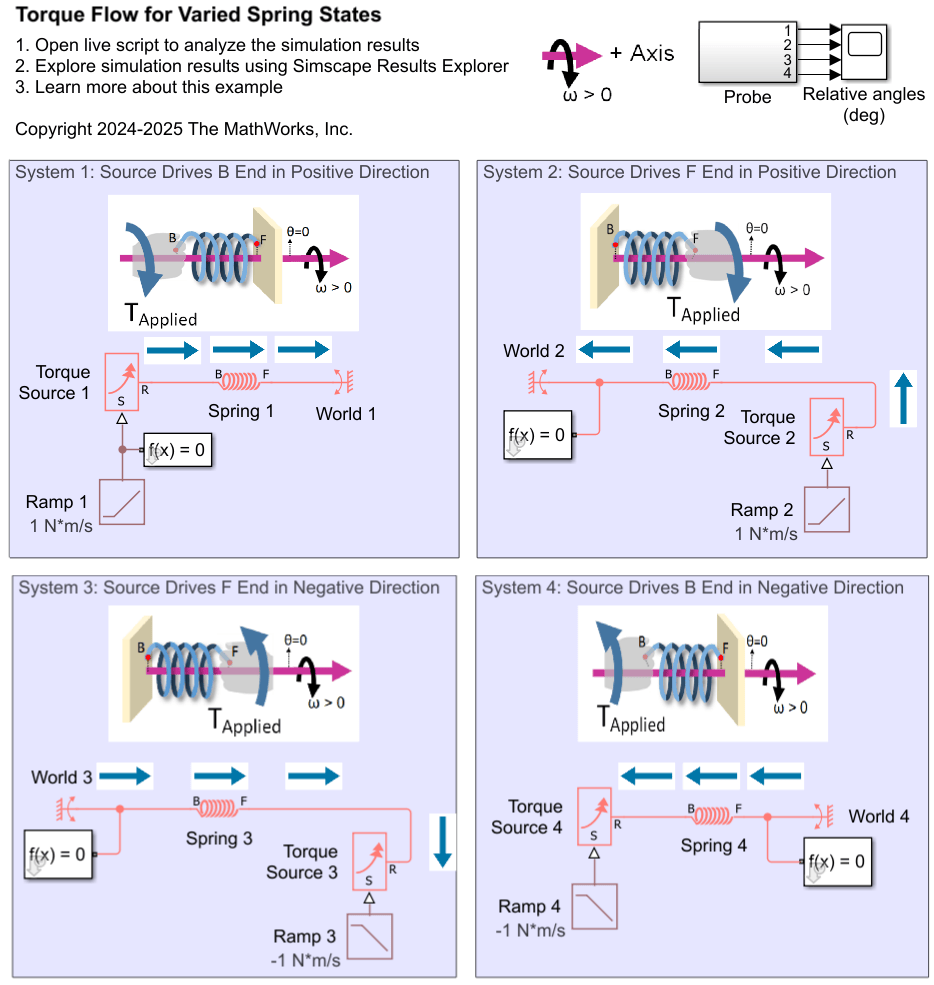
Interpreting Torque in the Angle-Based Rotational Domain
Describes how to interpret torques in a Simscape™ angle-based rotational network. It outlines the key concepts for understanding the signs of logged torques. It examines rotational spring systems driven by torque sources at different ends, as well as a rotational system of inertias, to illustrate the torque behavior.
Ports
Conserving
Parameters
Extended Capabilities
Version History
Introduced in R2026a

