Manage Transition Execution with Operators
R2026bUse time-based transitions to create charts that respond to the passage of time. By adding temporal logic to your transitions, you can model systems that change state after specific time delays, at precise moments, or based on recurring time patterns.
Use Temporal Logic Operators in Transitions
Use the after operator to transition to a
state after specified time elapses, or the before operator to transition to a state if conditions are not
met in time limits. These temporal logic operators provide timing control for state
transitions in automated control systems.
after Operator
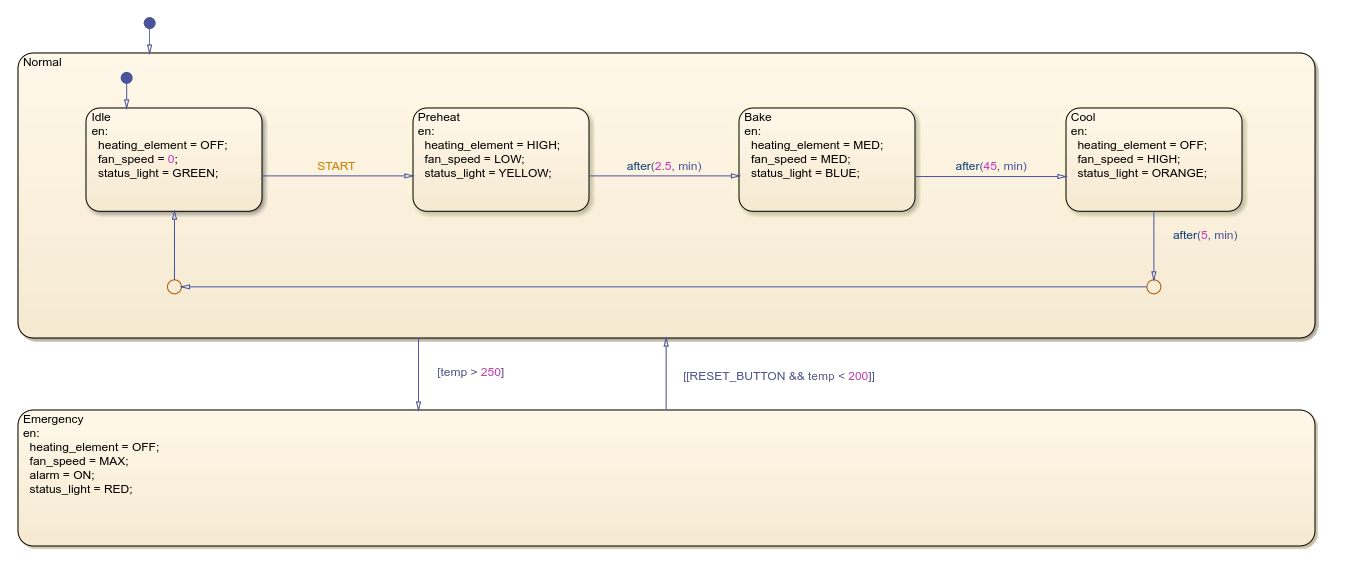
This example shows an industrial oven controller with temperature monitoring and
safety features. The chart transitions through the states Idle,
Preheat, Bake, and Cool by
using the after operator.
The chart immediately transitions from the Idle state to the
Preheat state. After 2.5 minutes, the chart transitions to the
Bake state. After 45 minutes, the chart then transitions into the
Cool state. The chart returns to the Idle state
after 5 minutes. The controller triggers an emergency shutdown when temperature exceeds
250 degrees Celsius and requires a manual reset button press when the temperature falls
below 200 degrees Celsius to resume normal operation.
before Operator
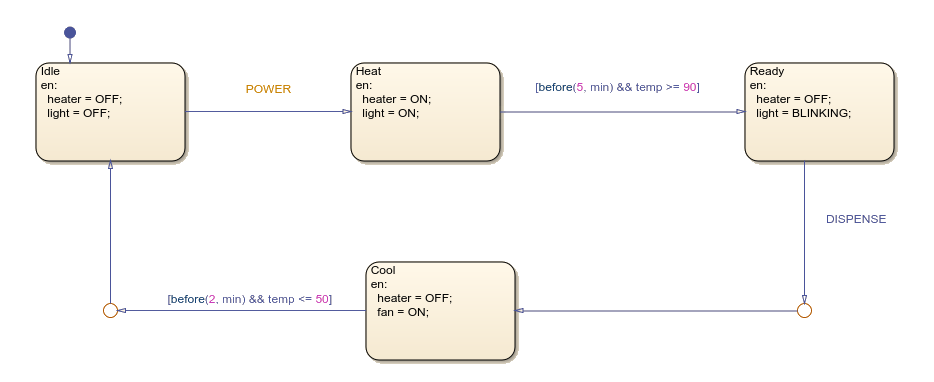
This example shows a water heater control system that uses the
before operator. The chart transitions from the
Heat state to the Ready state when water
temperature reaches 90 degrees Celsius and before 5 minutes elapse. The chart also
switches from the Cool state to the Idle state when
temperature drops to 50 degrees Celsius and before 2 minutes pass.