GPIO Write
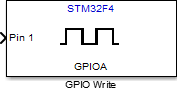
Set GPIO pin status
Libraries:
STM32 Microcontroller Blockset /
STM32F4-Discovery
Description
Set the logical value of a digital pin of the STM32F4 -Discovery™ board.
Examples
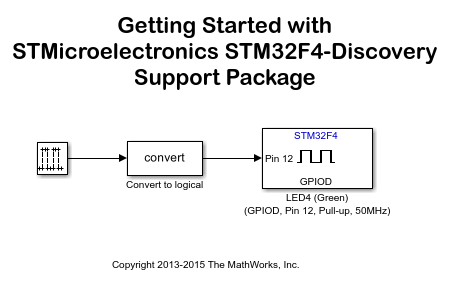
Getting Started with Embedded Coder Support Package for STMicroelectronics Discovery Boards
Demonstrates how to use the Embedded Coder® Support Package for STMicroelectronics® STM32 Processors to run a Simulink® model on an STMicroelectronics STM32F4-Discovery, STM32F746G-Discovery, or STM32F769I-Discovery board.
Push Button and LED
Use the GPIO blocks to control the push-button and the LED components by using the STM32™ Microcontroller Blockset.
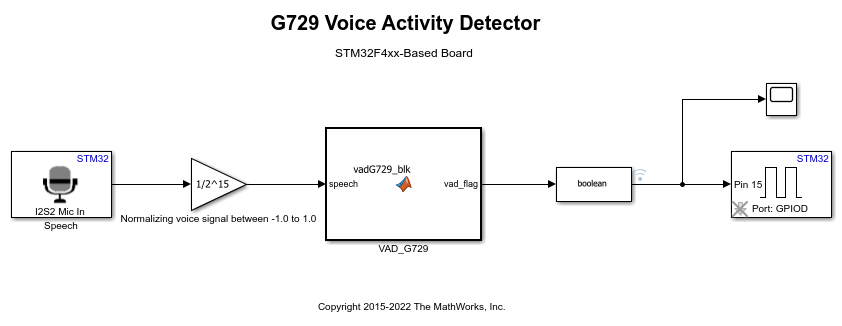
G.729 Voice Activity Detection for STM32 Processor Based Board
Model the ITU-T G.729 Voice Activity Detector (VAD) algorithm and run it on the ARM® Cortex®-M based STMicroelectronics® STM32 boards using STM32™ Microcontroller Blockset.
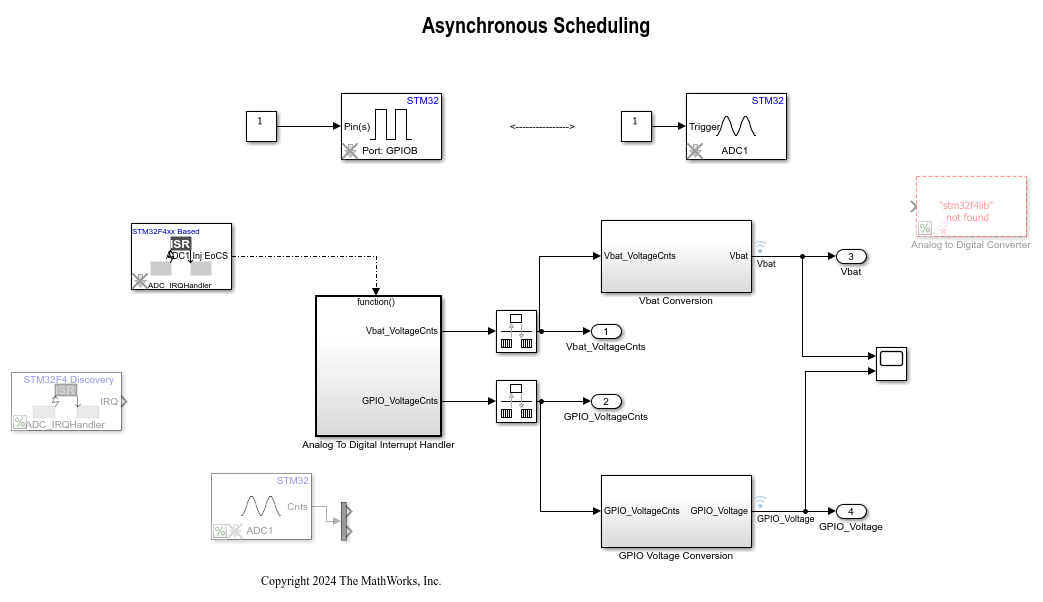
Asynchronous Scheduling for STM32F4-Discovery Board
Model asynchronous scheduling using the Hardware Interrupt block for the STMicroelectronics® STM32F4xx processor board using Asynchronous Scheduling for STM32F4-Discovery Board using STM32™ Microcontroller Blockset.
Ports
Input
The input port to set the GPIO pin status.
Data Types: single | double | int8 | int16 | int32 | uint8 | uint16 | uint32 | Boolean | fixed point | enumerated | bus
Parameters
Select one of GPIOA to GPIOI ports to set a GPIO pin status.
Programmatic Use
Block Parameter:
gpio_name |
Select a GPIO pin to write the logical status.
Programmatic Use
Block Parameter:
pin_number |
Select this option to set the GPIO pin status during model initialization.
Programmatic Use
Block Parameter:
gpio_init_out |
Select this option to enable GPIO pin toggling when the input is ‘true’.
Programmatic Use
Block Parameter:
toggle_pin |
Extended Capabilities
C/C++ Code Generation
Generate C and C++ code using Simulink® Coder™.
Version History
Introduced in R2013b
See Also
MATLAB Command
You clicked a link that corresponds to this MATLAB command:
Run the command by entering it in the MATLAB Command Window. Web browsers do not support MATLAB commands.
选择网站
选择网站以获取翻译的可用内容,以及查看当地活动和优惠。根据您的位置,我们建议您选择:。
您也可以从以下列表中选择网站:
如何获得最佳网站性能
选择中国网站(中文或英文)以获得最佳网站性能。其他 MathWorks 国家/地区网站并未针对您所在位置的访问进行优化。
美洲
- América Latina (Español)
- Canada (English)
- United States (English)
欧洲
- Belgium (English)
- Denmark (English)
- Deutschland (Deutsch)
- España (Español)
- Finland (English)
- France (Français)
- Ireland (English)
- Italia (Italiano)
- Luxembourg (English)
- Netherlands (English)
- Norway (English)
- Österreich (Deutsch)
- Portugal (English)
- Sweden (English)
- Switzerland
- United Kingdom (English)


