LSM303C IMU Sensor
R2026bMeasure linear acceleration, magnetic field strength, and temperature from LSM303C sensor
Since R2025a
LSM303C IMU Sensor block
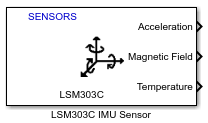
To add a block to a model, double-click the canvas and start typing the block name. Then, select the block from the list.
Libraries:
STM32 Microcontroller Blockset /
Sensors /
IMU Sensors
Description
The LSM303C IMU Sensor block outputs the values of linear acceleration and magnetic field strength along x-, y- and z- axes as measured by the LSM303C sensor connected to STM32 Processors. The block also outputs the temperature as read by the LSM303C sensor.
Examples
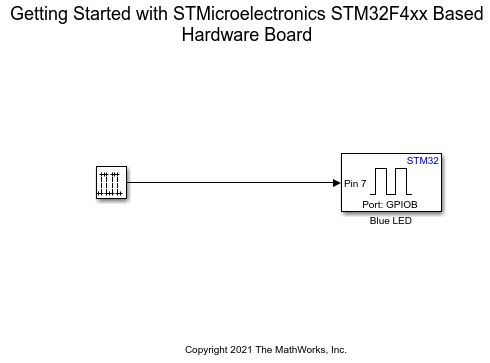
Get Started with STMicroelectronics STM32 Processor Based Boards
Run a Simulink model on STM32 processor.
Ports
Output
Linear acceleration (in m/s2) measured by LSM303C
sensor connected to STM32 Processors, along the x-, y- and z- axes, specified
as a n-by-3 vector, where
n is the value for samples per frame.
Dependencies
This output port appears only if you select the Acceleration (m/s2) parameter.
Data Types: double
Magnetic field strength (in µT) measured by LSM303C sensor connected to
STM32 Processors, along the x-, y- and z- axes, specified as a
n-by-3 vector, where n
is the value for samples per frame.
Dependencies
This output port appears only if you select the Magnetic Field (µT) parameter.
Data Types: double
Temperature (in ℃) measured by LSM303C sensor connected to STM32 Processors.
Dependencies
This output port appears only if you select the Temperature (℃) parameter.
Data Types: double
Status of acceleration value along the three axes, specified as a row vector
in the order [z,y,x], to indicate if the data read is the new value or not.
0 indicates that the data read is new and
1 indicates that the data read is not new.
Dependencies
This output port appears only if you select the Acceleration Status parameter.
Data Types: Boolean
Status of magnetic field value along the three axes, specified as a row
vector in the order [z,y,x], to indicate if the data read is the new value or
not. 0 indicates that the data read is new and
1 indicates that the data read is not new.
Dependencies
This output port appears only if you select the Magnetic Field Status parameter.
Data Types: double
Timestamp (in seconds) at which data is read from the sensor, returned as
n-by-1 matrix, where n
is the value for samples per frame.
Dependencies
This output port appears only if you select the Timestamp parameter.
Data Types: double
Parameters
Main Tab
Specify the I2C module on the STM32 Processors to communicate with sensor peripherals.
Programmatic Use
Block Parameter:
I2CModule |
Select this parameter to set Acceleration as one of the output ports.
Programmatic Use
Block Parameter:
IsActiveAcceleration |
Select this parameter to set Magnetic Field as one of the output ports.
Programmatic Use
Block Parameter:
IsActiveMagnetometer |
Select this parameter to set Temperature as one of the output ports.
Programmatic Use
Block Parameter:
IsActiveTemperature |
Select this parameter to set Acceleration Status as one of the output ports.
Programmatic Use
Block Parameter:
IsAccelStatus |
Select this parameter to set Magnetic Field Status as one of the output ports.
Programmatic Use
Block Parameter:
IsMagStatus |
Select this parameter to set Timestamp as one of the output ports.
Programmatic Use
Block Parameter:
IsActiveTimeStamp |
Specify how often this block reads the data from the LSM303 sensor. When you
set this parameter to -1, Simulink determines the best sample time for the block
based on the block context within the model. The output sample time is the product
of Sample time that you specify.
Programmatic Use
Block Parameter:
SampleTime |
Advanced Tab
Select the full scale for measuring linear acceleration (the range of acceleration that the sensor needs to measure).
Programmatic Use
Block Parameter:
AccelerationRange |
Select the output data rate at which accelerometer data is sampled, which also determines the bandwidth.
Programmatic Use
Block Parameter:
AccelerometerODR |
Select the full scale for measuring linear acceleration (the range of acceleration that the sensor needs to measure).
Programmatic Use
Block Parameter:
MagnetometerRange |
Select the output data rate at which magnetometer data is sampled.
Programmatic Use
Block Parameter:
MagnetometerODR |
Extended Capabilities
C/C++ Code Generation
Generate C and C++ code using Simulink® Coder™.
Version History
Introduced in R2025a
MATLAB Command
You clicked a link that corresponds to this MATLAB command:
Run the command by entering it in the MATLAB Command Window. Web browsers do not support MATLAB commands.


选择网站
选择网站以获取翻译的可用内容,以及查看当地活动和优惠。根据您的位置,我们建议您选择:。
您也可以从以下列表中选择网站:
如何获得最佳网站性能
选择中国网站(中文或英文)以获得最佳网站性能。其他 MathWorks 国家/地区网站并未针对您所在位置的访问进行优化。
美洲
- América Latina (Español)
- Canada (English)
- United States (English)
欧洲
- Belgium (English)
- Denmark (English)
- Deutschland (Deutsch)
- España (Español)
- Finland (English)
- France (Français)
- Ireland (English)
- Italia (Italiano)
- Luxembourg (English)
- Netherlands (English)
- Norway (English)
- Österreich (Deutsch)
- Portugal (English)
- Sweden (English)
- Switzerland
- United Kingdom (English)