MQTT Publish
Libraries:
STM32 Microcontroller Blockset /
STM32F4xx Based Boards
STM32 Microcontroller Blockset /
STM32F7xx Based Boards
STM32 Microcontroller Blockset /
STM32H7xx Based Boards
Description
The MQTT Publish block publishes messages from your hardware (publisher) to the Message Queuing Telemetry Transport (MQTT) broker on the specified topic.
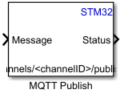
The Message port accepts the message to be published to the broker. The Status port outputs the status of the publish request. The string topic/level on the block icon is specified by the Topic parameter.
For more information on MQTT, see Introduction to MQTT.
Note
The MQTT Publish block supports MQTT only over TCP/IP sockets.
Examples
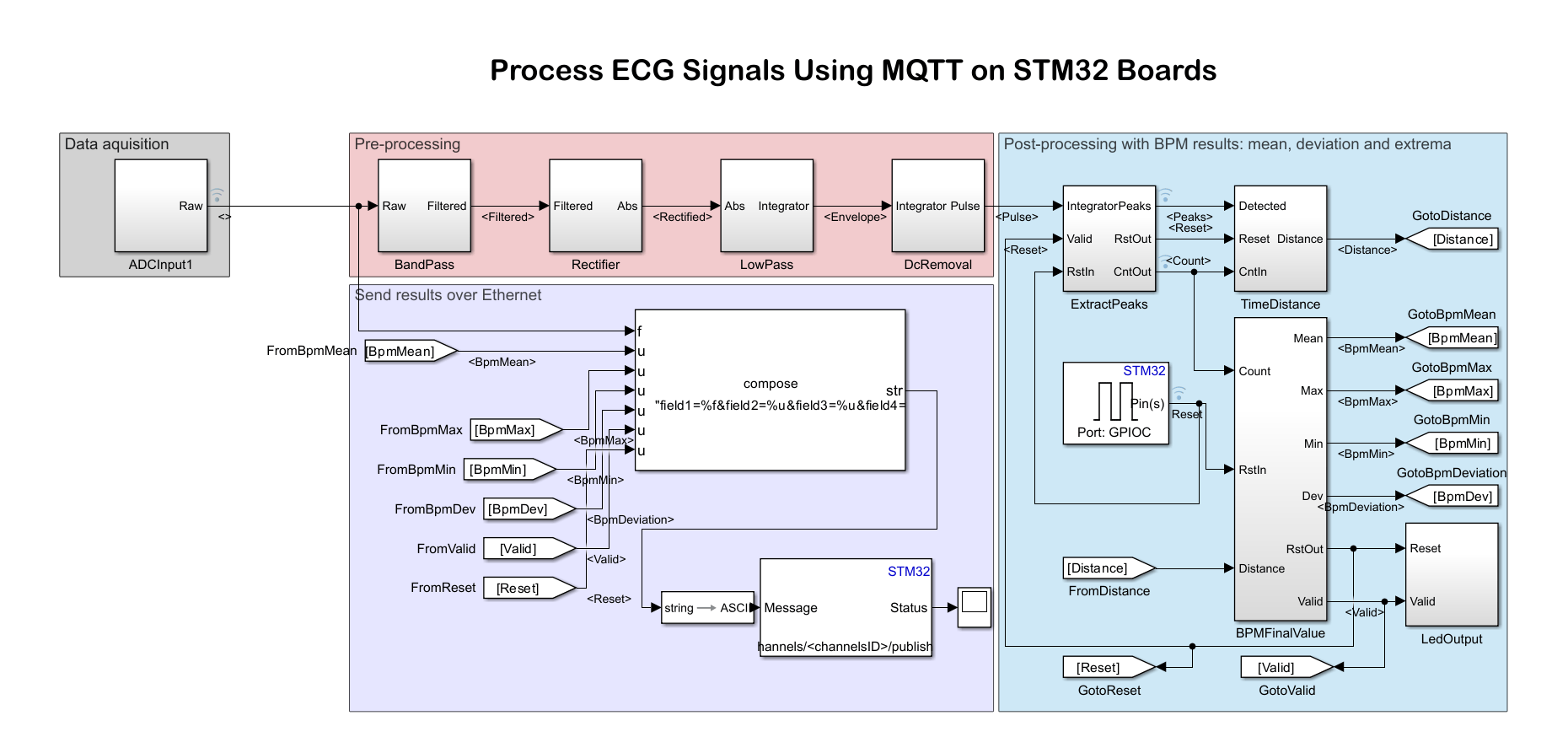
Process ECG Signals Using MQTT on STM32 Processor Boards
Use the STM32 Nucleo F767ZI board using STM32™ Microcontroller Blockset to process an ECG signal input from an ECG sensor, extract the heart rate in beats per minutes (BPM), and send the ECG signal and heart rate to the ThingSpeak™ internet of things (IoT) analytics platform service.
Ports
Input
The message to be published to the MQTT broker, specified as a vector.
Example:
[0,3]
Data Types: single | double | int8 | int16 | int32 | uint8 | uint16 | uint32 | Boolean
Output
The status code issued by the MQTT broker in response to the publish
request. If the broker accepts the message for publishing, the port outputs
0. A nonzero output indicates that the broker has
rejected the message. A message can be rejected for various reasons, such as an
incorrect user name or password or an unacceptable protocol version. For more
information on status codes from MQTT brokers, see LWIP error code.
Data Types: int8
Parameters
Select the MQTT broker service provider that receives, filters, and sends messages to the clients.
ThingSpeak— When you specify this option, the MQTT access to your channels is handled by a ThingSpeak™ MQTT broker. To create an MQTT device, follow the steps in Create a ThingSpeak MQTT device (ThingSpeak).Other— Specify this option when the MQTT access to your channels is handled by other MQTT public brokers such as HiveMQ®, Mosquitto™, and so on.
Configure the same MQTT broker properties as in the MQTT.
Programmatic Use
Block Parameter:
Broker Service
|
| Type: character vector |
Values:
'ThingSpeak'|Others
|
Default:
'ThingSpeak'
|
Specify a topic on which the message is to be published. A topic can have a maximum of 128 characters. For information on topics and its structure, see Topics in MQTT.
Programmatic Use
Block Parameter:
Topic
|
| Type: character vector |
Values:
Channels/<channelID>publish|valid
channel
|
Default:
Channels/<channelID>publish
|
Quality of Service (QoS) defines the reliability of the message delivery process in MQTT. MQTT provides three QoS levels for message delivery: QoS 0, QoS 1, and QoS 2. The MQTT broker that you are using might not support the three levels of QoS. For example, ThingSpeak MQTT supports only QoS 0.
Select a QoS level from the list:
0(At most once): The publisher sends the message to the MQTT broker once. The broker does not send an acknowledgment of the receipt.1(At least once): The publisher sends the message to the MQTT broker at least once. The publisher resends the message if it does not receive an acknowledgment from the broker.2(Exactly once): The publisher sends the message to the MQTT broker exactly once. The publisher and broker exchange acknowledgments so that the message is received only once.
For more information on QoS levels, see Levels of QoS in MQTT.
Programmatic Use
Block Parameter:
QoS
|
| Type: character vector |
Values:
'0'|'1'|'2'
|
Default:
'0'
|
The Retain message parameter controls how new subscriptions are handled:
on–– When a new subscription is made to a topic, the broker identifies the message in its database with the matching topic name and sends the message immediately.Note
The MQTT broker retains only the last known message published on a topic.
off–– When a new subscription is made to a topic, the subscriber must wait until the publisher sends the next message.Note
For example, ThingSpeak MQTT do not support Retain message.
Dependencies
To enable this parameter, set Broker Service to Other.
Programmatic Use
Block Parameter:
RetainMsg
|
| Type: character vector |
Values:
'off'|'on'
|
Default:
off
|
Enter the time interval in seconds to publish message(s) to the MQTT broker.
Programmatic Use
Block Parameter:
Update interval (seconds)
|
| Type: character vector |
Values:
'60'|'on'
|
Default:
60
|
Version History
Introduced in R2024a
MATLAB Command
You clicked a link that corresponds to this MATLAB command:
Run the command by entering it in the MATLAB Command Window. Web browsers do not support MATLAB commands.
选择网站
选择网站以获取翻译的可用内容,以及查看当地活动和优惠。根据您的位置,我们建议您选择:。
您也可以从以下列表中选择网站:
如何获得最佳网站性能
选择中国网站(中文或英文)以获得最佳网站性能。其他 MathWorks 国家/地区网站并未针对您所在位置的访问进行优化。
美洲
- América Latina (Español)
- Canada (English)
- United States (English)
欧洲
- Belgium (English)
- Denmark (English)
- Deutschland (Deutsch)
- España (Español)
- Finland (English)
- France (Français)
- Ireland (English)
- Italia (Italiano)
- Luxembourg (English)
- Netherlands (English)
- Norway (English)
- Österreich (Deutsch)
- Portugal (English)
- Sweden (English)
- Switzerland
- United Kingdom (English)