主要内容

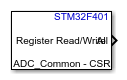
Register Read/Write

Read from or write to various bit fields of STM32 registers

Since R2026a

  • Register Read/Write Block

Libraries:
STM32 Microcontroller Blockset / Utilities
Simulink Support Package for Arduino Hardware / Common

Description

You can use the Register Read/Write block in STM32™ Microcontroller Blockset to read data from and write data to various bit fields of registers.

The Register Read/Write block depends on CMSIS-SVD files provided by STM32CubeCLT. If STM32CubeCLT is not registered, configure it through the hardware setup screens by running the stm32setup command.

You can also use the block to specify bit positions using custom bits. It accepts a cell array where each element is a 1x2 array that specifies the start bit and end bit.

Ports

Output

expand all

The outports depends on the number of bit fields selected when registers are accessed using specified bits. In the selected bit fields parameter, option All is selected by default which is visible as the output port. If any other bit field is selected, the outports will change depending on the selected bit fields.

The bit field All will access the entire register.

Note

In selected bit field parameter, you can either select option All or other specific bit fields.

The output ports are dynamic and depends on the number bit field selected. When registers are accessed using custom bits, it depends upon the length of cell array specified in the parameter Bits to process.

Data Types: uint16 | uint32

Input

expand all

The inports depends on the number bit field selected when registers are accessed using specified bits.

In the Register bit fields parameter, option All is selected by default which is visible as the input port. If any other bit field is selected, the inports will change depending on the selected bit fields.

The bit field All will access the entire register.

Note

In Register bit field parameter, you can either select option All or other specific bit fields.

The input ports are dynamic and depends on the number bit field selected. When registers are accessed using custom bits, it depends upon the length of cell array specified in the parameter Bits to process.

Dependencies

To enable this port, set the Operation parameter to Write.

Data Types: uint16 | uint32

Parameters

expand all

Select the STM32 target hardware for which you want to access the registers.

Select the device ID for the Register Read/Write block.

Select the peripheral for the selected target hardware.

Select the register for the selected peripheral. The options are populated based on the device ID and peripheral selected.

Select access register using specified bits or custom bits.

  • Specified bits: Selecting specified bits will display all the registers bits fields in a table format in the select bit fields parameter.

  • Custom bit fields: Select custom bit fields when you want to access the bits position manually.

  • Read operation - Select when you want to read data from registers. Read operation will generate the selected bit fields in the parameter Register bit fields or the Bits to process parameter as outports.

  • Write operation - Select when you want to write data to registers. Write operation will generate the selected bit fields in the parameter Register bit fields or the Bits to process parameter as inports.

Bit to process parameter accepts the cell array where each element is a 1x2 array where the smaller number indicates the start bit and larger number indicates the end bit. For example, when the custom bit is in the following format {[1], [2 3], [ 5 10 ], [11 16]} then:

  • From the custom bits mentioned, you are accessing four different set of bits I.e.

    • Bit 1

    • Bit 2 and Bit 3

    • Bit 5 to 10

    • Bit 11 to 16

  • The specified custom bit will generate four different ports(inport or outport)

The corresponding ports generated for each element of cell array will access the range of bits between the start bit and end bit.

Note

The bit position should be less than the length of the register field accessed. Also there should not be any overlap of bit positions between any 2 entries of cell array.

Dependencies

To enable this parameter, set the Access register using parameter to Custom bits.

Select bit field you want to access. The options for register bit fields are populated based on the selection of peripheral and register parameter.

Dependencies

To enable this parameter, set the Access register using parameter to Specified bits.

Specify how often (in seconds) the status of enabled output ports are read if no input ports are selected. Enter a value greater than zero. When you specify this parameter as -1, Simulink® determines the best sample time for the block based on the block context within the model.

Dependencies

To enable this port, set the Operation parameter to Read.

Programmatic Use

Block Parameter: SampleTime

Extended Capabilities

expand all

C/C++ Code Generation
Generate C and C++ code using Simulink® Coder™.

Version History

Introduced in R2026a