Install Drivers for the Nucleo Boards
R2026bClick the link: https://www.st.com/en/development-tools/stsw-link009.html
Download the STSW-LINK009 software on your computer.
In the Device Manager window of your computer, find the ST-Link Debug option under Other devices.
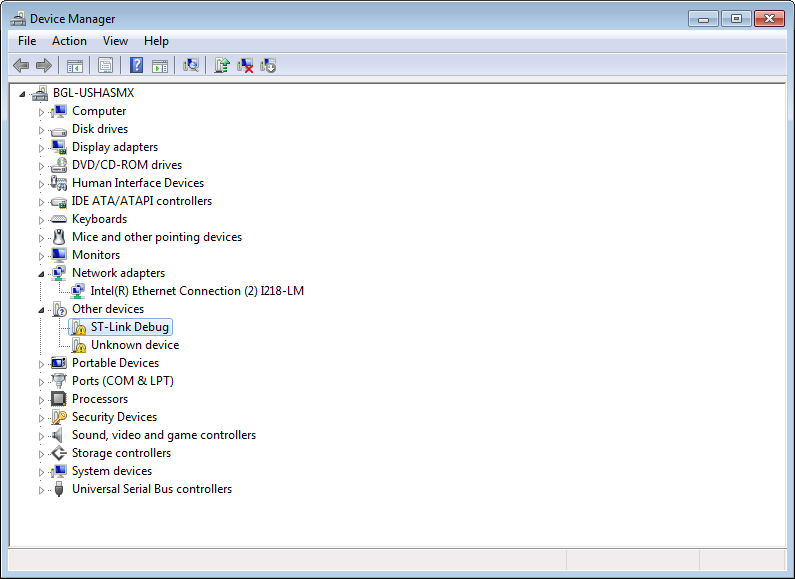
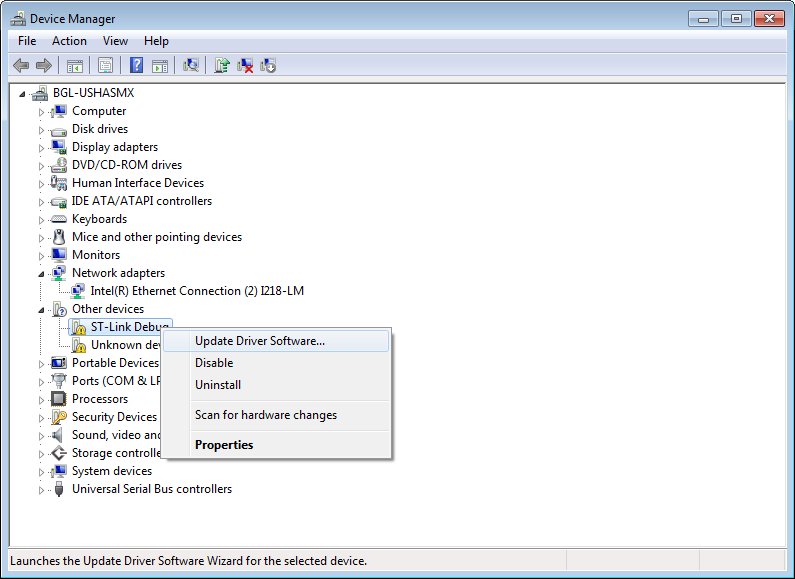
Right click the ST-Link Debug option and select Update Driver Software.
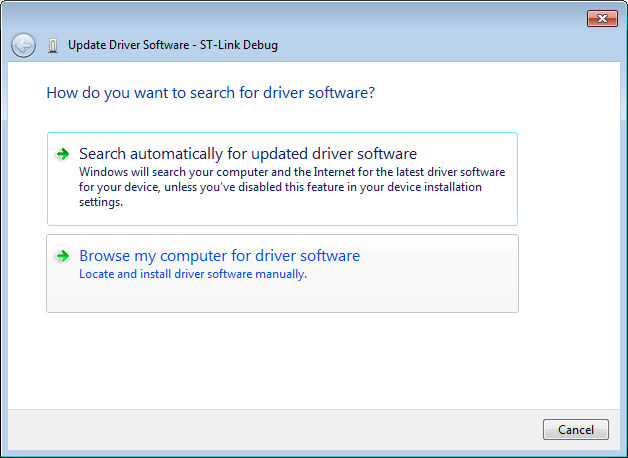
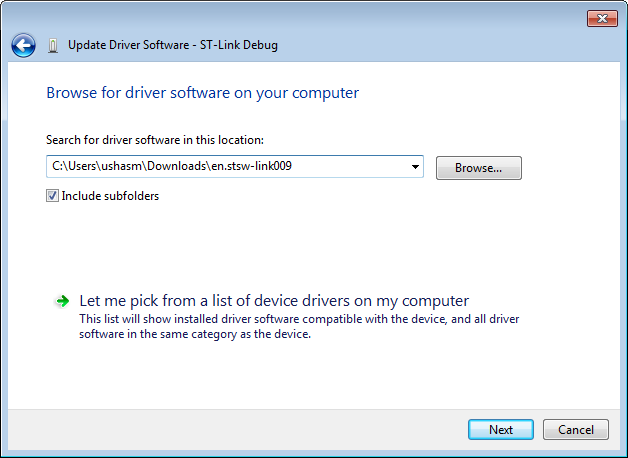
Click Browse my computer for driver software.
Enter the file path of the driver software that you downloaded and click Next.
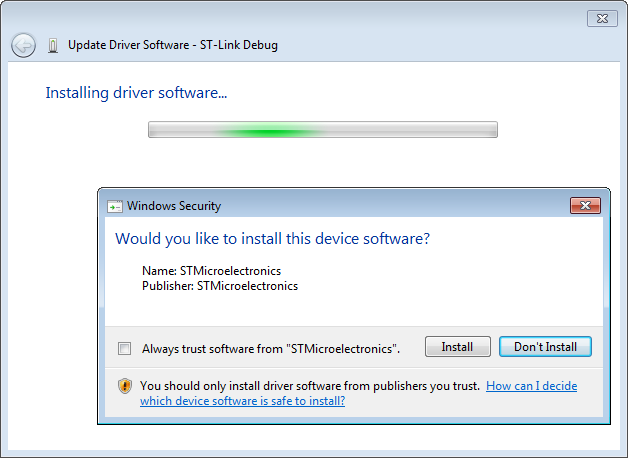
The Update Driver Software installation window appears. By default, the Don’t Install option is highlighted in the window.
Click Install.
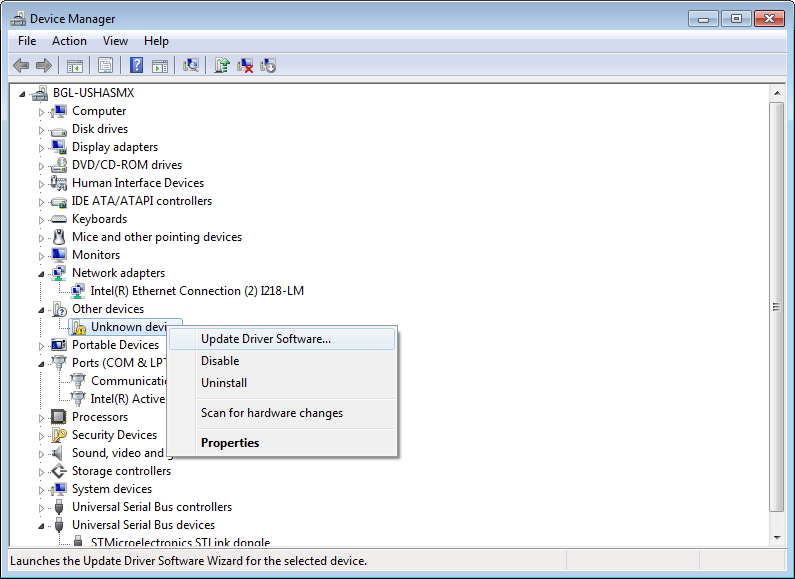
To install the virtual COM port drivers, on the Device Manager screen, select Update Driver Software option.
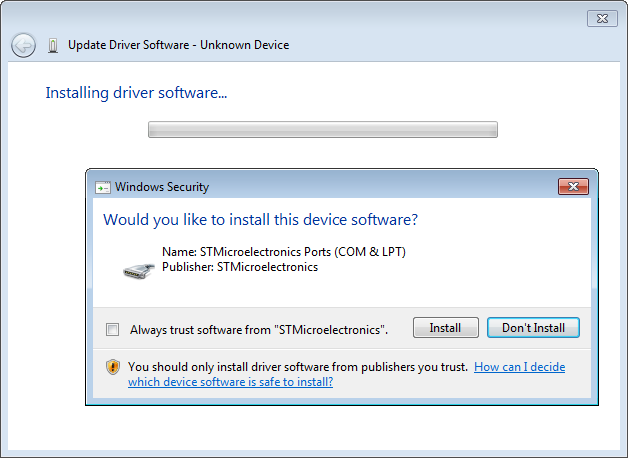
In the driver software installation window by default, the Don’t Install option is highlighted in the window.
Click Install.
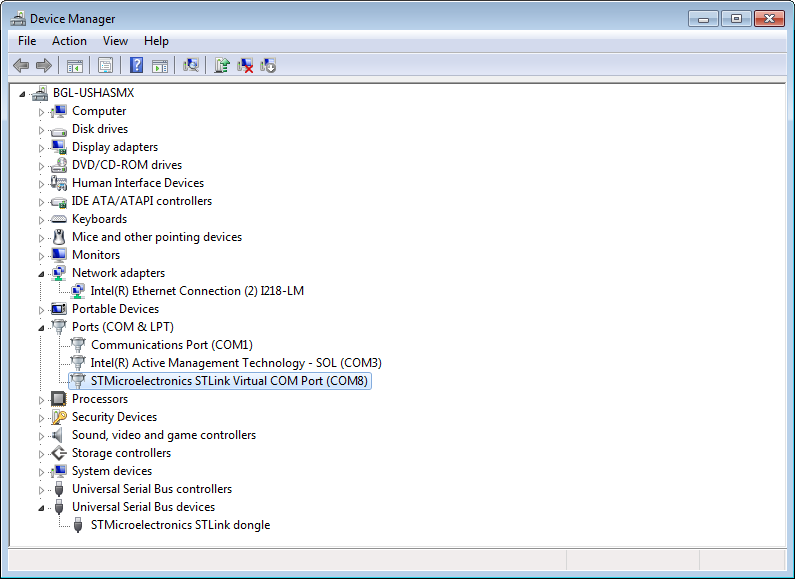
After successful installation, you will see the driver software name below the Port (COM & LPT) option of the Device Manager screen.