Prepare Edge Detection Code for Deployment to NVIDIA Jetson
R2026bIn this step, you prepare the algorithm for deployment by screening it for unsupported functions or features. You then replace code that requires MATLAB® with code that runs on the NVIDIA® Jetson™ hardware. You also modify the algorithm to run in a loop so that the standalone application updates the edge-detected image as the algorithm runs.
Examine the Entry-Point Function
The sobelEdgeDetection_init function connects to the Jetson hardware, takes a snapshot using the webcam on the Jetson board, and detects edges in the snapshot.
type sobelEdgeDetection_init.m;function sobelEdgeDetection_init(cameraName,resolution) hwObj = jetson; camObj = camera(hwObj,cameraName,resolution); % Sobel kernel kern = [1 2 1; 0 0 0; -1 -2 -1]; % Capture the image from the camera on hardware. img = snapshot(camObj); % Finding horizontal and vertical gradients. h = conv2(img(:,:,2),kern,'same'); v = conv2(img(:,:,2),kern','same'); % Finding magnitude of the gradients. e = sqrt(h.*h + v.*v); % Threshold the edges edgeImg = uint8((e > 100) * 240); % Display image. imshow(edgeImg) end
Prepare the Entry-Point Function
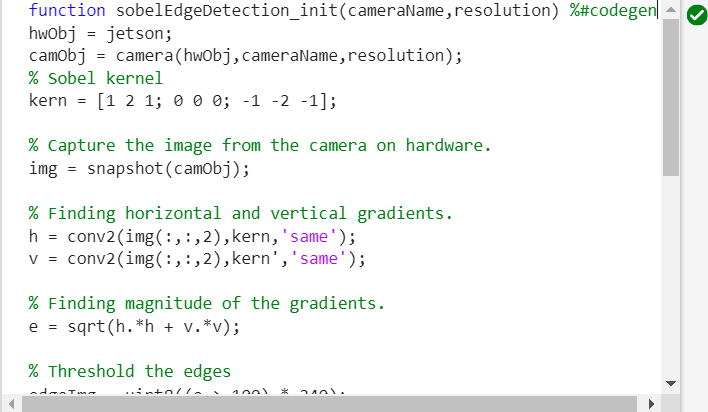
To prepare the entry-point function for code generation, check the function for features not supported for code generation. Add the %#codegen directive to the first line of the sobelEdgeDetection function. This directive causes the Code Analyzer in the MATLAB Editor to flag warnings and errors related to code generation.
function sobelEdgeDetection_init(cameraName,resolution) %#codegen
In the top-right corner of the MATLAB Editor, the Code Analyzer displays the No warnings found icon  , which indicates that the analyzer did not detect errors, warnings, or opportunities for improvement in the code.
Replace Unsupported Functions
To display the edge-detected image in MATLAB, the function uses the imshow function, which requires MATLAB. To display the result of the algorithm on the board during deployment, use the imageDisplay object instead. In the entry-point function, add a line of code that creates an imageDisplay object.
hwObj = jetson;
camObj = camera(hwObj,cameraName,resolution);
dispObj = imageDisplay(hwobj);
To display the result by using the imageDisplay object, replace the call to imshow with this code:
image(dispObj,edgeImg');
Modify the Algorithm to Run in a Loop
The sobelEdgeDetection_init function takes a single snapshot before terminating. To continuously take snapshots and detects edges in the standalone application, use a for-loop instead of executing the code a single time. In each iteration of the loop, the function takes a snapshot, detects the edges in the snapshot, and uses the imageDisplay object to display the results.
Replace the code that captures and processes the snapshot inside sobelEdgeDetection_init with this code.
% Main loop
for k = 1:1000
    % Capture the image from the camera on hardware.
    img = snapshot(camObj);

    % Finding horizontal and vertical gradients.
    h = conv2(img(:,:,2),kern,'same');
    v = conv2(img(:,:,2),kern','same');

    % Finding magnitude of the gradients.
    e = sqrt(h.*h + v.*v);

    % Threshold the edges
    edgeImg = uint8((e > 100) * 240);

    % Display image.
    image(dispObj,edgeImg');
end
Save the function as sobelEdgeDetection.m.
type sobelEdgeDetection.mfunction sobelEdgeDetection(cameraName,resolution) %#codegen
%SOBELEDGEDETECTION() Entry-point function for Sobel edge detection
% This function is the entry-point function that supports examples in
% MATLAB Coder Support Package for NVIDIA Jetson and NVIDIA DRIVE
% Platforms that use Sobel algorithms for edge detection.
% Copyright 2023 The MathWorks, Inc.
hwobj = jetson;
camObj = camera(hwobj,cameraName,resolution);
dispObj = imageDisplay(hwobj);
% Sobel kernel
kern = [1 2 1; 0 0 0; -1 -2 -1];
% Main loop
for k = 1:1000
% Capture the image from the camera on hardware.
img = snapshot(camObj);
% Finding horizontal and vertical gradients.
h = conv2(img(:,:,2),kern,'same');
v = conv2(img(:,:,2),kern','same');
% Finding magnitude of the gradients.
e = sqrt(h.*h + v.*v);
% Threshold the edges
edgeImg = uint8((e > 100) * 240);
% Display image.
image(dispObj,edgeImg');
end
end
See Also
Functions
Objects
jetson|camera|imageDisplay

