为 macOS 编写应用程序
R2026a适用于 Apple Cocoa API 的 Objective-C/C++ 应用程序
Apple Xcode 以 Objective-C 语言实现,用于使用 Cocoa 框架(macOS 操作系统的原生面向对象 API)开发应用程序。
本文详细介绍了如何使用 Objective C 和 Cocoa 创建图形 MATLAB® 应用程序,然后使用 MATLAB Compiler SDK™ 进行部署。
示例代码的位置
您可以在 matlabroot/extern/examples/compilersdk/c_cpp/triangle/xcode
准备您的 Apple Xcode 开发环境
要运行此示例,您应该具有使用 Apple Xcode 开发环境和 Cocoa 框架的经验。
本文中的示例已准备好构建和运行。但是,在构建和运行自己的应用程序之前,您必须执行以下操作(如我们的示例代码中所做的那样):
使用 C++ 共享库编译器、
compiler.build.cppSharedLibrary或mcc编译 MATLAB Compiler SDK 构建共享库。根据库的头文件编译应用程序代码,并将应用程序与组件库和
libmwmclmcrrt链接。在您的 Apple Xcode 工程中:
构建并运行 Sierpinski 应用程序
在此示例中,部署图形 Sierpinski 函数 sierpinski.m,位于 matlabroot/extern/examples/compilersdk/c_cpp/triangle
function [x, y] = sierpinski(iterations, draw)
% SIERPINSKI Calculate (optionally draw) the points
%  in Sierpinski's triangle

% Copyright 2004 The MathWorks, Inc.

    % Three points defining a nice wide triangle
    points = [0.5 0.9 ; 0.1 0.1 ; 0.9 0.1];

    % Select an initial point
    current = rand(1, 2);

    % Create a figure window
    if (draw == true)
        f = figure;
        hold on;
    end

    % Pre-allocate space for the results, to improve performance
    x = zeros(1,iterations);
    y = zeros(1,iterations);

    % Iterate
    for i = 1:iterations

        % Select point at random
        index = floor(rand * 3) + 1;

        % Calculate midpoint between current point and random point
        current(1) = (current(1) + points(index, 1)) / 2;
        current(2) = (current(2) + points(index, 2)) / 2;

        % Plot that point
        if draw, line(current(1),current(2));, end
	x(i) = current(1);
        y(i) = current(2);

    end

    if (draw)
        drawnow;
    end
使用 Mac Finder 定位 Apple Xcode 工程 (
matlabroot/extern/examples/compilersdk/c_cpp/triangle/xcode打开
sierpinski.xcodeproj。开发环境启动。在 Groups and Files 窗格中,选择 Targets。
点击 Build and Run。运行 make 文件并启动 MATLAB Compiler™ (
mcc)。
运行 Sierpinski 应用程序
从构建输出目录运行 Sierpinski 应用程序。出现以下 GUI:
在 Mac Cocoa 环境中实现 MATLAB Sierpinski 函数
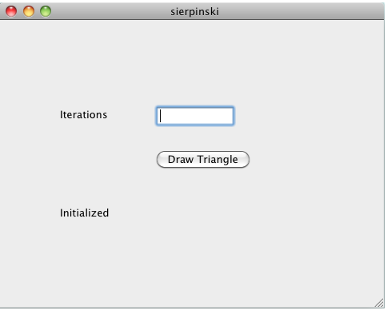
在 Iterations 字段中,输入一个整数,例如
10000: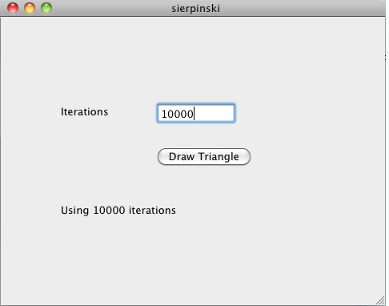
点击 Draw Triangle。出现下图:


