Frequency Response Fitting Using Model Reducer
R2026bThis example shows how to reduce model order of a sparss model using the frequency response fitting method in the Model Reducer app. You can use the frequency response fitting method to obtain low-order approximations of sparse LTI models in the frequency band of interest. The frequency response fitting method is applicable to all types of sparse models with fewer limitations than Balanced Truncation or POD. In particular, it is effective at reducing models with unstable or undamped poles. Frequency response fitting is also applicable to non-sparse models but is usually less effective than Balanced Truncation for such models. The sparse state-space model used in this example is obtained from linearizing a thermal model of heat distribution in a circular cylindrical rod.
Load the model data.
load cylindricalRod.mat
sys = sparss(A,B,C,D,E);
size(sys)
Sparse state-space model with 3 outputs, 1 inputs, and 7522 states.
Open the app, and import the model to reduce.
modelReducer(sys)
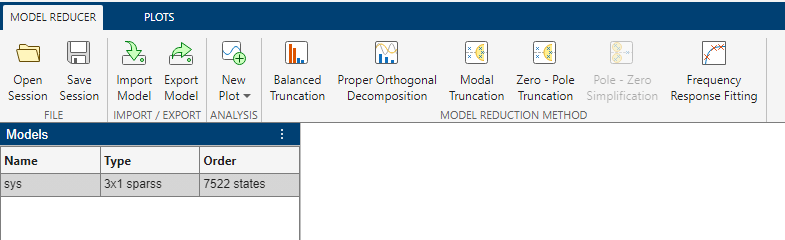
To launch frequency-response fitting reduction, on the Model Reducer tab, click Frequency Response Fitting.
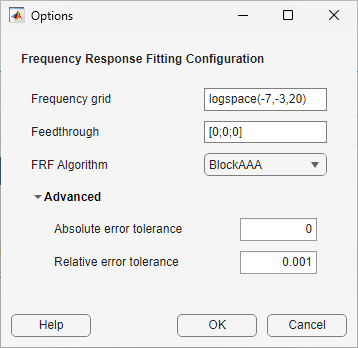
Before proceeding with model reduction, you must first specify options. The software allows you to specify options such as frequency grid and algorithm. Specify a frequency grid that adequately captures gain and phase variations of the original model. Since the feedthrough values for the original model is zero, you can set it to zero in the options.
Set the options as shown in the following figure and click OK.
In the Frequency Response Fitting tab, Model Reducer displays a plot of the frequency response of the original model and a reduced version of the model. By default, the frequency response is a Bode plot for SISO models, and a singular-value plot for MIMO models.
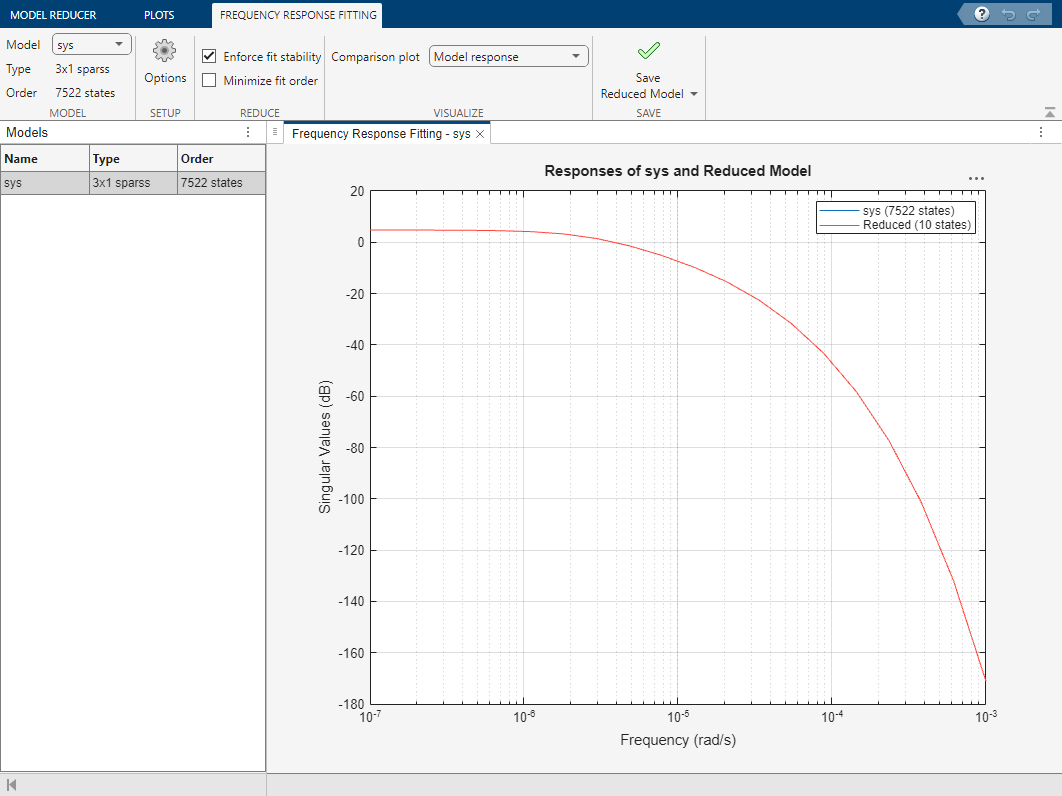
Optionally, examine the absolute or relative error between the original and reduced-order model, in addition to the frequency response. Select the error-plot type using the Comparison plot menu.
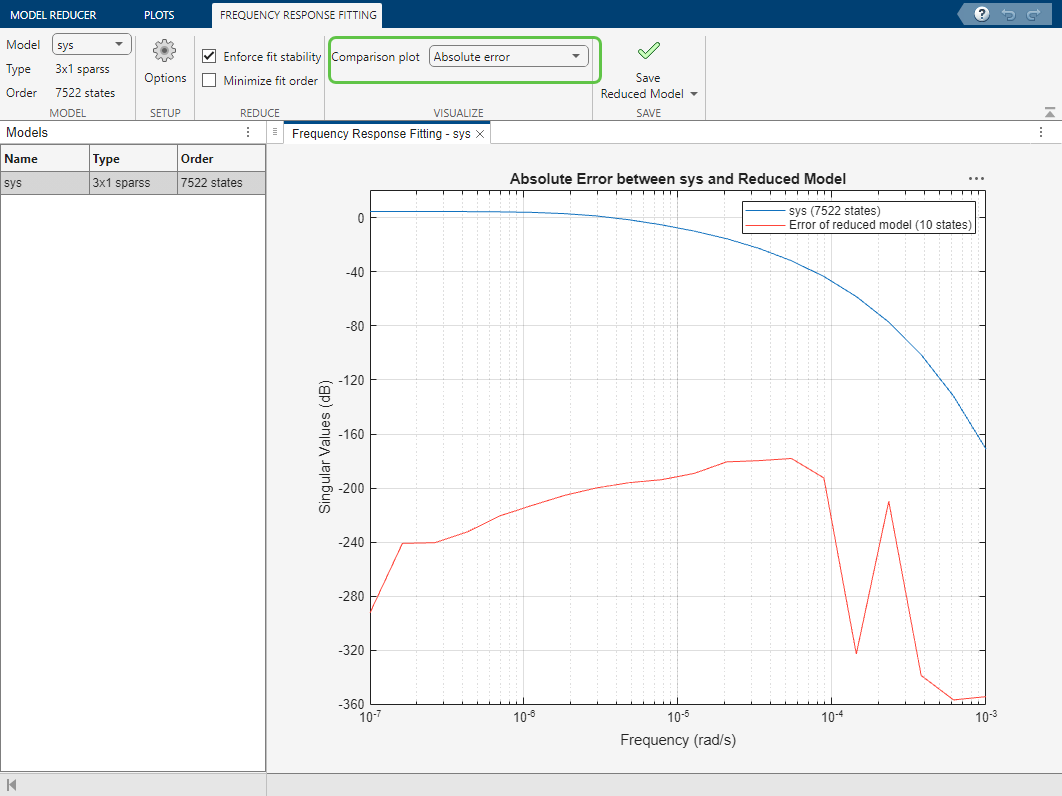
The reduced model provides a good approximation of the original sparse model. When you have one or more reduced models that you want to store and analyze further, click Save Reduced Model. The new models appear in the data browser.
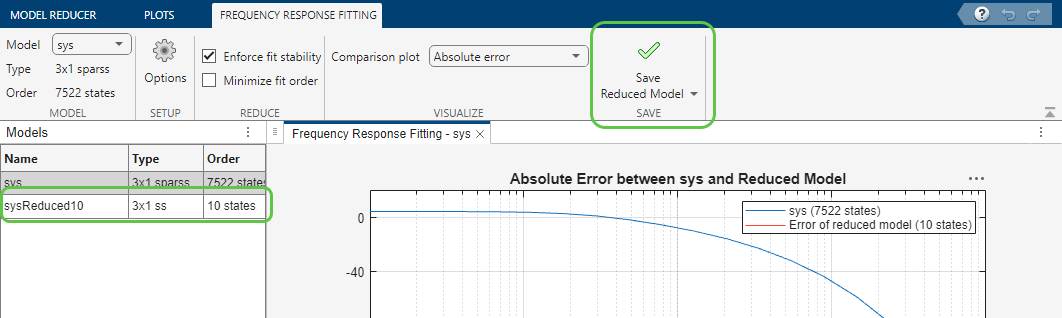
By default, the apps returns a model with an order 10. Typically, when you reduce MIMO models using this method, the default reduced model may not have a minimal order. To ensure a minimal order fit, you can enable the Minimize fit order option. This performs an additional balanced truncation on the initially reduced model to eliminate redundant dynamics. The software further reduces this model as long as it maintains the desired fit accuracy.
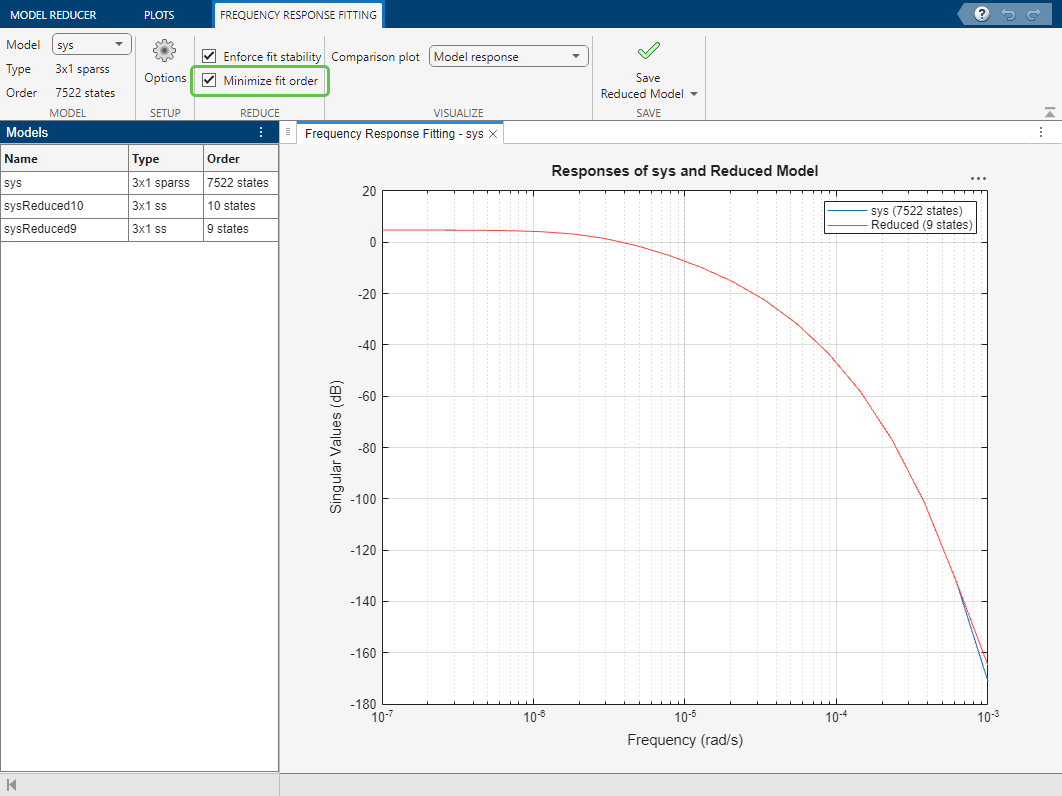
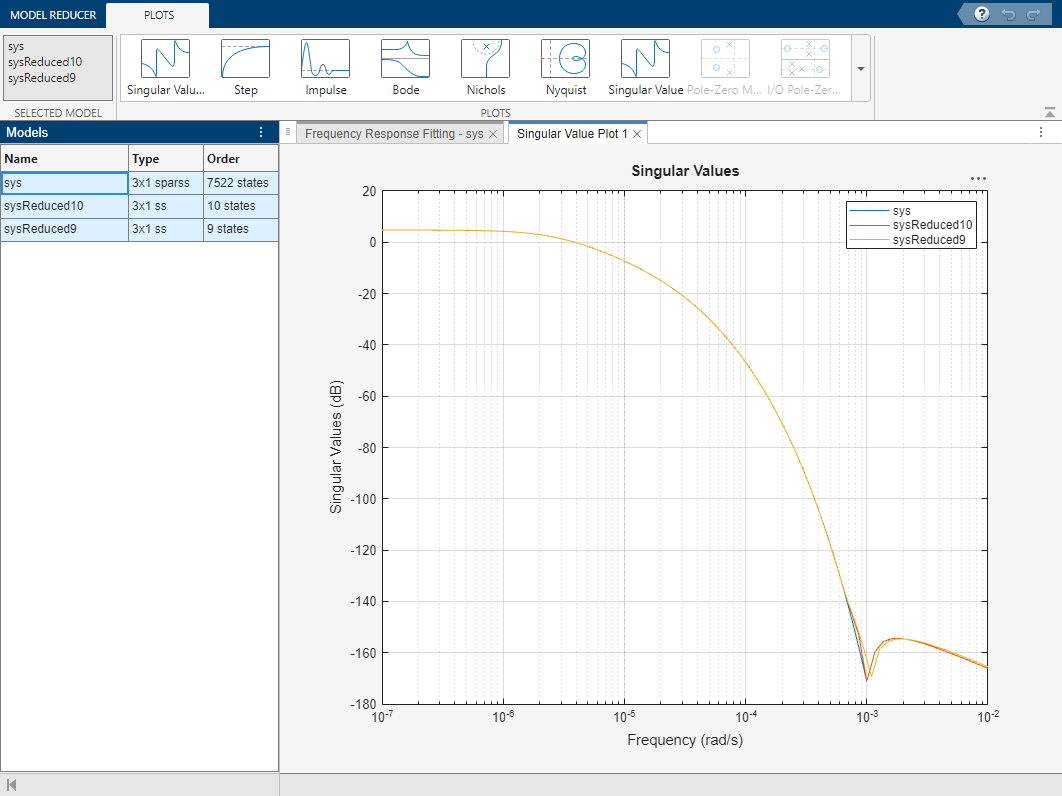
You can compare additional responses of the original and reduced models using the Plots tab. Select all the models to plot (Ctrl-click to select multiple models.), click the Plots tab, and select the Singular Value plot. You can see that both reduced models provide a good approximation of the original model