Zero-Pole Truncation Using Model Reducer
R2026bThis example shows how to obtain a reduced model of a sparss model using the zero-pole truncation method in the Model Reducer app. You can use the zero-pole truncation method to obtain low-order zero-pole-gain approximations of sparse state-space models. This method computes a subset of the zeros and poles of sparse models, typically in a specific low-frequency band [0 ]. It can yield better low-frequency approximations than modal truncation at the expense of more computation. This method also provides direct control over the roll-off slope past the frequency .
This example uses a sparse model obtained from linearizing a thermal model of heat distribution in a circular cylindrical rod. Load the model data.
load cylindricalRod.mat
sys = sparss(A,B,C,D,E);
size(sys)
Sparse state-space model with 3 outputs, 1 inputs, and 7522 states.
Open the app, and import the model to reduce.
modelReducer(sys)
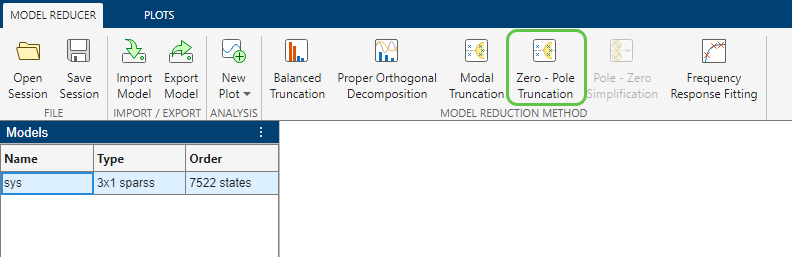
To launch zero-pole truncation, on the Model Reducer tab, click Zero - Pole Truncation.
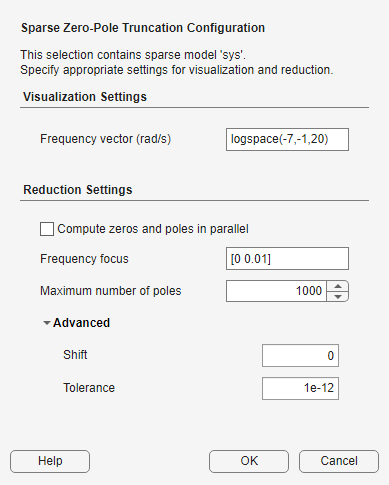
Before proceeding with model reduction, you must first specify options. To prevent the algorithm from computing all the poles and zeros of the sparse model, which can take a long time in some cases, you can specify a frequency focus of interest or the maximum number of poles to compute. Since this method computes all poles and zeros in the specified frequency range, you typically specify a low-frequency range to limit computing a large number of poles and zeros.
Set the options as shown in the following figure and click OK.
In the Zero-Pole Truncation tab, Model Reducer displays a plot of the frequency response of the original model and a reduced version of the model. By default, the frequency response is a Bode plot for SISO models, and a singular-value plot for MIMO models. The app also displays the pole-zero maps for each I/O pair of the reduced model.
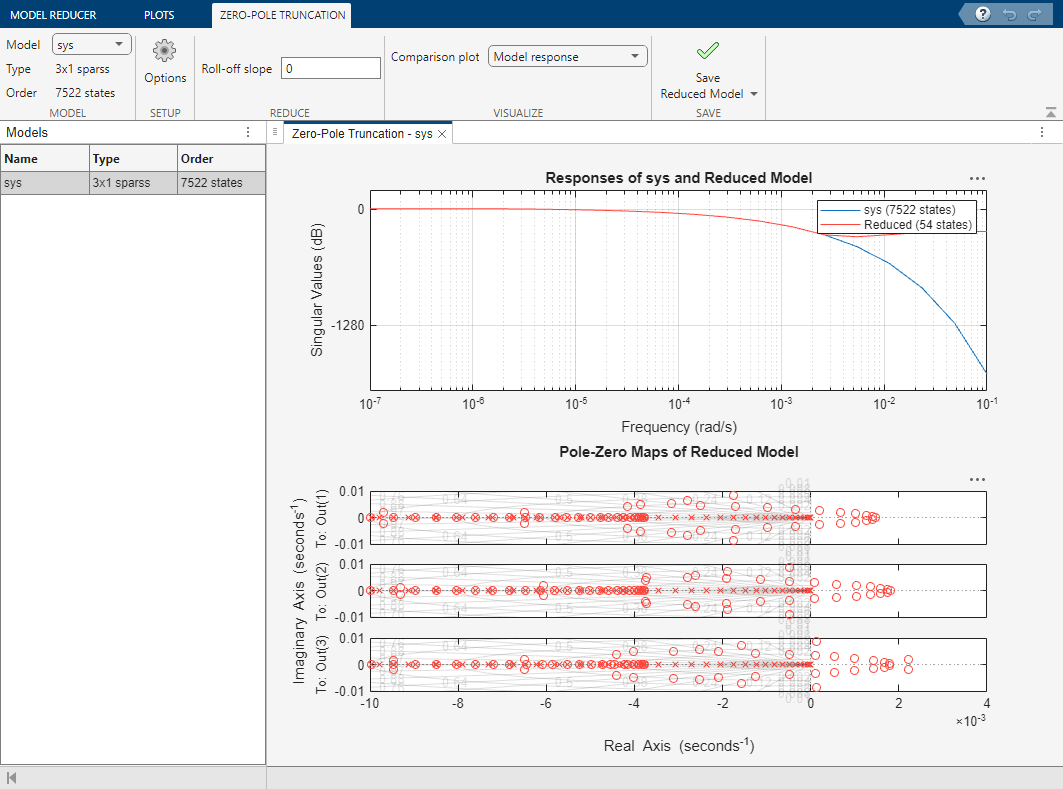
The algorithm returns a model with order 54. However, this thermal model has a very steep roll-off beyond 0.001 rad/s and the reduced model does not provide a good match for this roll-off. To mitigate this, you can use the Roll-off slope option to specify a minimum roll-off value beyond the frequency band of focus. For this model, specify a roll-off slope value of -45, which corresponds to a rate of at least –900 db/decade.
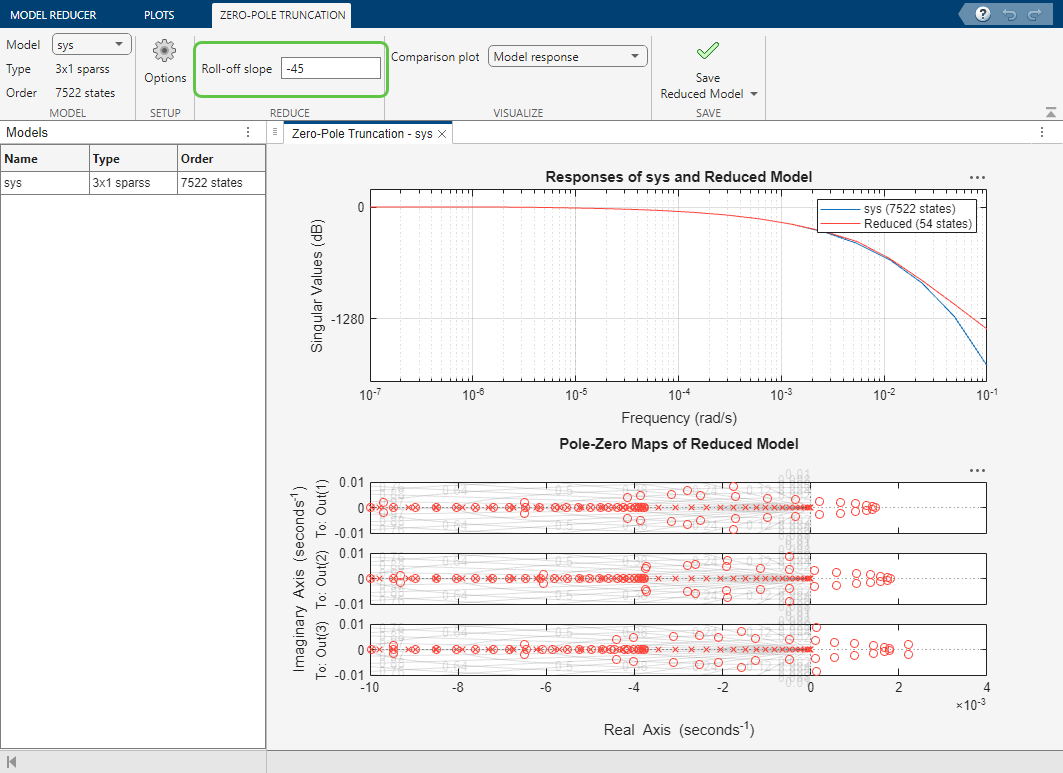
The reduced model now provides a much better approximation of the roll-off value. This option is useful when you want to adjust roll-off at no extra computation cost, after the software has computed poles and zeros.
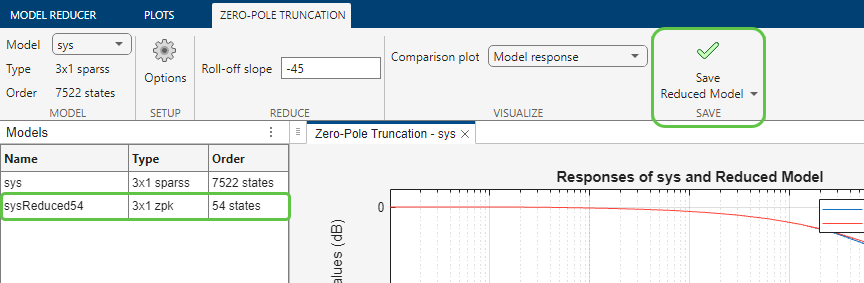
When you have one or more reduced models that you want to store and analyze further, click Save Reduced Model. The new models appear in the data browser.