block
Generate block from a digital filter
Syntax
block(hd)

block(hd,'propertyname1',propertyvalue1,'propertyname2',propertyvalue2,...)
Description
block(hd) generates a DSP System Toolbox™ block equivalent to the digital filter, hd.
block(hd,'propertyname1',propertyvalue1,'propertyname2',propertyvalue2,...)
generates a DSP System Toolbox block using the options specified in the property name/property value
pairs. The valid properties and their values are
Property Name | Property Values | Description and Values |
|---|---|---|
|
| Determine which Simulink® model gets the block. Enter
|
|
| Specify the name of the generated block. The name appears below
the block in the model. When you do not specify a block name, the
default is |
|
| Tell |
|
| Specify whether to apply the current filter states to the new
block. This lets you save states from a filter object you may have
used or configured in a specific way. The default setting of
|
|
| Specify how to set the Coefficient source
in the block mask. The default setting is |
|
| Specify whether to map the coefficients of the filter to the
ports of the block. The |
|
| Specify the coefficient variable names as a cell array of character vectors.
|
|
| Specify sample-based ( |
|
| Specify how the block adjusts the rate at the output to
accommodate the reduced number of samples. This parameter applies
only when |
Using block to Realize a Fixed-Point Digital Filter
When the source filter hd is fixed-point, the input word and
fraction lengths for the block are derived from the block input signal. The
realization process issues a warning and ignores the input word and input fraction
lengths that are part of the source filter object, choosing to inherit the settings
from the input data. Other fixed-point properties map directly to settings for word
and fraction length in the realized block.
Examples
Create a lowpass filter specification object. Specify the passband frequency to be  rad/sample and the stopband frequency to be
  rad/sample. Specify 1 dB of allowable passband ripple and a stopband attenuation of 60 dB.
In the first example, use block with the default syntax, letting the function determine the block name and configuration.
d = fdesign.lowpass('Fp,Fst,Ap,Ast',0.15,0.25,1,60);
hd = design(d);
Now use the default syntax to create a block.
block(hd);
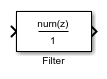
In this second example, define the block name to meet your needs by using the property name/property value pair input arguments.
block(hd, 'blockname', 'FIR Filter');
The figure shows the blocks in a Simulink model. When you try these examples, you see that the second block writes over the first block location. You can avoid this by moving the first block before you generate the second, always naming your block with the blockname property, or setting the Destination property to new which puts the filter block in a new Simulink model.

Version History
Introduced in R2011a

