主要内容

Serial Transmit

R2026b

Write data to the UART port

Since R2026b

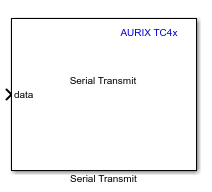
  • TC4x Serial Transmit block icon

Libraries:
Embedded Coder Support Package for Infineon AURIX TC4x Microcontrollers / AURIX TC4x

Description

Add-On Required: This feature requires the Embedded Coder Support Package for Infineon AURIX TC4x Microcontrollers add-on.

The Serial Transmit block writes data to the Universal Asynchronous Receiver Transmitter (UART) port on an Infineon® AURIX™ TC4x Microcontroller board.

The block accepts a vector array of type int8, uint8, int16, uint16, int32, uint32, single, or double values.

To configure serial block peripherals, see Serial Peripheral Configuration.

Ports

Input

expand all

The port accepts the values to transmit to the UART port on the hardware board.

Data Types: uint8 | int8 | uint16 | int16 | uint32 | int32 | single | double

Output

expand all

The port outputs the data transmission status indicator as either 0 or 1.

  • 0 — Successful write operation.

  • 1 — Error in serial data transmission

Dependencies

To enable this port, set the Transfer mode parameter to Wait until previous data transmitted and select the Enable status port parameter.

Data Types: uint8

Parameters

expand all

Select one of these operation modes:

  • Transmit data without waiting — Transmit data to the peripheral device without waiting.

  • Wait until previous data transmitted — The block waits until the previous data is completely transmitted before it continues transmitting the next data frame. This mode enables the Timeout(ms) parameter, which specifies the waiting time.

Specify the maximum time to wait before transmitting the next data frame.

Dependencies

To enable this parameter, set Transfer mode to Wait until previous data transmitted.

Select this parameter to enable the Status port, which outputs the transmission status.

Dependencies

To enable this port, set the Transfer mode parameter to Wait until previous data transmitted.

Extended Capabilities

expand all

C/C++ Code Generation
Generate C and C++ code using Simulink® Coder™.

Version History

Introduced in R2026b