Configure Reference Models
R2026bAn SoC-based multicore model contains two or more reference models depending on the application requirement. To avoid build and validation errors while using the SoC Builder tool, verify the below configuration parameter settings of the reference models.
The Processing Unit parameter value must be unique for each reference model.
Set the Processing Unit parameter of any one of the reference models to
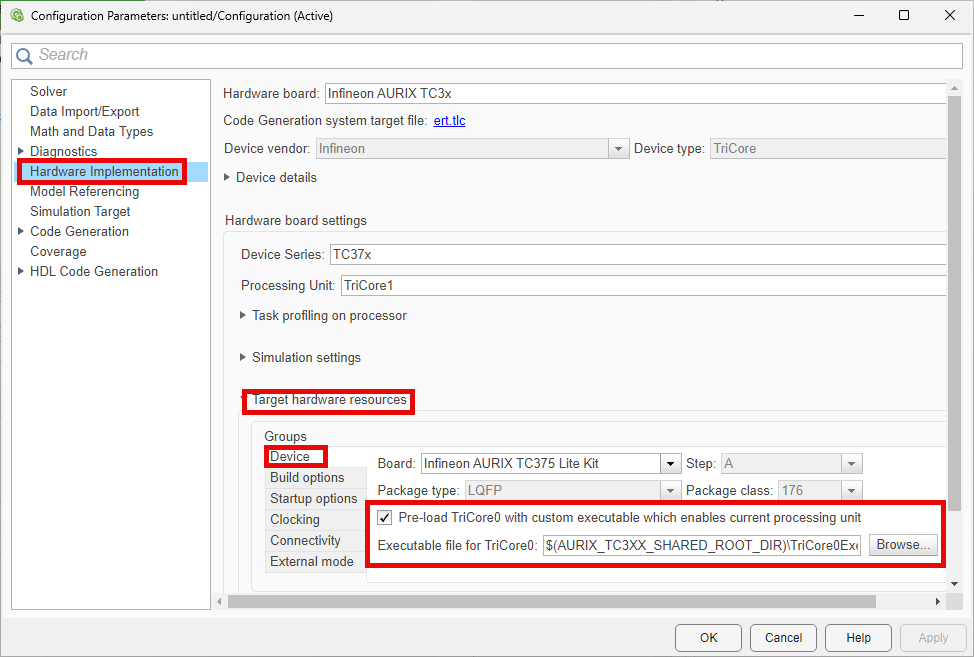
TriCore0. TriCore® 0 is the principal processing unit that handles system initialization, boot processes, and critical control tasks in the Infineon® AURIX™ microcontrollers.If you design reference models to run on the processing units other than the TriCore 0 processing unit, then you must initialize these processing units by enabling Pre-load TriCore0 with custom executable which enables current processing unit parameter.
To specify the custom executable file for the TriCore 0 processing unit, in the Hardware Implementation pane, under Target hardware resources, in the Device tab, set the Executable file for TriCore0 parameter to the location of the executable.
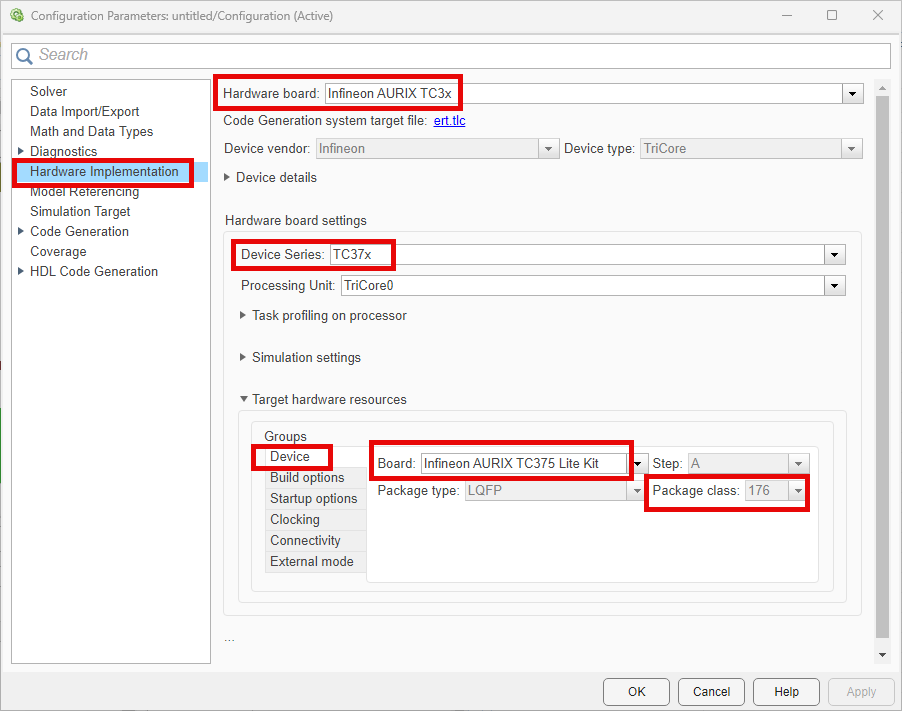
The Hardware board, Device Series, Board, Package class, Enable program cache, and Enable data cache parameters in all the reference models must match. To view and edit these parameters, go to Hardware Implementation pane in the Configuration Parameters dialog box.

See Also
Model Settings
- Hardware board | Device Series | Package class | Pinout | Enable program cache | Enable data cache | Pre-load TriCore0 with custom executable which enables current processing unit | Model Configuration Parameters

