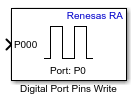
Digital Port Pins Write
Libraries:
Embedded Coder Support Package for Renesas RA Microcontrollers /
Renesas RA6 Based
Description
The Digital Port Pins Write block writes logical states to multiple digital output pins (channels) on a specified port of the Renesas RA microcontroller.
Examples
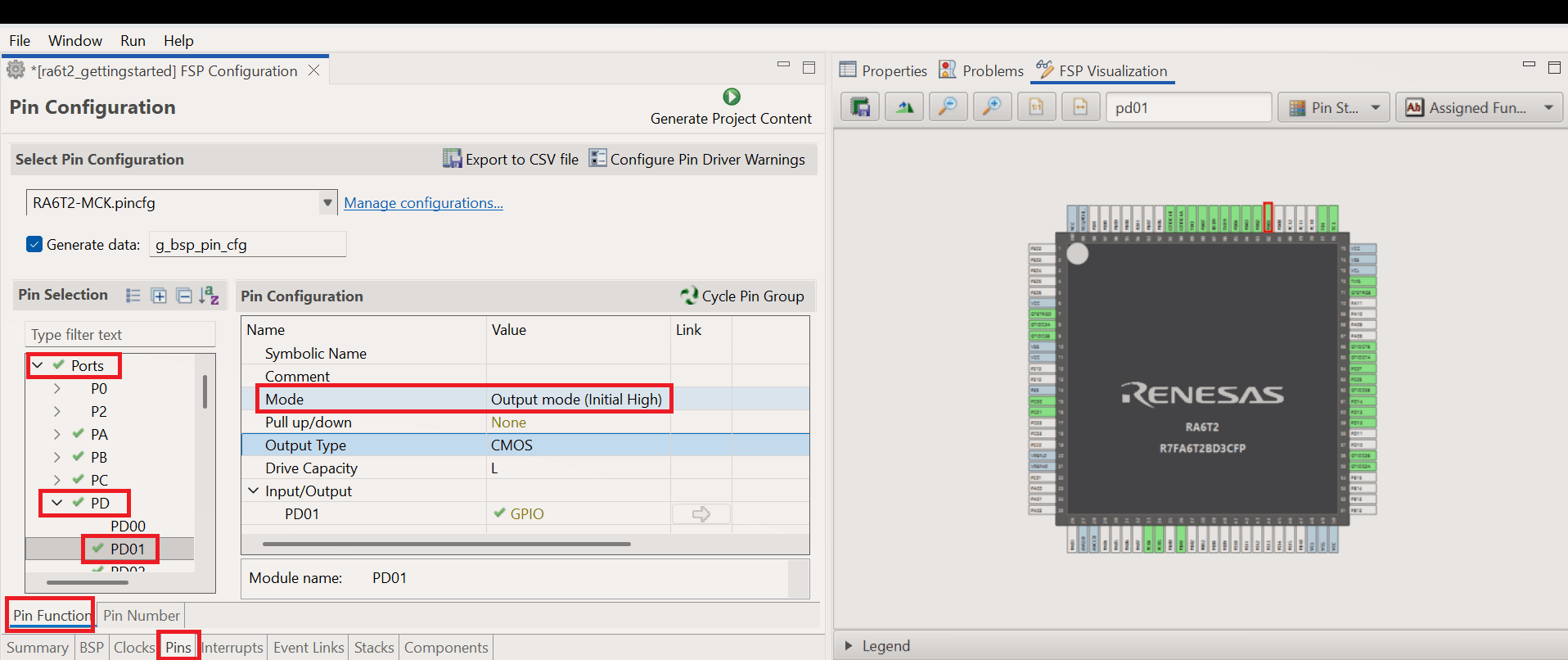
Getting Started with Renesas RA Microcontroller Boards
Use the Embedded Coder ® Support Package for Renesas® RA Microcontrollers to deploy and simulate a Simulink® model on hardware based on Renesas RA microcontrollers. With this support package, you can access hardware peripherals at run time using Simulink® blocks and configure those peripherals through the Renesas RA Smart Configurator tool.
Ports
Input
Provides the logical state for the first pin/channel as a scalar input. The
numeric suffix (00 -15) for the channel reflects the value
specified in the Pins parameter.
Dependencies
To enable this port, Select group of pins/channels and Separate input for each pin parameters must be selected.
Data Types: int8 | uint8 | uint32 | Boolean
Provides the logical state (high/low) for each pin in the group as a vector input.
Dependencies
To enable this port, Separate input for each pin parameter must be cleared.
Data Types: int8 | uint8 | uint32 | Boolean
Parameters
Specify the unique identifier for the digital port. This links the block to a specific digital hardware instance or configuration.
Programmatic Use
Block Parameter:
PortName
|
Select this parameter to specify a group of pins or channels to write to.
Programmatic Use
Block Parameter:
IndividualPinsWrite
|
Specify the pin or channel index (0–15) to write to. The
specified value is appended as a numeric suffix to the Channel000 input port. For
example, specifying 1, results in the input port name Channel001.
Programmatic Use
Block Parameter:
PinNumbers
|
Select this parameter to add a separate input port for each specified pin/channel. When disabled, a single vector input port is used for all pins.
Programmatic Use
Block Parameter:
EachPinAsInput
|
Version History
Introduced in R2026a
MATLAB Command
You clicked a link that corresponds to this MATLAB command:
Run the command by entering it in the MATLAB Command Window. Web browsers do not support MATLAB commands.
选择网站
选择网站以获取翻译的可用内容,以及查看当地活动和优惠。根据您的位置,我们建议您选择:。
您也可以从以下列表中选择网站:
如何获得最佳网站性能
选择中国网站(中文或英文)以获得最佳网站性能。其他 MathWorks 国家/地区网站并未针对您所在位置的访问进行优化。
美洲
- América Latina (Español)
- Canada (English)
- United States (English)
欧洲
- Belgium (English)
- Denmark (English)
- Deutschland (Deutsch)
- España (Español)
- Finland (English)
- France (Français)
- Ireland (English)
- Italia (Italiano)
- Luxembourg (English)
- Netherlands (English)
- Norway (English)
- Österreich (Deutsch)
- Portugal (English)
- Sweden (English)
- Switzerland
- United Kingdom (English)