saturationOverflows
R2026b获取发生饱和处理的结果
描述
results = saturationOverflows(converter,RunName)RunName 中由 DataTypeWorkflow.Converter 对象 converter 指定的模型的发生饱和处理的所有结果。
示例
此示例说明如何获取 DataTypeWorkflow.Converter 对象的指定运行的饱和结果。
打开 fxpdemo_feedback 模型。
open_system('fxpdemo_feedback');
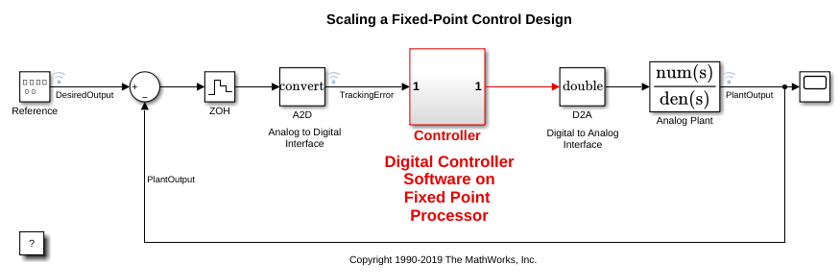
为 Controller 子系统创建一个 DataTypeWorkflow.Converter 对象。
converter = DataTypeWorkflow.Converter('fxpdemo_feedback/Controller');
对模型进行仿真并将结果存储在标题为 InitialRun 的运行中。
converter.CurrentRunName = 'InitialRun';
simulateSystem(converter);
确定运行中是否存在任何溢出。
saturations = saturationOverflows(converter,'InitialRun')
saturations =

  Result with properties:

           ResultName: 'fxpdemo_feedback/Controller/Up Cast'
    SpecifiedDataType: 'fixdt(1,16,14)'
     CompiledDataType: 'fixdt(1,16,14)'
     ProposedDataType: ''
                Wraps: []
          Saturations: 23
          WholeNumber: 0
               SimMin: -2
               SimMax: 1.9999
           DerivedMin: []
           DerivedMax: []
              RunName: 'InitialRun'
             Comments: {'An output data type cannot be specified on this result. The output type is the same as the input type.'}
            DesignMin: []
            DesignMax: []
在仿真期间,Controller 子系统的 Up Cast 模块中发生饱和处理。没有绕回溢出。
输入参数
输出参量
版本历史记录
在 R2014b 中推出

