使用 Wiener 滤波器对图像进行去模糊
R2026b此示例说明如何使用 Wiener 反卷积对图像进行去模糊。当图像的频率特征和加性噪声已知时,至少在一定程度上可以有效地使用 Wiener 反卷积。
仿真模糊图像
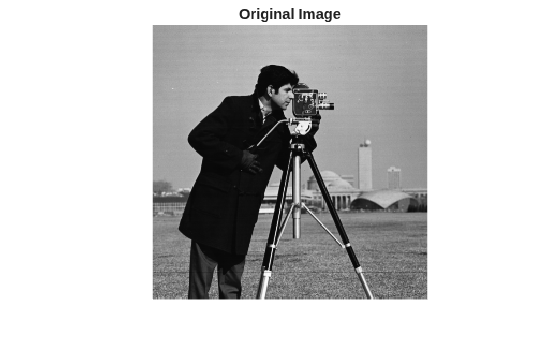
读取并显示没有模糊或噪声的原始图像。
imOriginal = imread("cameraman.tif");
imshow(imOriginal)
title("Original Image")
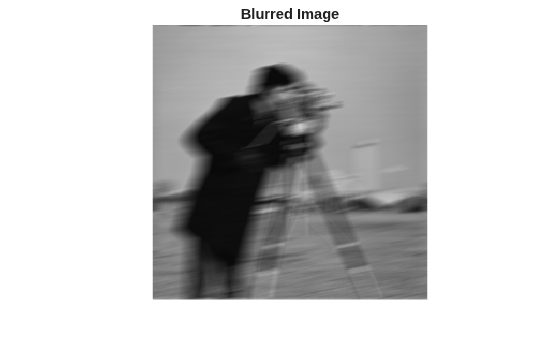
模拟相机移动可能导致的模糊图像。首先,创建点扩散函数 PSF,方法是使用 fspecial 函数并指定以 11 度角跨 21 个像素的线性运动。然后,使用 imfilter 将点扩散函数与图像进行卷积。
原始图像的数据类型为 uint8。如果您将 uint8 图像传递给 imfilter,则该函数将量化输出以返回另一个 uint8 图像。要减少量化误差,请在调用 imfilter 之前将图像转换为 double。
PSF = fspecial("motion",21,11);
imDouble = im2double(imOriginal);
imBlurred = imfilter(imDouble,PSF,"conv","circular");
imshow(imBlurred)
title("Blurred Image")
还原无噪声运动模糊
使用 deconvwnr 函数还原模糊图像。模糊图像没有噪声,因此您可以省略噪信比 (NSR) 输入参量。当您未指定噪声估计值时,维纳还原滤波器假定 NSR 等于 0。
wnr1 = deconvwnr(imBlurred,PSF);
imshow(wnr1)
title("Restored Blurred Image")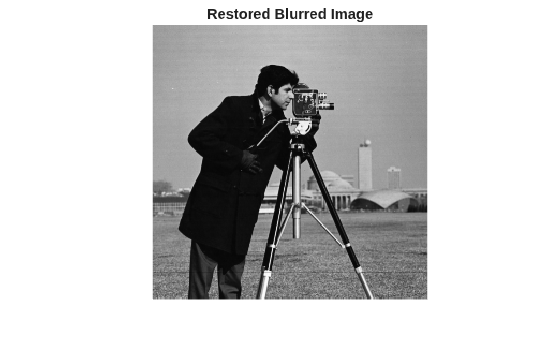
还原具有高斯噪声的运动模糊
仿真具有高斯噪声的模糊图像。使用 imnoise 函数将零均值高斯噪声添加到模糊图像中。
noise_mean = 0;
noise_var = 0.0001;
imBlurredNoisy = imnoise(imBlurred,"gaussian",noise_mean,noise_var);
imshow(imBlurredNoisy)
title("Blurred and Noisy Image")
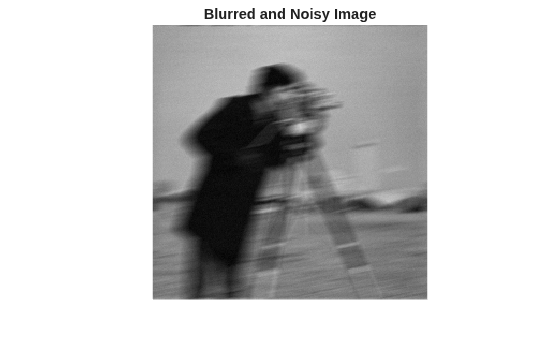
尝试使用 deconvwnr 还原含噪模糊图像,但不提供噪声估计值。在没有噪声估计值的情况下,Wiener 还原滤波器等效于理想的逆滤波器,它对输入图像中的噪声非常敏感。
wnr2 = deconvwnr(imBlurredNoisy,PSF);
显示还原的图像。此还原过程将噪声放大到了使图像内容丢失的程度。
imshow(wnr2)
title("Restoration of Blurred Noisy Image (NSR = 0)")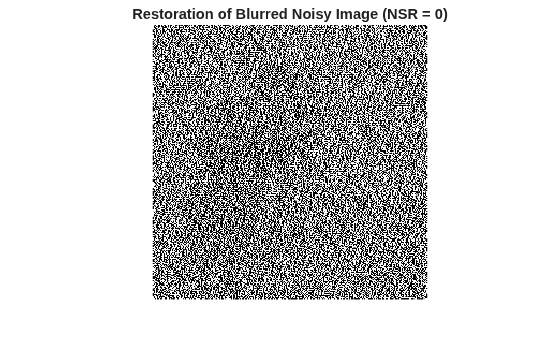
尝试使用 deconvwnr 和更实际的估计噪声值来还原模糊的含噪图像。
signal_var = var(imBlurredNoisy(:));
NSR = noise_var / signal_var;
wnr3 = deconvwnr(imBlurredNoisy,PSF,NSR);
imshow(wnr3)
title("Restoration of Blurred Noisy Image (Estimated NSR)")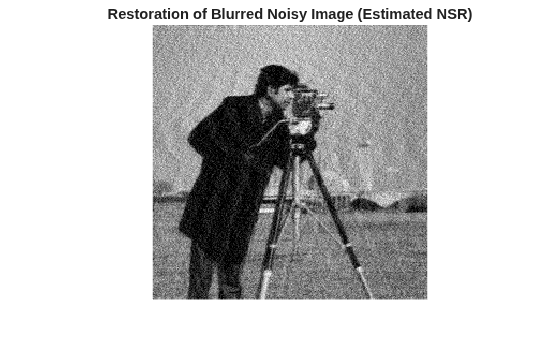
仿真和还原具有 8 位量化噪声的运动模糊
即使视觉上察觉不到的噪声也会影响结果。噪声的一个来源是在处理以 uint8 表示的图像中产生的量化误差。以前,为了避免量化误差,此示例基于数据类型为 double 的原始图像模拟模糊图像。现在,为了探究量化误差对还原的影响,基于原始 uint8 数据类型的原始图像模拟模糊图像。
imBlurredQuantized = imfilter(imOriginal,PSF,"conv","circular");
imshow(imBlurredQuantized)
title("Blurred Quantized Image")
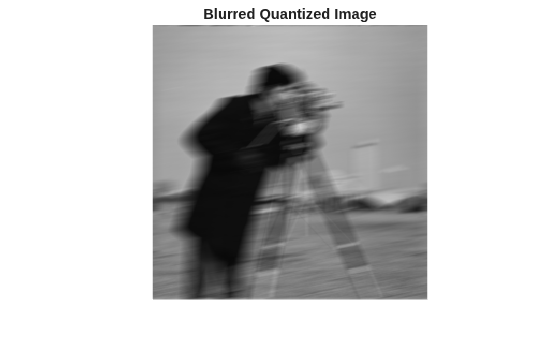
尝试使用 deconvwnr 还原模糊量化图像,但不提供噪声估计值。尽管没有添加额外的噪声,但与数据类型为 double 的模糊图像的还原相比,此还原降低了质量。
wnr4 = deconvwnr(imBlurredQuantized,PSF);
imshow(wnr4)
title("Restoration of Blurred Quantized Image (NSR = 0)");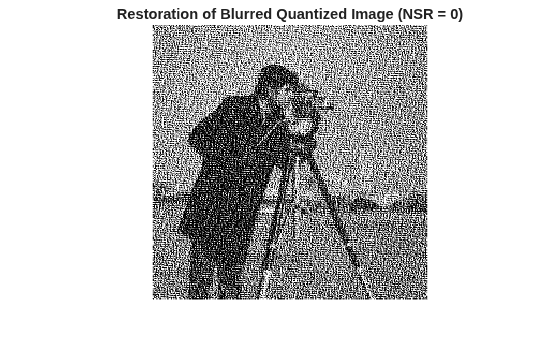
现在,提供更实际的量化噪声估计值。处理 uint8 数据时,量化步长为 1。
qss = 1;
uniform_quantization_var = qss/12;
计算信号的方差。var 函数需要数据类型为 double 的数据,因此在计算方差之前将像素值转换为 double。不要将像素值重新缩放到 [0, 1] 范围。
signal_var = var(double(imBlurredQuantized(:)));
使用 deconvwnr 并采用量化噪声的估计 NSR 来还原模糊的量化图像。
NSR = uniform_quantization_var / signal_var;
wnr5 = deconvwnr(imBlurredQuantized,PSF,NSR);
imshow(wnr5)
title("Restoration of Blurred Quantized Image (Estimated NSR)");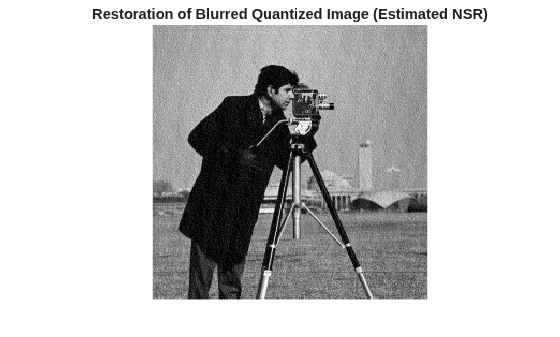
另请参阅
deconvwnr | fspecial | imfilter | imnoise

