主要内容

propedit

(已删除)打开属性编辑器

    propedit 已删除。请改用 inspect 来启动属性检查器

    说明

    propedit 启动属性编辑器,这是图形对象属性的一个图形用户界面。如果不存在当前图窗,propedit 会创建一个。

    示例

    propedit(fig) 在指定的图窗而非当前图窗上操作。

    示例

    全部折叠

    通过调用 propedit 函数在图窗上显示属性编辑器。该工具将以上次调用该工具时的相同配置打开。

    plot(1:10);
    propedit
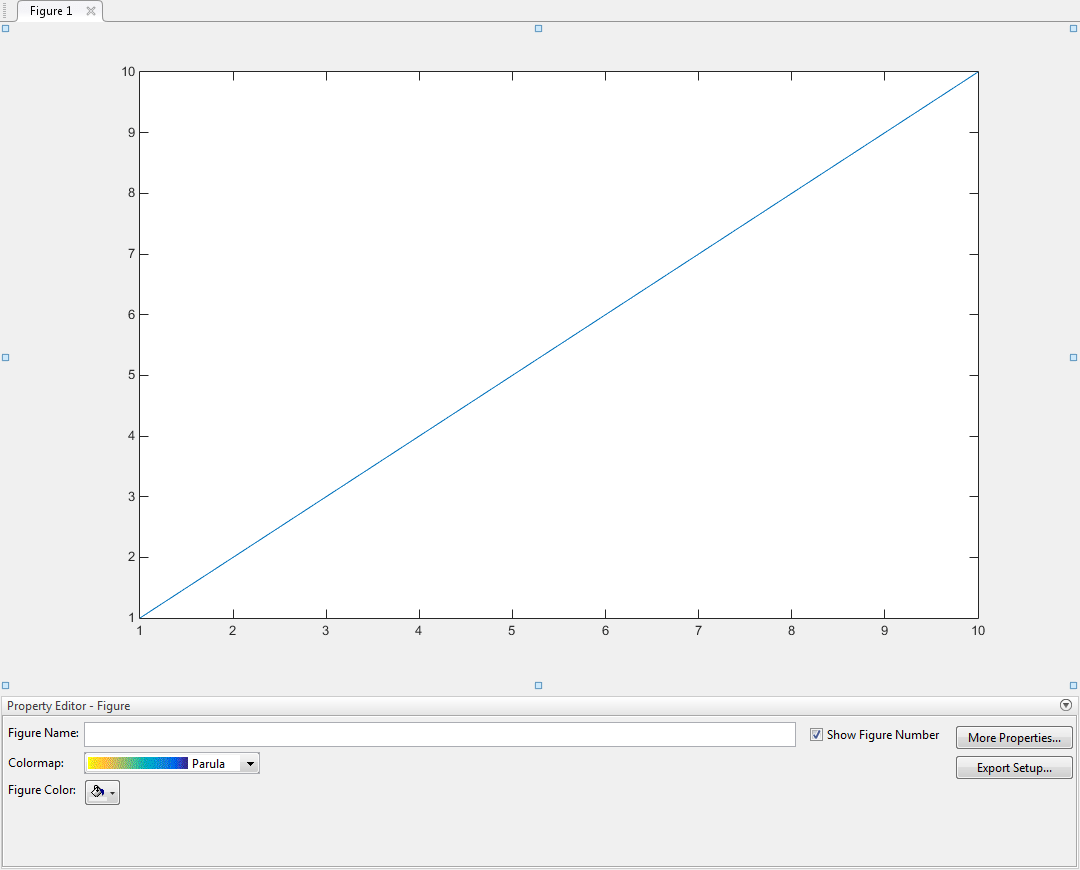
    Property Editor tool below a figure window. The Property Editor tool has options to set the figure name, colormap, and figure color. A check box is labeled "Show Figure Number". Two buttons are labeled "More Properties" and "Export Setup".

    输入参数

    全部折叠

    目标图窗,指定为 Figure 对象。使用 fig 在特定图窗(而不是当前图窗)上显示属性编辑器。

    版本历史记录

    在 R2006a 之前推出

    全部展开