uiresume
R2026b恢复暂停程序的执行
描述
示例
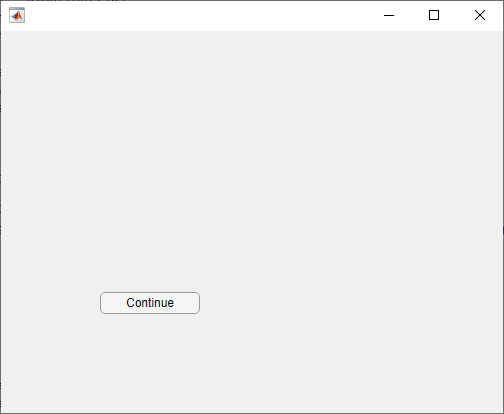
创建一个普通按钮,并等待用户按下它。然后显示一条消息。
创建一个普通按钮(其文本为继续)和一个回调(当点击该普通按钮时会调用 uiresume 函数)。当程序开始执行时,在命令行窗口中显示一条消息。暂停程序执行,直到您点击继续或关闭图窗窗口。然后显示新消息。
fig = uifigure;
btn = uibutton(fig);
btn.Text = 'Continue';
btn.ButtonPushedFcn = 'uiresume(fig)';

disp('This text prints immediately');
uiwait(fig)
disp('This text prints after you click Continue');
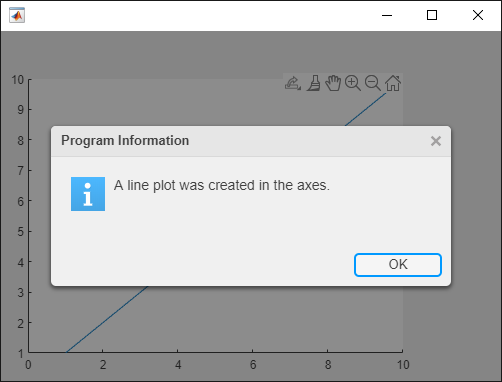
创建一个警报对话框,然后让它等待收到响应后允许程序继续执行。
在 UI 图窗中创建一个线图,并显示警报对话框。为对话框指定一个 CloseFcn 回调,对话框在收到响应时对图窗调用 uiresume。暂停程序执行,直到您在对话框中点击确定或将其关闭。当程序继续执行时,在命令行窗口中显示一条消息。
要运行此函数,请将其保存到 MATLAB 路径中名为 resumeInFunction.m 的文件中。运行 resumeInFunction,然后点击普通按钮。MATLAB 在命令行窗口中显示一条消息。
function resumeInFunction
    fig = uifigure;
    fig.Position = [500 500 500 350];
    ax = uiaxes(fig);
    plot(ax,1:10)

    uialert(fig,'A line plot was created in the axes.', ...
        'Program Information','Icon','info','CloseFcn',@alertCallback)

    uiwait(fig)
    disp('Program execution resumed')

    function alertCallback(src,event)
        uiresume(fig)
    end
end
有关为回调指定输入参量的详细信息,请参阅Create Callbacks for Apps Created Programmatically。
输入参数
版本历史记录
在 R2006a 之前推出

