Velodyne 激光雷达传感器
R2026b利用面向 Velodyne LiDAR 传感器的 Point Cloud Toolbox® 支持包,您能够从 MATLAB 连接到 Velodyne 传感器并采集点云。然后,您可以在 MATLAB 中处理和可视化点云,以及将数据保存到磁盘。有关详细信息,请参阅Log and Visualize 3-D Data from Velodyne LiDAR Sensor。
该支持包支持以下 Velodyne LiDAR 型号:
VLP-16 Puck
VLP-16 Puck LITE
VLP-16 Puck Hi-Res
VLP-32C Ultra Puck
HDL-32E
HDL-64E
VLS-128 Alpha Puck
函数
velodynelidar | Stream point clouds from Velodyne LiDAR sensor |
preview | Preview of live point cloud data from Velodyne LiDAR sensor |
closePreview | Close preview of live point cloud data from Velodyne LiDAR sensor |
start | Start streaming point clouds from Velodyne LiDAR sensor |
flush | Delete point clouds in velodynelidar object buffer |
read | Acquire point clouds from velodynelidar object
buffer |
stop | Stop streaming point clouds from Velodyne LiDAR sensor |
主题
- Get Started with Velodyne LiDAR Sensor Acquisition
Get started with Velodyne LiDAR sensor acquisition.
- Create a velodynelidar Object and Use Object Properties
You access the point cloud data using the
velodynelidarobject. - Read Point Clouds
You can read all available point clouds or read a subset that you select. You can specify number of point clouds to read and specify them as the latest or the oldest point clouds in the buffer using arguments of the
readcommand. - Read and Compare Two Point Clouds from Velodyne LiDAR Sensor
This example shows how to acquire the oldest and newest point clouds from the buffer and display them to compare the images.
精选示例
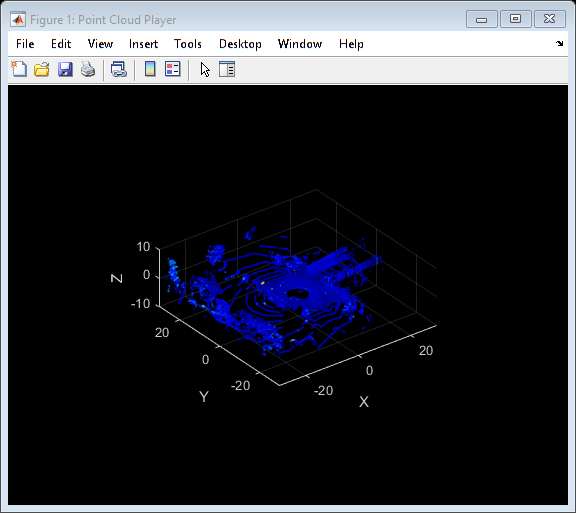
Log and Visualize 3-D Data from Velodyne LiDAR Sensor
Acquire lidar data from a Velodyne LiDAR® sensor device. A lidar sensor creates a 3-D map of the surrounding environment by using scanning laser beams and time of flight distance measurements. Lidar systems are used in a variety of application areas, such as a 3-D mapping, surveying, industrial automation, and autonomous vehicle navigation.

