Hardware Setup for Raspberry Pi Blockset
R2026bRaspberry Pi® hardware requires additional configuration and setup steps to connect to MATLAB® and Simulink®.
The hardware setup interface for Raspberry Pi Blockset guides you through the following steps:
Install third-party software, CMSIS and CMSIS-DSP, on the host machine to support advanced signal processing and code generation workflows.
Establish connection with your Raspberry Pi hardware.
Install required libraries and packages on the Raspberry Pi operating system based on your application needs for MATLAB and Simulink. For more information, see Modularize Installation of Third-Party Packages and Libraries for Raspberry Pi Hardware.
Configure Raspberry Pi peripherals such as I2C, SPI, UART, Camera, CAN to enable hardware interfacing.
Open Hardware Setup Wizard
Open the Raspberry Pi Blockset hardware setup interface using one of the following methods.
Using MATLAB Command Window
This command opens the Hardware Setup wizard for Raspberry Pi Blockset.
raspisetup
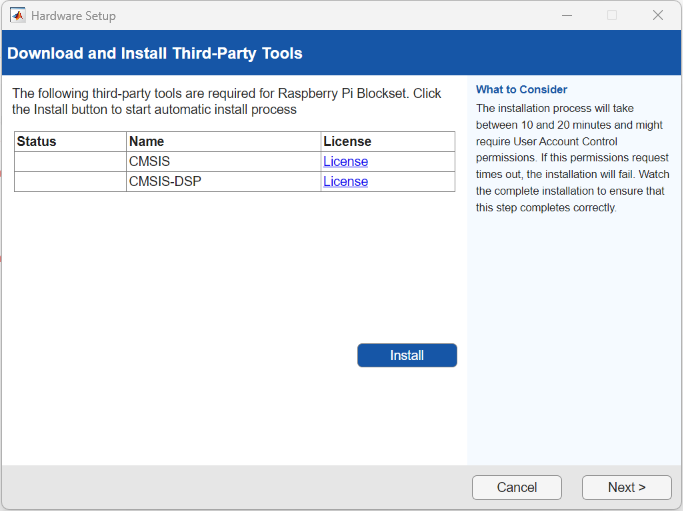
Follow the instructions on each page of the wizard to complete configuring your hardware.
Using MATLAB Add-On Manager
On the Home tab of your MATLAB session, in the Environment section, select Add-Ons > Manage Add-Ons.
In the Installed Add-Ons list, click the Options button next to Raspberry Pi Blockset, and select Setup.
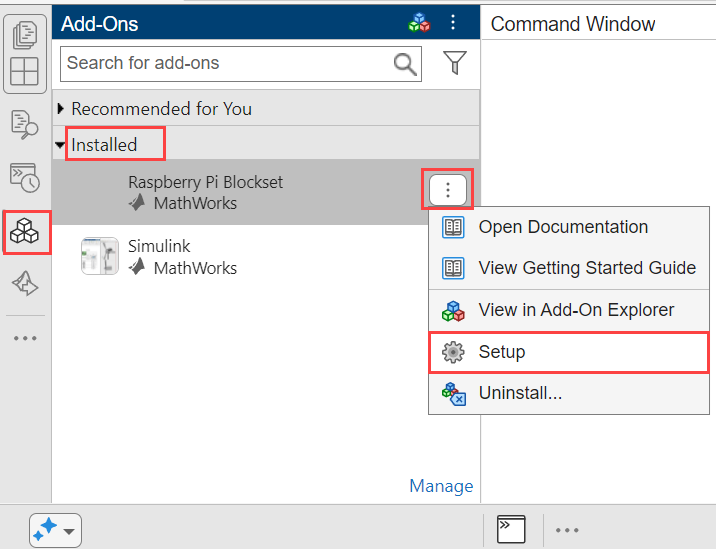
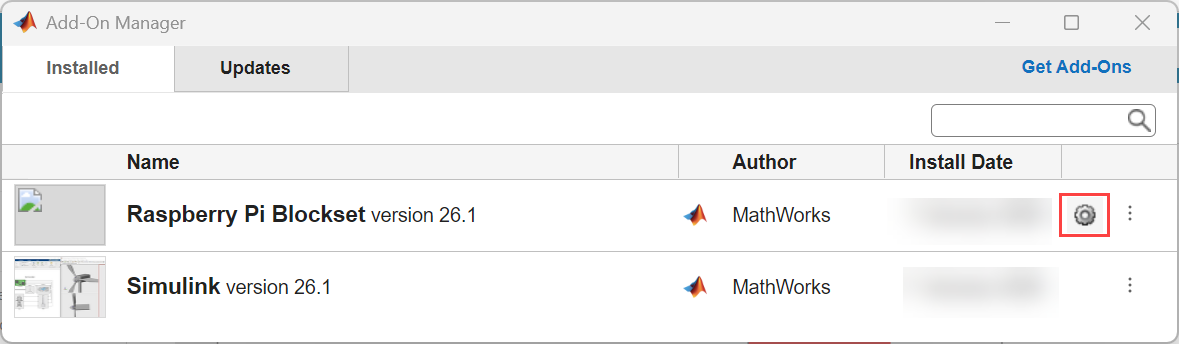
Alternatively, from the Add-ons panel, click Manage to open Add-On Manager window. Click the gear icon to launch the Hardware Setup wizard for Raspberry Pi Blockset.
Using Simulink Toolstrip
Open any model which is configured for Raspberry Pi hardware board.
In the toolstrip, on the Hardware tab, go to Hardware Board and select
Setup
                Hardware
.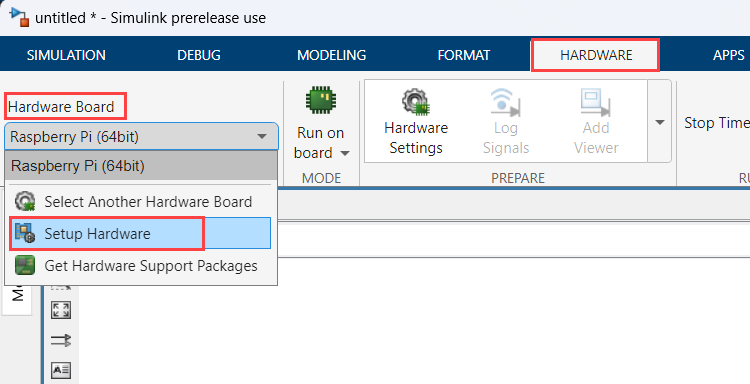
This selection opens the Hardware Setup wizard for Raspberry Pi Blockset.
Hardware Setup for Third-Party Tools
The hardware setup for Raspberry Pi Blockset installs and configures these essential third-party tools on your host computer to support advanced processing and code generation workflows.
| Tool | Purpose |
|---|---|
Common microcontroller software interface standard (CMSIS) | Standardized interface for ARM®-based microcontrollers to improve software portability. |
Common microcontroller software interface standard - Digital Signal Processing (CMSIS-DSP) | Optimized digital signal processing functions for real-time embedded applications. |
Note
Your host computer must be connected to the internet for this step of the setup process.
Update Raspberry Pi Blockset
To update the blockset, in the Home tab of your MATLAB session, in the Resources section, select Help > Check for Updates.

