主要内容

Simulation 3D Four-Wheel Ground Following

R2026b

Adjust vehicle chassis pose to align with terrain geometry

Since R2026b

  • Four-Wheel Ground Following block icon

Libraries:
Offroad Autonomy Library / Ground Following

Description

Add-On Required: This feature requires the Robotics System Toolbox Offroad Autonomy Library add-on.

The Simulation 3D Four‑Wheel Ground Following block computes a terrain‑aligned 3D pose for a four-wheeled vehicle moving over uneven ground in an Unreal Engine® simulation. The block determines the translation and rotation of the vehicle in an Unreal Engine scene based on the 2D pose of the rear-axle frame of the vehicle chassis and the wheel parameters. The block ensures the wheels remain in contact with the terrain surface of the scene. The output pose represents the vehicle aligned with the terrain geometry.

This figure shows the parameters of the four-wheeled vehicle.

Note

Simulating models with the Simulation 3D Four-Wheel Ground Following block requires Simulink® 3D Animation™.
Examples

expand all

Use the exampleHelperCreateForklift helper function to create a forklift rigid body tree model. Then load the ground-following parameters, like wheelbase, track width, and wheel radius.

forklift = exampleHelperCreateForklift;
[tw,wb,rad,pose] = exampleHelperForkliftParameters(forklift);
show(forklift,Frames="off")
title("Forklift")
axis auto
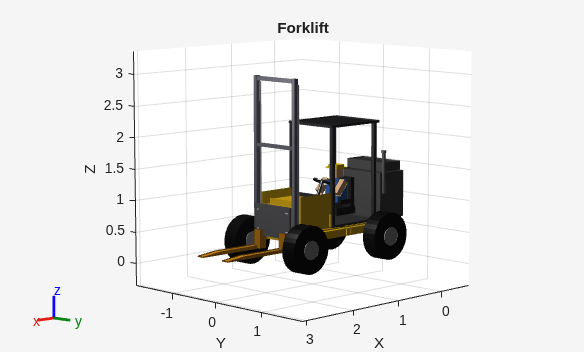
Figure contains an axes object. The axes object with title Forklift, xlabel X, ylabel Y contains 63 objects of type patch.

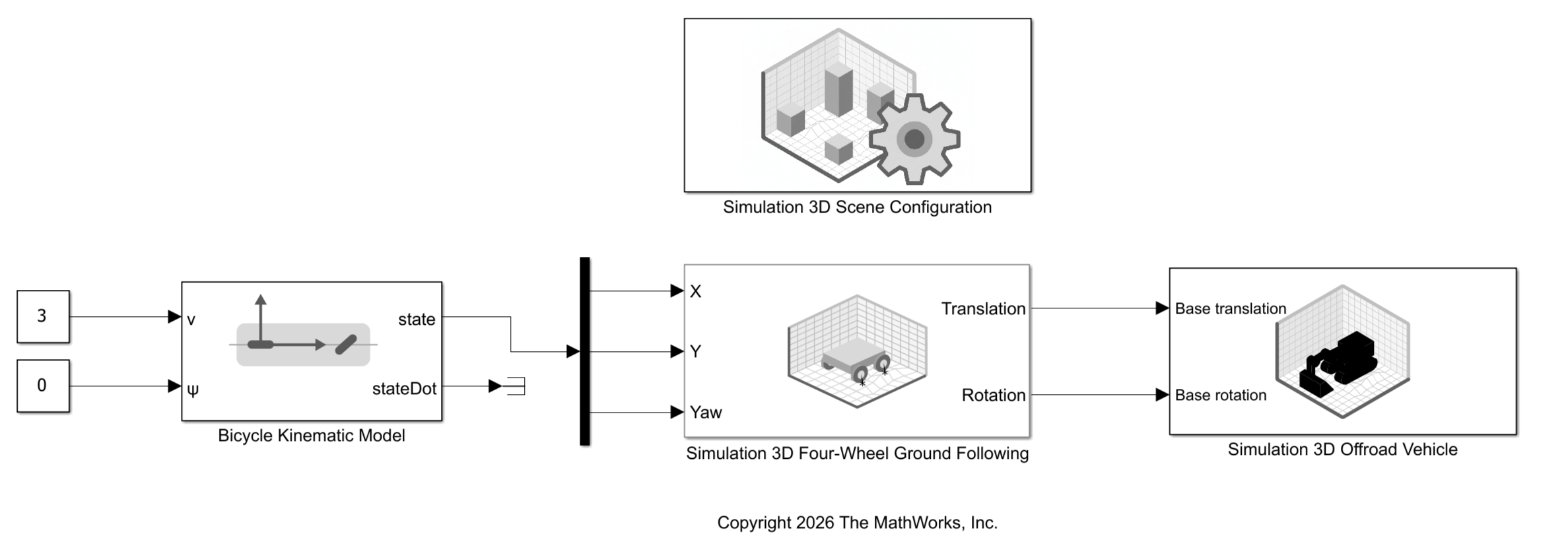
Open the model. In the Simulation 3D Four-Wheel Ground Following block mask, specify all of ground-following parameters for the forklift.

open_system("Sim3DForkliftGroundFollowing.slx")
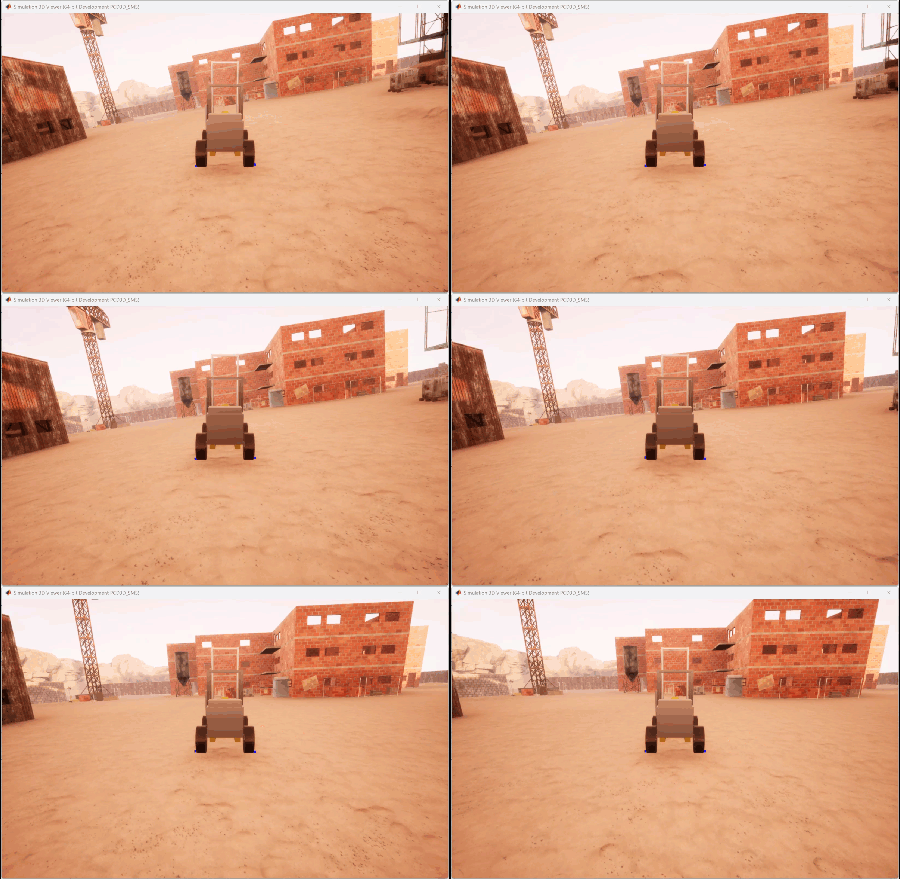
Run the model.

sim("Sim3DForkliftGroundFollowing.slx");
function [tw,wb,rad,pose] = exampleHelperForkliftParameters(forklift) 

homeConfig = homeConfiguration(forklift);

tformRL_RR = getTransform(forklift,homeConfig,"wheel_rr","wheel_rl");
tw = norm(tform2trvec(tformRL_RR));

tformRL_FL = getTransform(forklift,homeConfig,"wheel_fl","wheel_rl");
wb = norm(tform2trvec(tformRL_FL));

tformOrigin_RL = getTransform(forklift,homeConfig,"wheel_rl","origin");
posOrigin_RL = tform2trvec(tformOrigin_RL);
rad = posOrigin_RL(3);

pose = getTransform(forklift,homeConfig,"rear_axle","origin"); 

end

Ports

Input

expand all

x-coordinate of the rear-axle frame in the right-handed world frame, specified as a numeric scalar, in meters.

y-coordinate of the rear-axle frame in the right-handed world frame, specified as a numeric scalar, in meters.

Yaw of the rear-axle frame in the right-handed world frame, specified as a numeric scalar. Units are in radians.

Output

expand all

Translation of the actor in the right-handed world frame, returned as a three-element row vector of the form [x y z]. Units are in meters.

You can specify this output translation to the input Translation port of the Simulation 3D Robot block.

Rotation of the actor in the right-handed world frame, returned as a three-element row vector representing the Euler angle sequence ZYX. Units are in radians.

You can specify this output rotation to the input Rotation port of the Simulation 3D Robot block.

Parameters

expand all

Specify the distance between the left and right wheels on the rear axle as a positive numeric scalar. Units are in meters.

Specify the distance between the rear and front wheels on the same side as a positive numeric scalar. Units are in meters.

Specify the radius of rear wheels as a nonnegative numeric scalar. Units are in meters.

Specify the pose of the rear-axle frame with respect to the origin frame of the actor as a 4-by-4 homogeneous transformation matrix.

If you use the Simulation 3D Robot block to create the actor, the rear-axle pose is with respect to the base frame of the associated rigid body tree model.

Specify the axial distance from each wheel center to the ray-tracer origin, measured outboard along the axle axis, as a nonnegative numeric scalar. Units are in meters.

Specify the name of the parent to which to apply ground following as either the name of a vehicle in your model or Scene Origin. The vehicle names that you can select correspond to the Name parameters of the simulation 3D vehicle blocks, such as the Simulation 3D Robot block, in your model.

Example: SimulinkVehicle1

Select this parameter to visualize the ray tracing lines. These ray tracers detect the ground under the vehicle for sensing the elevation of the ground in the Unreal Engine scene.

Algorithms

expand all

The block computes a ground-following pose for the rear-axle frame by estimating terrain slope from four wheel-contact elevations.

Version History

Introduced in R2026b