基于角度的旋转系统
R2026b浏览关于使用基于角度的旋转域和库的示例。要了解有关基于角度的建模框架的详细信息,请按示例列出的顺序查看示例。
精选示例
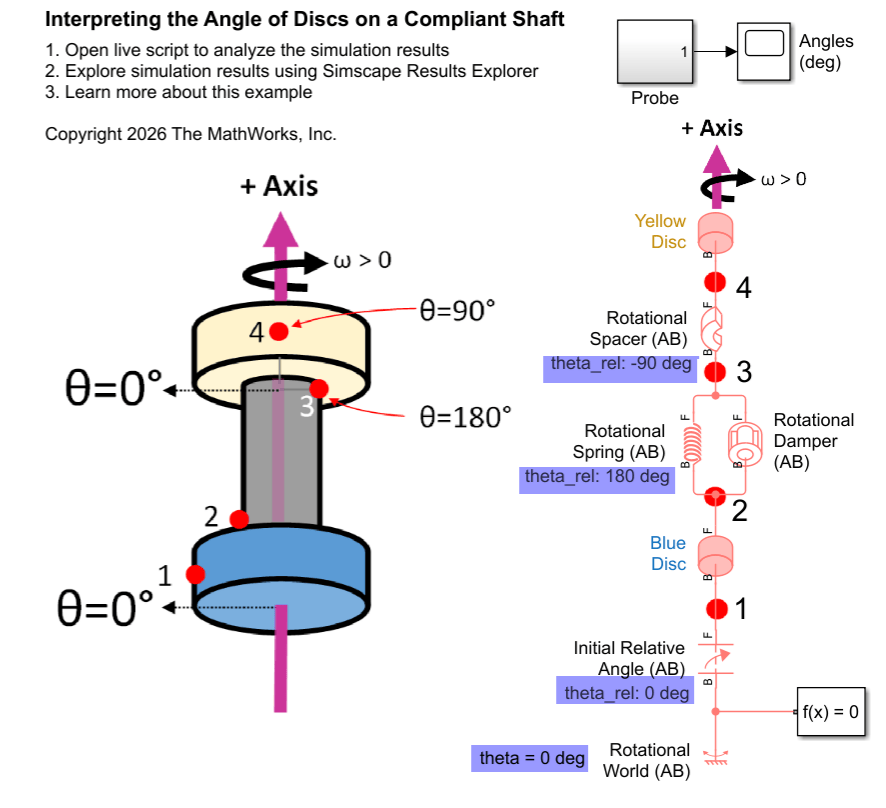
Interpreting Angle in the Angle-Based Rotational Domain
Set up and interpret angles in angle-based rotational models. It provides background information to explain the underlying concepts. The angle-based rotational domain tracks angle, θ, and rotational velocity, ω, at every node. Use angle-based rotational blocks to model rotational systems where knowing multiple component angles is important.
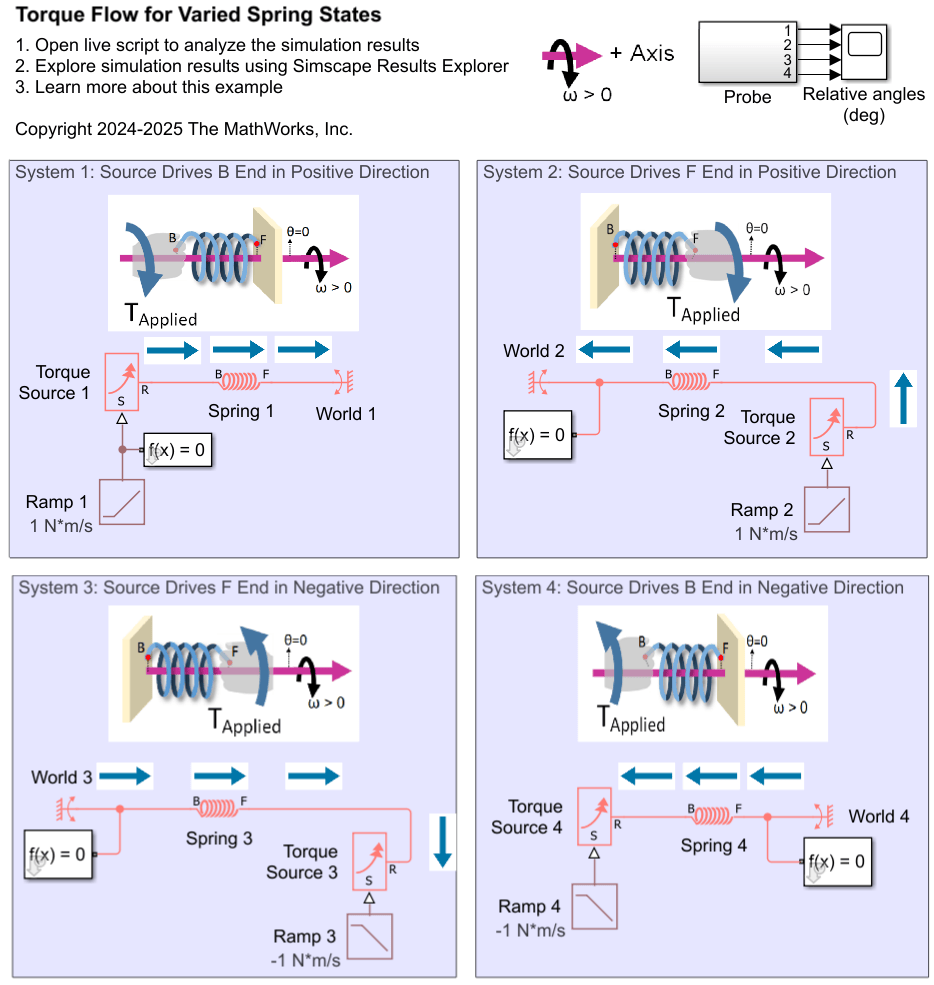
Interpreting Torque in the Angle-Based Rotational Domain
Describes how to interpret torques in a Simscape™ angle-based rotational network. It outlines the key concepts for understanding the signs of logged torques. It examines rotational spring systems driven by torque sources at different ends, as well as a rotational system of inertias, to illustrate the torque behavior.
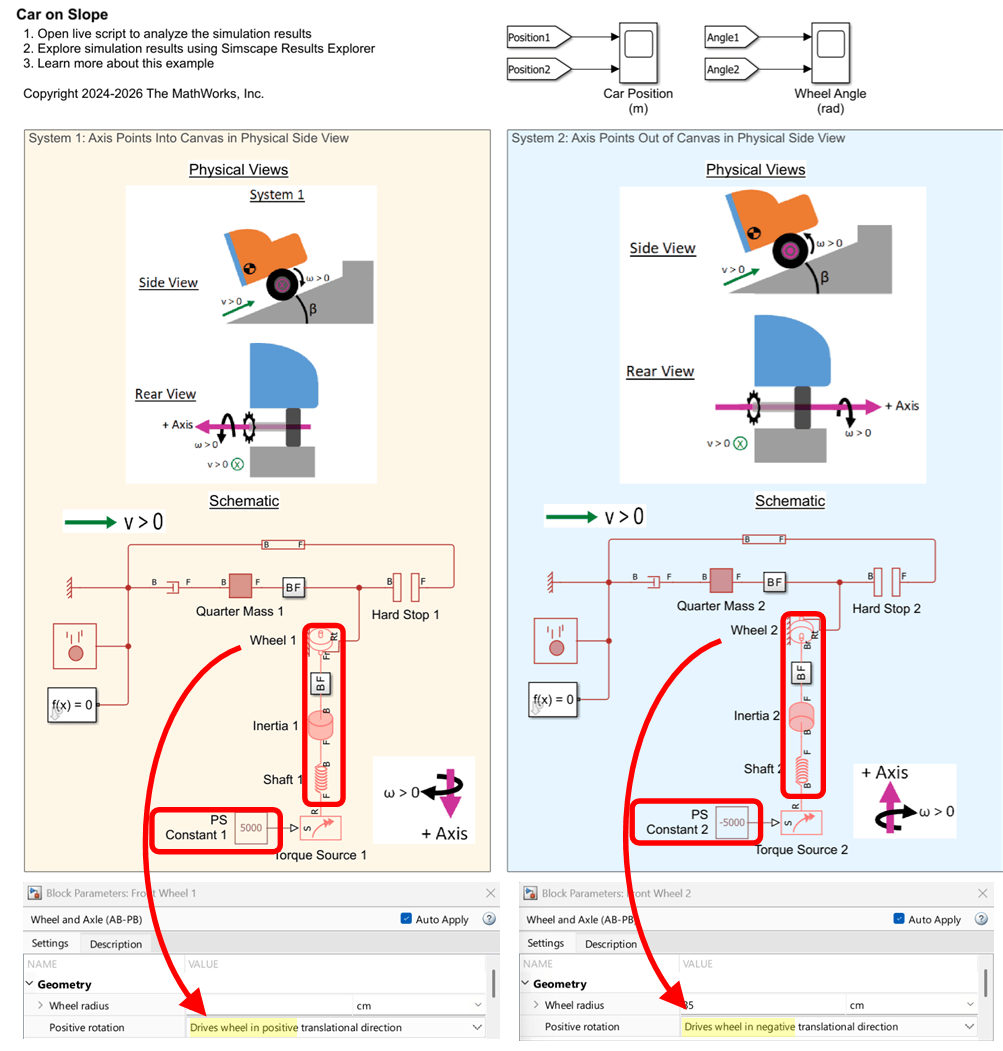
Interfacing Angle-Based Rotational and Position-Based Translational Networks
Demonstrates how you can define positive directions for translation and rotation in your physical view and adjust the Simscape™ network to achieve the desired behavior. It highlights the flexibility of Simscape in mapping physical directions to schematic representations.
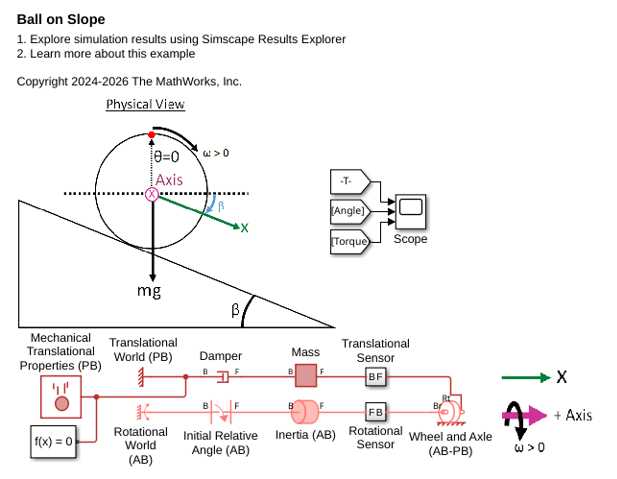
Ball on a Slope
A ball rolling down a sloped ramp under gravity. The model demonstrates:
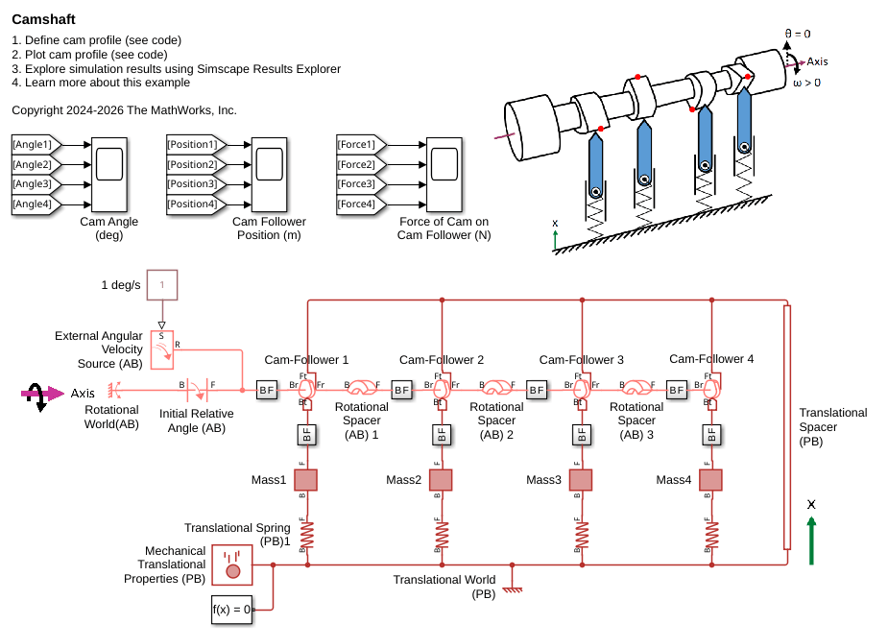
Camshaft
Model a camshaft using Cam and Follower (AB-PB) blocks. The camshaft has four cams, each driving a knife-edge follower on a spring. This example describes how to set up the cam profile, offset angles between the cams, and initial conditions.
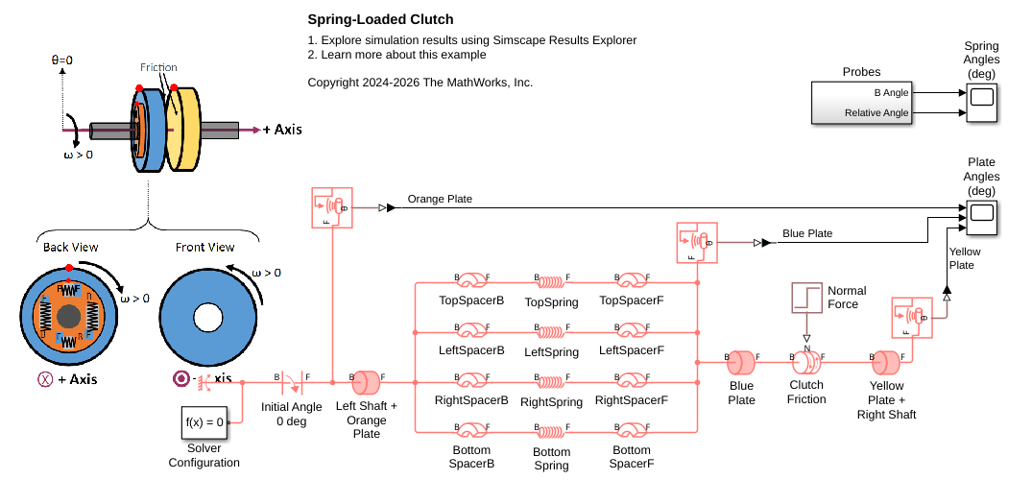
Spring-Loaded Clutch
Models the engagement response of a spring-loaded clutch. The plate contains four helical springs arranged in a circular pattern. The example describes these key parts of the model:
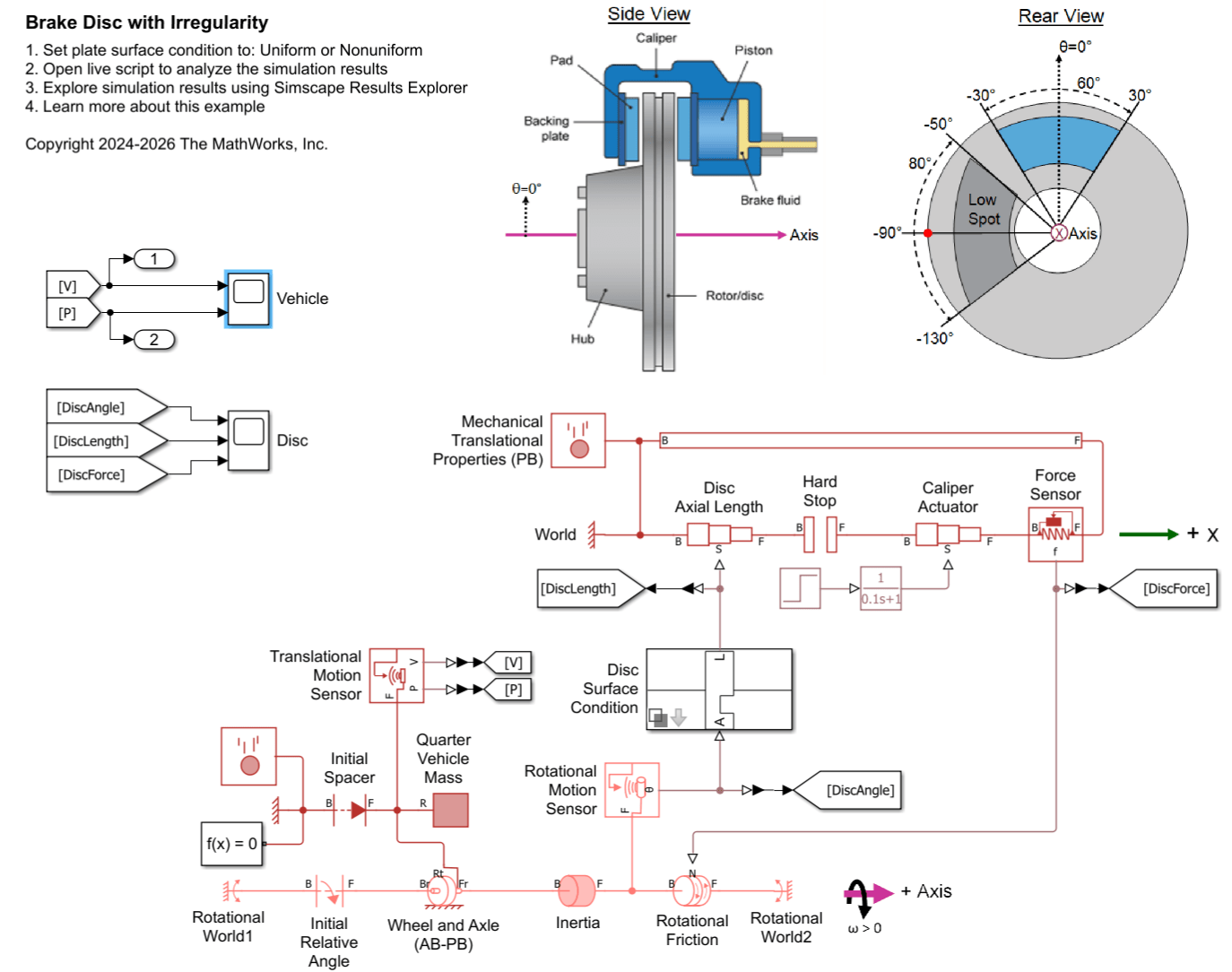
Configuring Angle-Dependent Behavior in the Angle-Based Rotational Domain
Set up a custom mechanism with characteristics that depend on the instantaneous angle in an angle-based rotational network.

