Rotational Spacer (AB)
R2026bRotational Spacer (AB) block

To add a block to a model, double-click the canvas and start typing the block name. Then, select the block from the list.
Libraries:
Simscape /
Foundation Library /
Rotational /
Elements
Description
The Rotational Spacer (AB) block maintains a fixed relative angle between ports B and F during simulation:
where:
ωB and ωF are the absolute angular velocities of ports B and F, respectively.
θRel is the relative angle between ports.
θB and θF are the absolute angles of ports B and F, respectively.
B and F are angle-based rotational conserving ports. For positive relative angle, port F has a more positive angle than port B. The spacer torque acts from port B on port F. Positive torque drives port F in the positive direction.
The block has no parameters. You specify relative angle as an initial variable target.
Variables
To set the priority and initial target values for the block variables prior to simulation, use the Initial Targets section in the block dialog box or Property Inspector. For more information, see Set Priority and Initial Target for Block Variables.
Nominal values provide a way to specify the expected magnitude of a variable in a model. Using system scaling based on nominal values increases the simulation robustness. Nominal values can come from different sources, one of which is the Nominal Values section in the block dialog box or Property Inspector. For more information, see Modify Nominal Values for a Block Variable.
To correctly initialize the Relative angle variable:
For a known relative angle, specify it as a high-priority target.
For an unknown fixed relative angle, specify any value and set the priority to low or none. Then the solver computes a value for the length during model initialization.
Examples
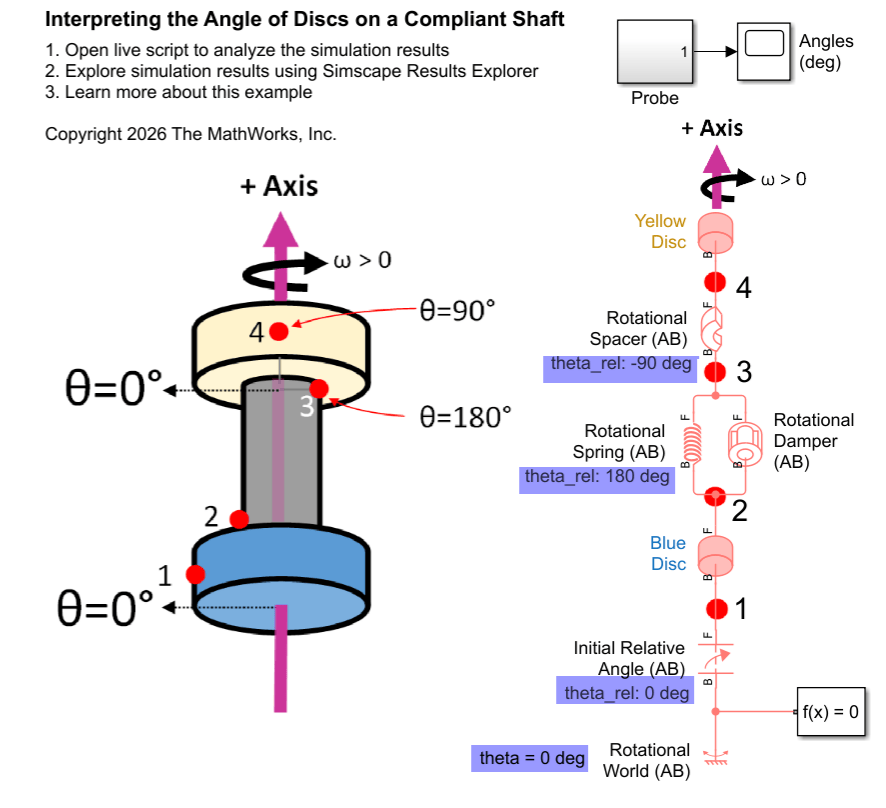
Interpreting Angle in the Angle-Based Rotational Domain
Set up and interpret angles in angle-based rotational models. It provides background information to explain the underlying concepts. The angle-based rotational domain tracks angle, θ, and rotational velocity, ω, at every node. Use angle-based rotational blocks to model rotational systems where knowing multiple component angles is important.
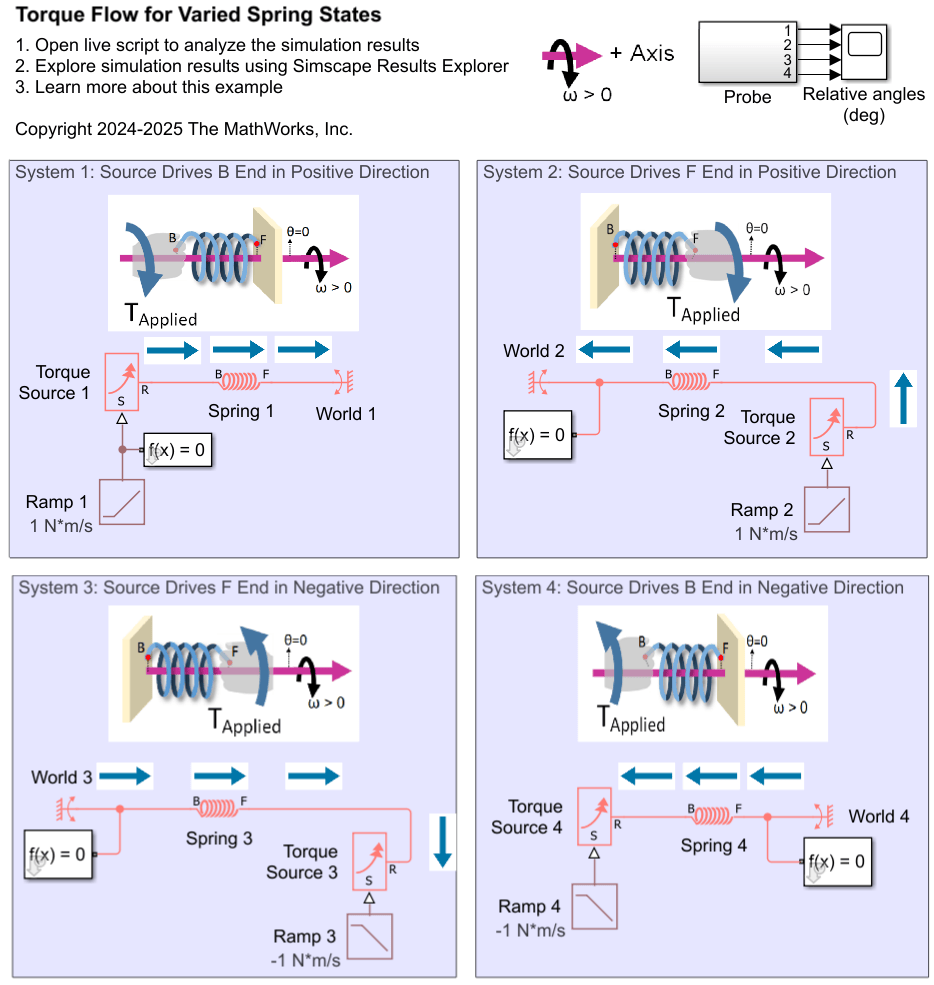
Interpreting Torque in the Angle-Based Rotational Domain
Describes how to interpret torques in a Simscape™ angle-based rotational network. It outlines the key concepts for understanding the signs of logged torques. It examines rotational spring systems driven by torque sources at different ends, as well as a rotational system of inertias, to illustrate the torque behavior.
Ports
Conserving
Extended Capabilities
Version History
Introduced in R2026a

