PX4 uORB Read
R2026bRead uORB data for the specified uORB topic
PX4 uORB Read block
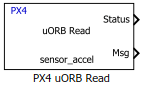
To add a block to a model, double-click the canvas and start typing the block name. Then, select the block from the list.
Libraries:
UAV Toolbox Support Package for PX4 Autopilots / PX4 uORB Read and Write Blocks
Description
Add-On Required: This feature requires the UAV Toolbox Support Package for PX4 Autopilots add-on.
The PX4 uORB Read block receives uORB data for the specified uORB topic and instance.
The Msg port outputs the data received as a Simulink® Bus. Use a Bus Selector block to extract signals you want to work with.
uORB (micro Object Request Broker) is the publish-subscribe messaging mechanism in PX4 that enables decoupled communication between publishers and subscribers. uORB supports multi-instance topics, which allow multiple independent publishers of the same message type to coexist under a single topic definition. For example, multiple accelerometers, gyroscopes, or GPS receivers each publish to separate instances of the same topic.
By default, the block subscribes to instance 0 of the selected topic. To subscribe to a different instance, select the Subscribe to other instances check box and specify the instance number.
On each simulation step, the block checks if a new message is available on the specific
topic and instance. If a new message is available, the block retrieves the message and
converts it to a Simulink bus signal. The Msg port outputs this new message. If a new message is not
available, Msg outputs the last received uORB message. If the selected instance has not been
published, the Status port outputs 2. If a message has not been received
since the start of the simulation, Msg outputs a blank message.
During Normal mode simulation, the block outputs zeroes.
During Connected I/O simulation, this block reads data from the peripherals of the hardware.
Note
When you add a PX4 uORB Read or PX4 uORB Write block to a
model, the block automatically creates Simulink nonvirtual bus definitions for the selected
PX4 message types. If the model is associated with a Simulink Data Dictionary
(.sldd), these bus definitions can be stored in the data dictionary.
Review and manage the generated bus definitions as needed to avoid creating unused or
duplicate bus objects.
Examples
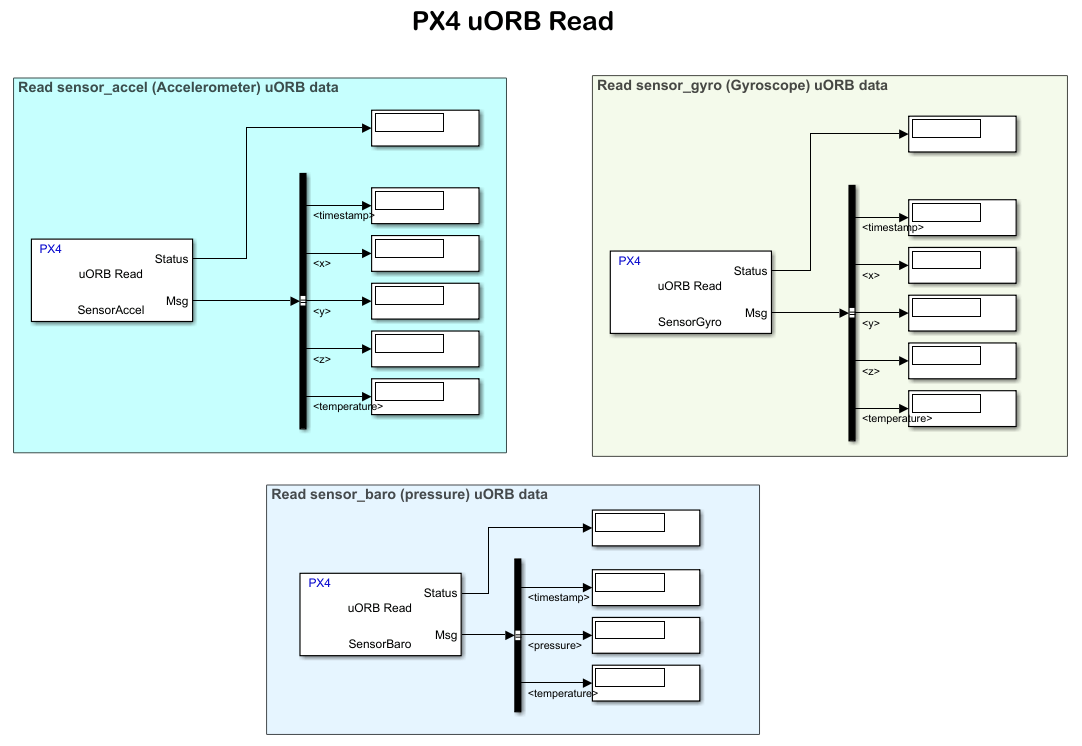
Getting Started with uORB Blocks for PX4 Autopilots Support Package
Read and write uORB messages using PX4 uORB Read and PX4 uORB Write blocks.

