Detect Industrial Parts Using Multi-Class Shape-Based Matching
R2026bThis example shows how to detect and localize multiple classes of industrial parts using shape-based matching. Shape-based matching describes objects using edge gradient directions rather than raw pixel intensities, making the method robust to illumination changes and surface reflectance variations common on textureless metallic parts. This approach is useful in machine vision applications such as pick-and-place operations, printed circuit board inspection, and automotive assembly verification.
Download MetalEdge Data Set
The MetalEdge data set (approximately 152 MB) contains images of three different metal parts in various 2-D rotated and translated poses. Download the data set from the MathWorks® website using the downloadSupportFile function. The function returns the path to the downloaded zip file, which you then extract into the current folder.
zipFile = matlab.internal.examples.downloadSupportFile("visualinspection","data/MetalEdge.zip");
unzip(zipFile,pwd)
The data set was collected using Image Acquisition Toolbox™ with a USB3 Vision-compliant industrial camera and the Image Acquisition Toolbox Support Package for GenICam Interface.
Create Shape Models from Template Images
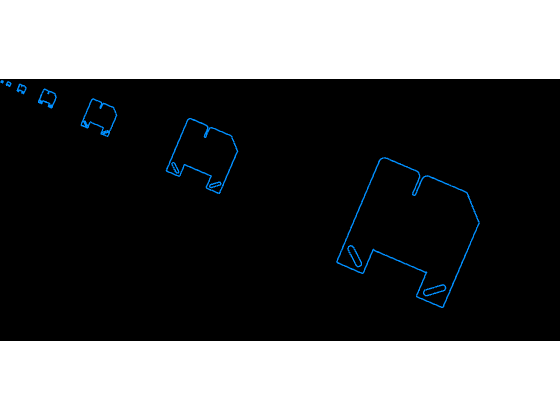
Create three shape models, one for each part to detect: a notched plate, a plate with holes, and a flat plate. Use the shapemodel object to create a multi-resolution model of shape contour data from each template image. Specify a GradientThreshold value of [0.03 0.06], where 0.06 is the absolute gradient magnitude threshold for edge selection and 0.03 is a hysteresis threshold that includes weaker gradients connected to an edge that satisfies the upper threshold. Use the show function to display the extracted edge geometry that matchshape searches for at each pyramid level.
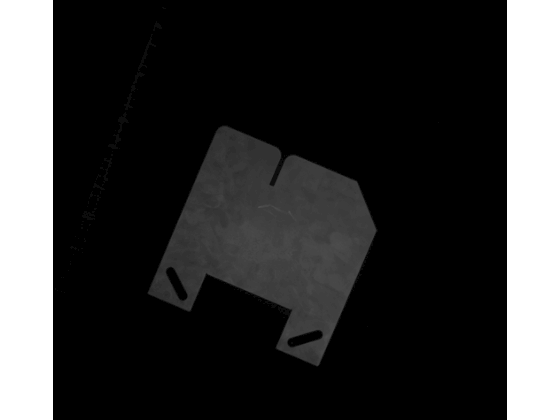
Load and display the notched plate template image.
notchPlate = imread(fullfile("MetalEdge","TemplatesRectified","snapshot14.png"));
imageshow(notchPlate)
Create a shape model from the notched plate template.
modelNotchPlate = shapemodel(notchPlate,ClassName="NotchedPlate",GradientThreshold=[0.03 0.06]);Display the notched plate shape model.
show(modelNotchPlate)
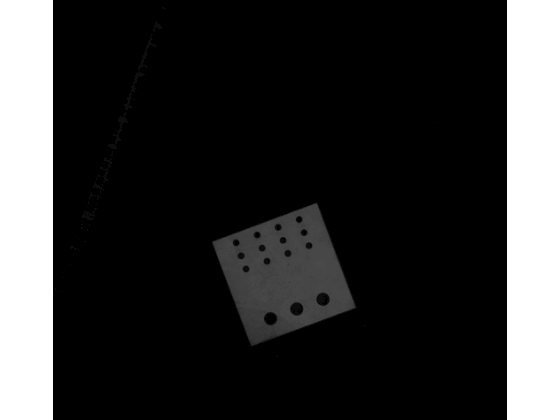
Load and display the plate with holes template image.
holesPlate = imread(fullfile("MetalEdge","TemplatesRectified","snapshot15.png"));
imageshow(holesPlate)
Create a shape model from the plate with holes template.
modelHolesPlate = shapemodel(holesPlate,ClassName="PlateWithHoles",GradientThreshold=[0.03 0.06]);Display the plate with holes shape model.
show(modelHolesPlate)
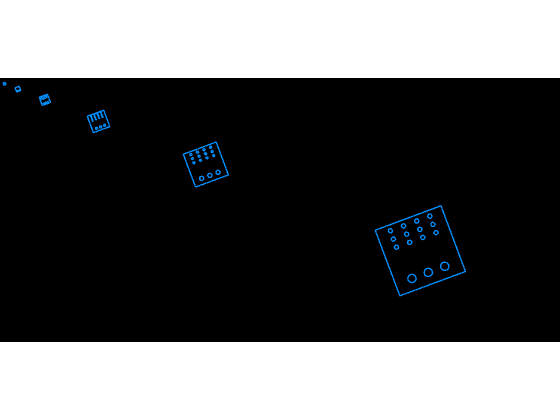
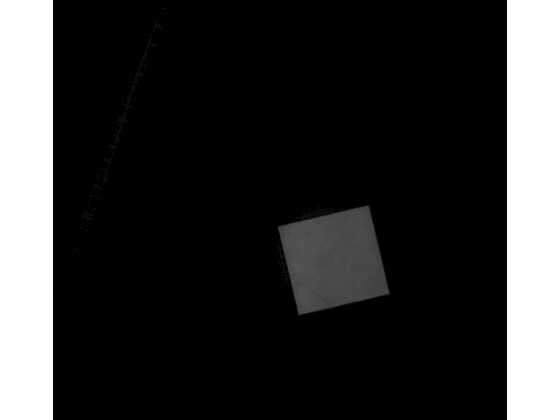
Load and display the flat plate template image.
flatPlate = imread(fullfile("MetalEdge","TemplatesRectified","snapshot18.png"));
imageshow(flatPlate)
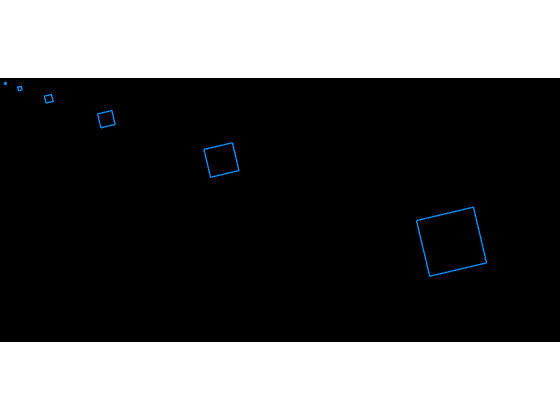
Create a shape model from the flat plate template.
modelFlatPlate = shapemodel(flatPlate,ClassName="FlatPlate",GradientThreshold=[0.03 0.06]);Display the flat plate shape model.
show(modelFlatPlate)
Detect a Single Shape
Use matchshape to detect and recover the pose of a shape in a search image. The returned match includes a similarity transformation describing the position, orientation, and scale of the detected object relative to the model.
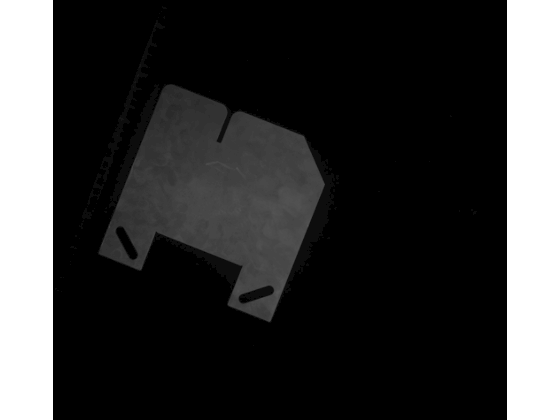
Load and display a search image.
searchImage = imread(fullfile("MetalEdge","SearchImagesRectified","snapshot118.png"));
imageshow(searchImage)
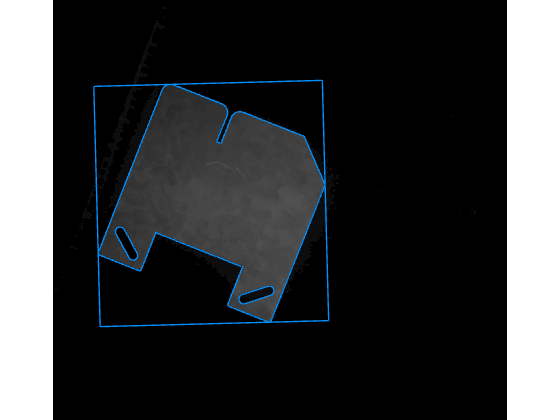
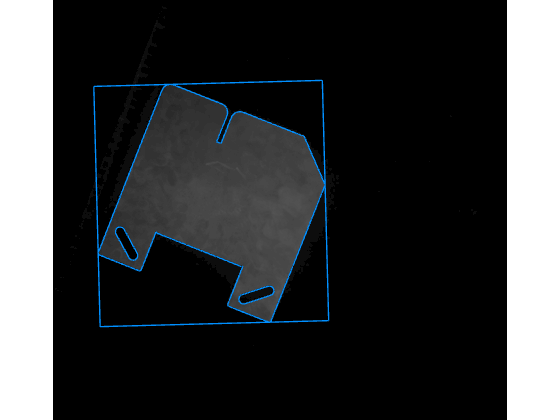
Find the notched plate in the search image.
matches = matchshape(modelNotchPlate,searchImage);
Visualize the match result using the showmatches function.
showmatches(modelNotchPlate,matches,searchImage)
Detect Multiple Instances of the Same Shape
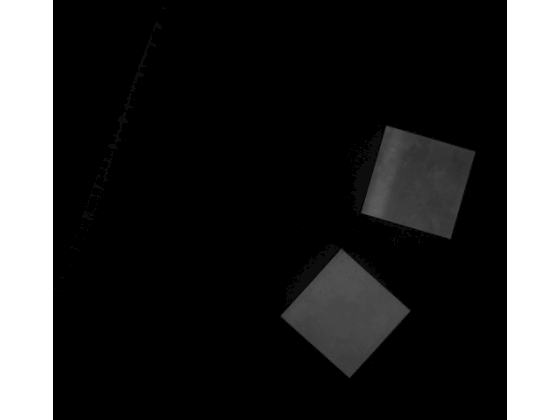
Load and display a search image containing multiple flat plates.
searchImage = imread(fullfile("MetalEdge","SearchImagesRectified","snapshot111.png"));
imageshow(searchImage)
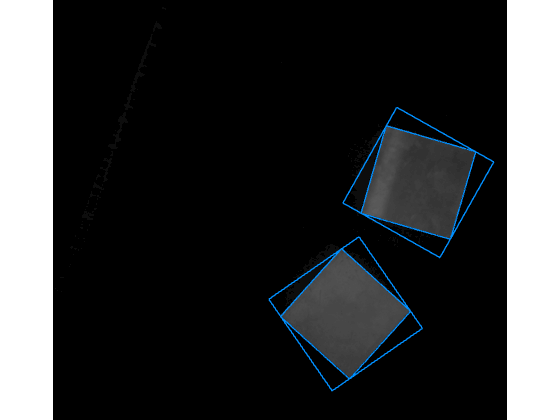
Detect flat plates in the search image. Set MaxMatches to 5 to allow multiple detections.
matches = matchshape(modelFlatPlate,searchImage,MaxMatches=5);
Visualize the match results.
showmatches(modelFlatPlate,matches,searchImage)
Detect Multiple Shapes
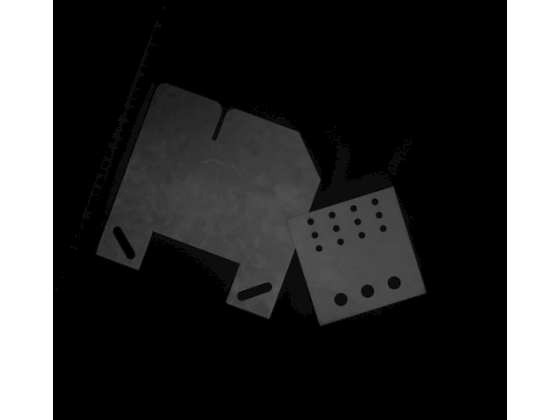
Load and display a search image containing different parts.
searchImage = imread(fullfile("MetalEdge","SearchImagesRectified","snapshot134.png"));
imageshow(searchImage)
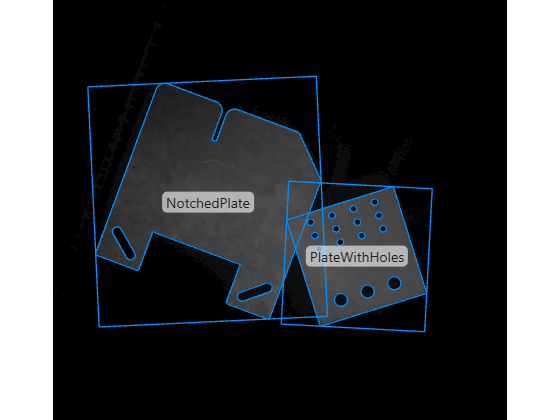
Create an array containing all three shape models and pass it to matchshape to search for all shapes at once. Set MaxMatches to 3 to return up to three detections.
modelsToSearch = [modelNotchPlate,modelHolesPlate,modelFlatPlate];
matches = matchshape(modelsToSearch,searchImage,MaxMatches=3);
Visualize the match results. Enable DisplayClassName to distinguish between different detected models.
showmatches(modelsToSearch,matches,searchImage,DisplayClassName=true)
Detect Partially Occluded Shapes
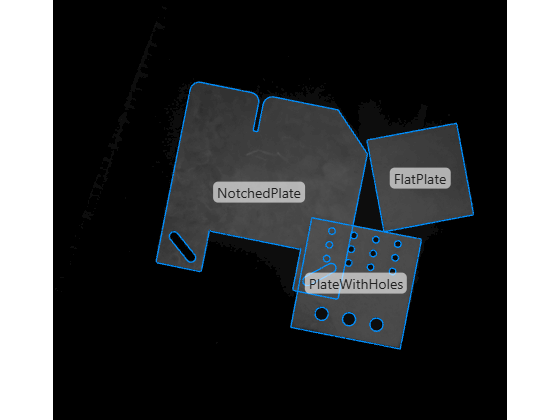
In practice, objects in a scene often partially occlude each other, reducing the visible edge geometry. The maximum confidence score a match can achieve corresponds directly to the fraction of visible edge geometry. For example, if roughly 70% of a shape is visible, its best possible score is 0.7. Lower the ScoreThreshold value accordingly to detect partially occluded objects.
Load and display a search image containing partially occluded parts.
searchImage = imread(fullfile("MetalEdge","SearchImagesRectified","snapshot125.png"));
imageshow(searchImage)
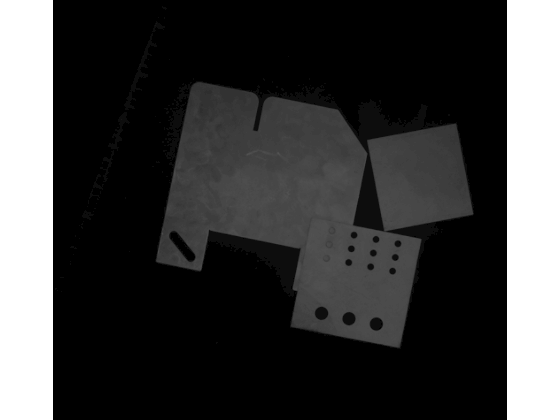
Detect shapes in the image. Set ScoreThreshold to 0.7 to allow detection of shapes that are at least 70% visible.
matches = matchshape(modelsToSearch,searchImage,ScoreThreshold=0.7,MaxMatches=3);
Visualize the match results.
showmatches(modelsToSearch,matches,searchImage,DisplayClassName=true,DisplayBox=false)
Load and display another search image with partially occluded parts.
searchImage = imread(fullfile("MetalEdge","SearchImagesRectified","snapshot127.png"));
imageshow(searchImage)
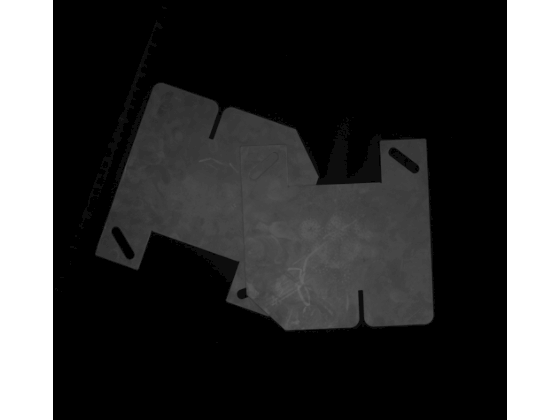
Detect shapes using the same ScoreThreshold value.
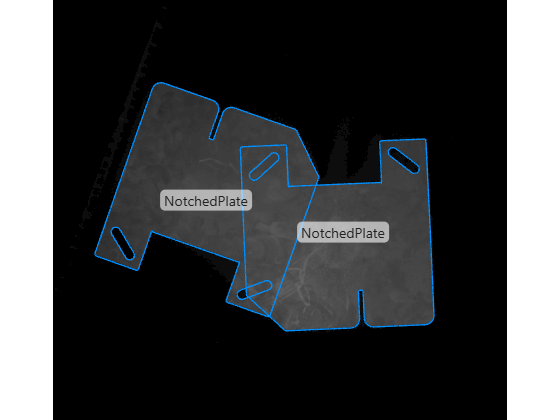
matches = matchshape(modelsToSearch,searchImage,ScoreThreshold=0.7,MaxMatches=3);
Visualize the match results.
showmatches(modelsToSearch,matches,searchImage,DisplayClassName=true,DisplayBox=false)
Optimize Detection Speed
You can optimize the detection speed by adjusting the score threshold, rotation and scale ranges, rotation step size, and pyramid levels.
Increase Score Threshold
At each pyramid level, matchshape refines only candidate poses whose score exceeds ScoreThreshold. A higher threshold eliminates more candidates early, reducing runtime. However, setting it too high risks missing weaker matches.
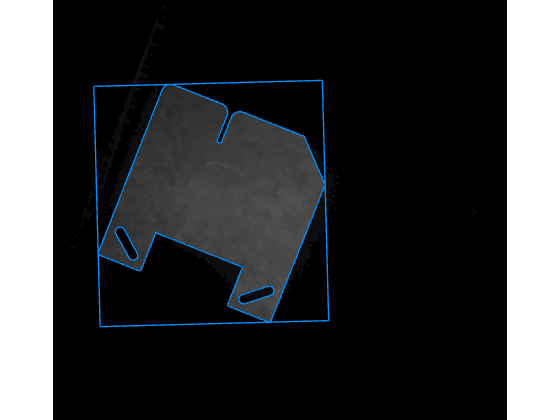
Load a search image and detect the notched plate with a high ScoreThreshold value of 0.95.
searchImage = imread(fullfile("MetalEdge","SearchImagesRectified","snapshot118.png"));
matches = matchshape(modelNotchPlate,searchImage,ScoreThreshold=0.95);
Visualize the match result.
showmatches(modelNotchPlate,matches,searchImage)
Constrain Rotation and Scale Ranges
Because objects can appear at arbitrary positions and orientations, matchshape searches all poses described by RotationRange, RotationStep, ScaleRange, and ScaleStep at the coarsest pyramid level. By default, the model searches rotations from -180 to 180 degrees, and ScaleRange is [1 1] (no scaling is applied). If the search image contains objects in a known range of orientations or scales, specify a smaller RotationRange value or ScaleRange value to accelerate detection.
Create a shape model with a constrained RotationRange of [-45 45] degrees.
modelConstrainedRotation = shapemodel(notchPlate,GradientThreshold=[0.03 0.06],RotationRange=[-45 45]);
Detect the notched plate using the constrained model.
searchImage = imread(fullfile("MetalEdge","SearchImagesRectified","snapshot118.png"));
matches = matchshape(modelConstrainedRotation,searchImage,ScoreThreshold=0.7);
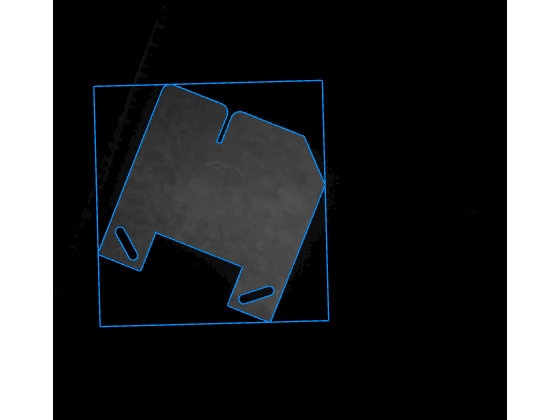
Visualize the match result.
showmatches(modelConstrainedRotation,matches,searchImage)
Adjust Rotation Step Size
Increase the RotationStep value to sample the rotation search space more coarsely. A high RotationStep value improves runtime and only moderately impacts pose precision. A good value for RotationStep is typically within one-third to three times the default value computed during model construction.
Create a shape model with a RotationStep value two times the current value.
modelAdjustedStep = shapemodel(notchPlate,GradientThreshold=[0.03 0.06],...
    RotationRange=[-45 45],RotationStep=2*modelConstrainedRotation.RotationStep);
Detect the notched plate using the adjusted model.
searchImage = imread(fullfile("MetalEdge","SearchImagesRectified","snapshot118.png"));
matches = matchshape(modelAdjustedStep,searchImage,ScoreThreshold=0.9);
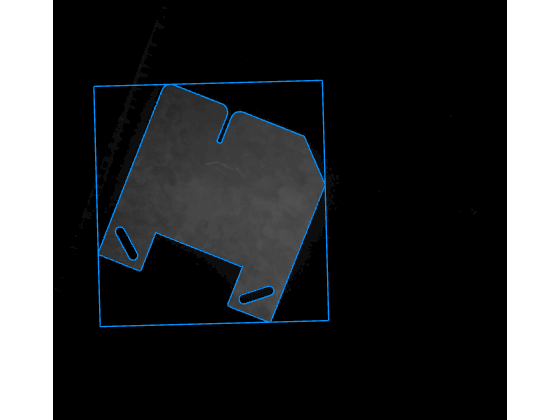
Visualize the match result.
showmatches(modelAdjustedStep,matches,searchImage)
Increase Pyramid Levels
When you use more pyramid levels, the global pose search runs on a smaller image grid, which is faster. However, too many levels risk missed detections if the coarsest-level template no longer captures the shape geometry accurately.
Create a shape model with eight pyramid levels and detect the notched plate.
modelConstrainedRotation = shapemodel(notchPlate,GradientThreshold=[0.03 0.06],RotationRange=[-45 45],NumPyramidLevels=8);
Detect the notched plate using the model with increased pyramid levels.
matches = matchshape(modelConstrainedRotation,searchImage,ScoreThreshold=0.9);
Visualize the match result.
showmatches(modelConstrainedRotation,matches,searchImage)