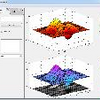
How do i expand this figure so all graphs fit perfect
显示 更早的评论

采纳的回答

Chad Greene
2014-11-12
Instead of using subplot(2,2,1), try this
figure
axes('position',[0 .5 .5 .5])
plot(1:10,1:10,'b')
axes('position',[.5 .5 .5 .5])
plot(1:10,1:10,'r')
axes('position',[0 0 .5 .5])
plot(1:10,1:10,'k')
axes('position',[.5 0 .5 .5])
plot(1:10,1:10,'m')
3 个评论

jason
2014-11-12
Chad Greene
2014-11-12
编辑:Chad Greene
2014-11-12
Replace my plot lines with your imshow lines. And change your title lines to
title('my title','vert','top','backgroundcolor','white')
jason
2014-11-12
更多回答(1 个)
Robert Cumming
2014-11-12
0 个投票
类别
在 帮助中心 和 File Exchange 中查找有关 Subplots 的更多信息
Community Treasure Hunt
Find the treasures in MATLAB Central and discover how the community can help you!
Start Hunting!
Translated by 

