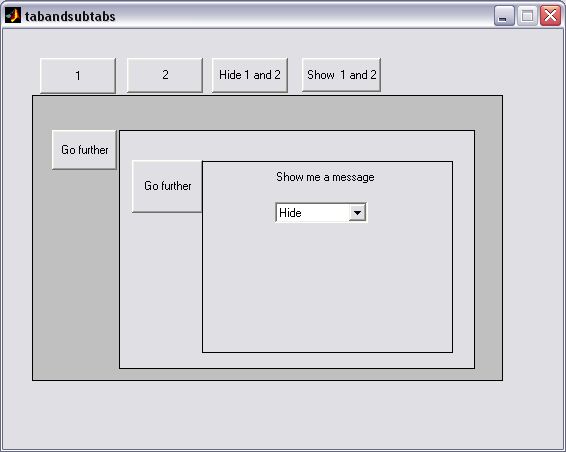

Tab and subtabs

Tab with subtabs and deeper

您现在正在关注此提交

This file will help you to build as many levels of GUI tabs as you wish
Files:
----------------------------------
Example:
tabandsubtabs.fig
tabandsubtabs.m
---------------------------------
hideorshowcontrols.m
This function turns on/off controls with the specified value in the 'UserData'.
Place this function in your figure.m and insert the numbers in the uicontrols section ('Userdata') which will indicate connections between tabs. Click on uicontrol>>PropertyInspector>>Userdata>>set value

EXAMPLE:
to turn off desired controls with the 'UserData'=[22; 213 ;25 ;214; 217; 2]
turn off all uicontrols with '2' : hideorshowcontrols(2,'off');

turn off all uicontrols with '21': hideorshowcontrols(21,'off');

%turn off only uicontrol '213' : hideorshowcontrols(213,'off');

%turn on only '2' : hideorshowcontrols(20,'on');

%turn on all except '22' and '2' : hideorshowcontrols([21 25],'on');

Finaly you can use this method to set another properties.

引用格式

Micha³ Steuden (2026). Tab and subtabs (https://ww2.mathworks.cn/matlabcentral/fileexchange/10239-tab-and-subtabs), MATLAB Central File Exchange. 检索时间: .

致谢

启发作品: Simple Optimized GUI Tabs

一般信息

MATLAB 版本兼容性

  • 兼容任何版本

平台兼容性

  • Windows
  • macOS
  • Linux
版本 已发布 发行说明 Action
1.0.0.0

last 5 lines of hideorshowcontrols.m were unnecessary