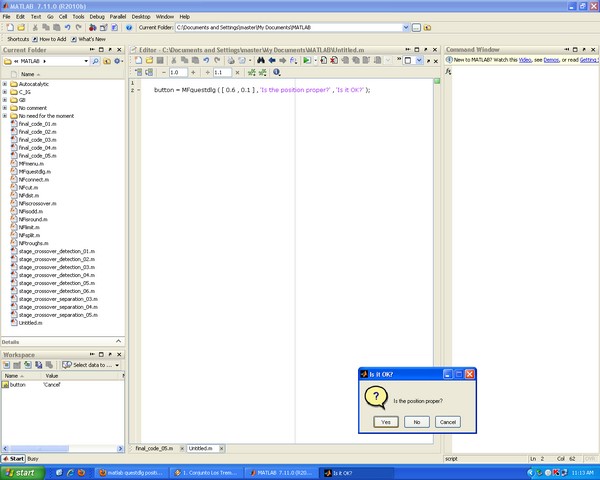
Specifying questdlg position

‘MFquestdlg’ enables you to specify the question dialog box location on the screen.

您现在正在关注此提交

‘MFquestdlg’ is just a simple modification of ‘questdlg’ which enables you to specify the position of questdlg on the screen.
Everything is like the original ‘questdlg’, except that you need to determine your desirable position of the dialog box.
Specify the position with a two-element vector of the form:
[left, bottom]
where ‘left’ and ‘bottom’ define the distance from the lower-left corner of the screen to the lower-left corner of the question dialog box. ‘left’ and ‘bottom’ are NORMALIZED units, obviously between 0 and 1. The position vector must be added as the first element of ‘MFquestdlg’. An example could be:
button = MFquestdlg ( [ 0.6 , 0.1 ] , 'Is the position proper?' , 'Is it OK?' );

引用格式

Saeid (2026). Specifying questdlg position (https://ww2.mathworks.cn/matlabcentral/fileexchange/31044-specifying-questdlg-position), MATLAB Central File Exchange. 检索时间: .

致谢

启发作品: SoRoSim, Specifying icon in questdlg

类别

Help CenterMATLAB Answers 中查找有关 App Building 的更多信息

一般信息

MATLAB 版本兼容性

  • 兼容任何版本

平台兼容性

  • Windows
  • macOS
  • Linux
版本 已发布 发行说明 Action
1.2.0.0

Just some help lines are added to the code.

1.0.0.0