Filter Designer
版本 1.0.5 (1.4 KB) 作者:
Ayad Al-Rumaithi
Helps determining the order of digital filters
Helps determining the order of digital filters. Change the filter order to get suitable response. Supports butterworth and filtfilt filters.
function FilterDesigner(fc1,fc2,fs,type,orderh,orderl)
Input:
fc1: lower-bound cutoff frequency
fc2: upper-bound cutoff frequency
fs: sampling frequency
type: filter type 'butter' for butterworth, 'filtfilt' for filtfilt
orderh: filter order for high pass filter
orderl: filter order for low pass filter
Output:
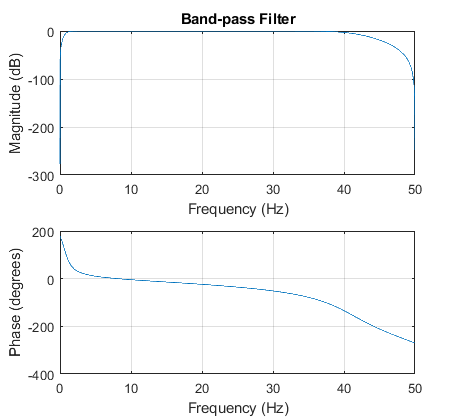
Plots frequency response of the high-pass, low-pass, and band-pass filters.
Important Notes:
1-filtfilt filter here is assumed to be buttworth filter applied to the input data in both the forward and reverse directions to get rid of phase distortion.
2-After choosing the suitable filter order, apply the filter to your data using the following lines:
for butterworth:
[B1,A1] = butter(orderh,fc1/(fs/2),'high');
[B2,A2] = butter(orderl,fc2/(fs/2),'low');
yh=filter(B1,A1,x); %apply high-pass filter to the data
yl=filter(B2,A2,x); %apply low-pass filter to the data
y=filter(B2,A2,yh); %apply band-pass filter to the data
for filtfilt:
[B1,A1] = butter(orderh,fc1/(fs/2),'high');
[B2,A2] = butter(orderl,fc2/(fs/2),'low');
yh=filtfilt(B1,A1,x); %apply high-pass filter to the data
yl=filtfilt(B2,A2,x); %apply low-pass filter to the data
y=filtfilt(B2,A2,yh); %apply band-pass filter to the data
where
x: is the data vector.
引用格式
Ayad Al-Rumaithi (2026). Filter Designer (https://ww2.mathworks.cn/matlabcentral/fileexchange/71966-filter-designer), MATLAB Central File Exchange. 检索时间: .
MATLAB 版本兼容性
创建方式
R2017b
兼容任何版本
平台兼容性
Windows macOS Linux类别
- Signal Processing > Signal Processing Toolbox > Digital and Analog Filters > Digital Filter Design > Butterworth >
在 Help Center 和 MATLAB Answers 中查找有关 Butterworth 的更多信息
