Create AUTOSAR Adaptive Software Architecture Model
R2026bTo begin developing AUTOSAR Adaptive software compositions and components in an architecture canvas, create an AUTOSAR Adaptive software architecture model (requires System Composer™).
In this example you create software architecture
my_adaptive_BrakeControlSystem. To open a local working folder
containing adaptive_BrakeControlSystem and the supporting files
required to complete this tutorial, enter this command in your MATLAB® Command
Window:
openExample("adaptive_BrakeControlSystem");To create a software architecture model configured for the AUTOSAR Adaptive Platform, perform one of these actions:
Open the Simulink® Start Page by entering the MATLAB command
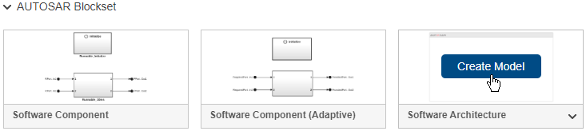
simulink.On the New tab, scroll down to AUTOSAR Blockset and expand the list of model templates. Place your cursor over the Software Architecture template and click Create Model.
Enter this command in your MATLAB Command Window:
arch = autosar.arch.createModel("my_adaptive_BrakeControlSystem",platform="Adaptive");
A new AUTOSAR architecture model opens.
In the Simulink Toolstrip, the Modeling tab supports common tasks for architecture modeling.
To the left of the model window, the palette includes icons for adding these AUTOSAR blocks to the model: Adaptive Component, Software Composition, and Variant Component.
Next, add and connect AUTOSAR Adaptive software compositions and components and link software component models to define algorithmic behavior for each component.
See Also
Blocks
Objects
autosar.arch.Model|autosar.arch.Composition|autosar.arch.Component|autosar.arch.CompPort|autosar.arch.Connector

