主要内容

LiteRT

Load LiteRT model, compute output, and generate deployable code

Since R2026a

  • LiteRT block

Libraries:
MATLAB Coder Support Package for PyTorch & LiteRT Models

Description

Add-On Required: This feature requires the MATLAB Coder Support Package for PyTorch and LiteRT Models add-on.

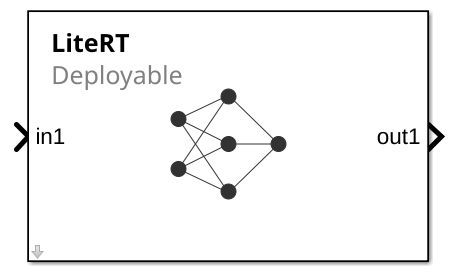
The LiteRT block loads a LiteRT model. The block uses the LiteRT model to run inference on the input data to compute the outputs. The block can generate deployable code.

To load a LiteRT model, use the LiteRT model file parameter. By default, the block has one input and output port, in1 and out1. When you load the LiteRT file, the block replaces these ports with the input and output ports specified in the file.

Examples

Ports

Input

expand all

Input data, specified as a numeric array. You can rearrange the dimensions of the input data that the block passes to the LiteRT model by specifying a permutation vector on the Inputs tab of the Block Parameters dialog box.

Data Types: single | double | half | int8 | int16 | int32 | int64 | uint8 | uint16 | uint32 | uint64 | Boolean

Output

expand all

Computed outputs, returned as a numeric array. You can rearrange the dimensions of the output data returned by the LiteRT model by specifying a permutation vector on the Outputs tab of the Block Parameters dialog box.

Data Types: single | double | half | int8 | int16 | int32 | int64 | uint8 | uint16 | uint32 | uint64 | Boolean

Parameters

expand all

To edit block parameters interactively, use the Property Inspector. From the Simulink® Toolstrip, on the Simulation tab, in the Prepare gallery, select Property Inspector.

Model

Specify the name or path of a LiteRT model file. Alternatively, you can select a file by clicking the Browse button.

Programmatic Use

To set the block parameter value programmatically, use the set_param (Simulink) function.

To get the block parameter value programmatically, use the get_param (Simulink) function.

Block Parameter: ModelFilePath
Type: string scalar | character vector

Name of function to use to compute output. You can specify entry-point function in the model for which to use for a LiteRT model with multiple entry-point functions.

Programmatic Use

Block Parameter: FcnName
Type: string scalar | character vector

Specify the discrete interval between sample time hits or specify another type of sample time, such as continuous (0) or inherited (–1). For more options, see Types of Sample Time (Simulink).

By default, the LiteRT block inherits sample time based on the context of the block within the model.

Programmatic Use

Block Parameter: SampleTime
Type: string scalar or character vector
Values: scalar
Default: "–1"

Inputs

Properties to apply to the input data. Each row of the table corresponds to an individual input port of the LiteRT block.

Double-click a table cell entry to edit its value. If you specify multiple input ports, their order must correspond to the input order in the LiteRT model.

The table has these columns:

  • Port — Block input port label. This column is read-only.

  • Inferred type — Data type the LiteRT model accepts, returned as a character vector. This column is read-only.

  • Inferred size — Size of the input data the LiteRT model accepts. The dimension is a vector of nonnegative integer or Inf. Inf indicates a dimension is variable-sized. This column is read-only.

  • Permutation to apply — New dimension arrangement for the input data, specified as a numeric vector with unique positive integer elements that represent the dimensions of the input data (see permute). For example, if the input data is a 2D matrix, you can specify [2 1] to switch the row and column dimensions. The LiteRT block passes the rearranged array to the LiteRT model.

Programmatic Use

Block Parameter: InputsTable
Type: cell array

Outputs

Properties to apply to the output data. Each row of the table corresponds to an individual output port of the LiteRT block.

Double-click a table cell entry to edit its value.

The table has these columns:

  • Port — Block output port label. This column is read-only.

  • Inferred type — Data type returned by the LiteRT model. This column is read-only.

  • Inferred size — Size of the output data returned by the LiteRT model. The dimension is a vector of nonnegative integer or Inf. Inf indicates a dimension is variable-sized. This column is read-only.

  • Maximum size — Maximum size of the block output along each dimension, specified as a vector of positive integers. The default value is same as the Inferred size. If the output is variable-sized, the generated code uses dynamic memory allocation, which may slow execution. Specify a maximum size for each variable-sized dimension to avoid dynamic allocation. If the Inferred size has a variable-sized dimension, you cannot set Maximum size to a scalar or vector with only singleton dimensions.

  • Permutation to apply — New dimension ordering for the array that the LiteRT block passes to the output port, specified as a numeric vector with unique positive integer elements (see permute).

Programmatic Use

Block Parameter: OutputsTable
Type: cell array

Alternative Functionality

You can use a MATLAB Function block, along with the invoke object function of a LiteRTModel object, to compute output and generate code.

Extended Capabilities

expand all

C/C++ Code Generation
Generate C and C++ code using Simulink® Coder™.

GPU Code Generation
Generate CUDA® code for NVIDIA® GPUs using GPU Coder™.

Version History

Introduced in R2026a