sample
R2026bDescription
Add-On Required: This feature requires the 3D Asset Processing Library for MATLAB add-on.
colors = sample(texObj,uv)texObj at the specified UV coordinates
uv and returns the interpolated RGBA color values
colors. The object function applies the offset, scale, and rotation
transform, wraps coordinates according to the Wrap mode, then samples
using nearest-neighbor or bilinear interpolation based on the
Interpolation property, as specified in the input texture object
texObj.
Examples
Read a texture image and display.
img = imread("brick.png");
imshow(img)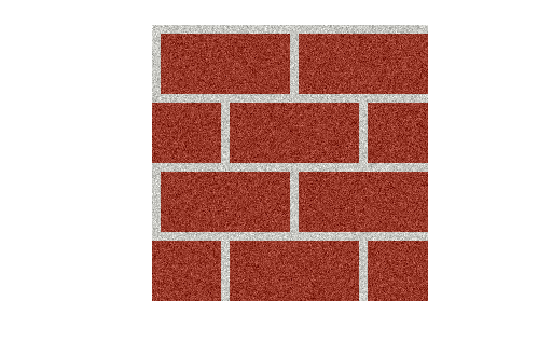
Create a texture object with repeat wrap mode, then sample it.
tex = asset3d.Texture(Image=img,Wrap="repeat",Scale=[2 2],Offset=[0.1 0.1]);
colors = sample(tex,[0.5 0.5; 1.5 1.5])
colors = 2×4 uint8 matrix
162 67 52 255
162 67 52 255
Create a textured material object.
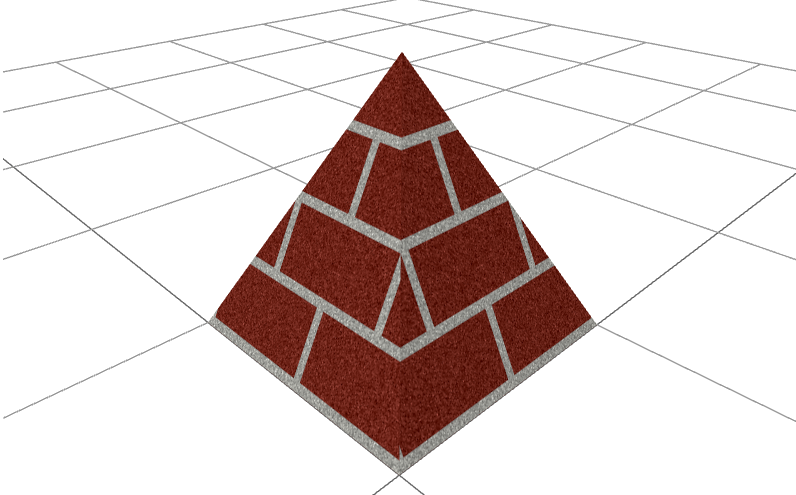
texturedMat = asset3d.Material(Name="textured",BaseColorTexture=tex);Create a pyramid mesh with textured material on it. Duplicate vertices so that each face gets independent UV coordinates.
faceIdx = [1 2 5; 2 3 5; 3 4 5; 4 1 5; 1 3 2; 1 4 3];
p = [0 0 0; 1 0 0; 1 1 0; 0 1 0; 0.5 0.5 1];
pyramidVerts = p(faceIdx',:);
pyramidFaces = reshape(1:18,3,[])';
uv = repmat([0 0; 1 0; 0.5 1],6,1);
texturedPyramid = asset3d.Mesh(pyramidVerts,pyramidFaces,UV=uv,Material=texturedMat);
Display the textured pyramid mesh.
show(texturedPyramid,Grid=true)
Input Arguments
Output Arguments
Version History
Introduced in R2026b

