主要内容

Port Output Enable (GPT)

R2026b

Control Port Output Enable (POEG) functionality for General Purpose Timer (GPT) PWM modules

Since R2026b

  • Port Output Enable (GPT) block

Libraries:
Embedded Coder Support Package for Renesas RA Microcontrollers / Renesas RA6 Based

Description

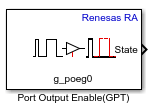
The Port Output Enable (GPT) block implements Port Output Enable (POEG) functionality for General Purpose Timer (GPT) PWM modules on Renesas RA microcontrollers. The POEG mechanism provides hardware protection and software control of PWM outputs.

Use this block to:

  • Enable PWM outputs by resetting the POEG state through software.

  • Disable PWM outputs by issuing a POEG stop request.

  • Monitor the POEG event state to detect active disable conditions.

  • Retrieve FSP (Flexible Software Package) API status information for error diagnostics.

The block accepts logical input signals and outputs status information as uint32 values when you enable the corresponding ports. This functionality enables you to manage PWM outputs in Renesas RA–based applications.

Note

The Port Output Enable (GPT) block may execute before the corresponding PWM block, depending on the model execution order. This behavior ensures that POEG protection is active before PWM output starts. If a POEG trigger is active during initialization, PWM outputs can remain disabled until the POEG state is cleared

Examples
Ports

Input

expand all

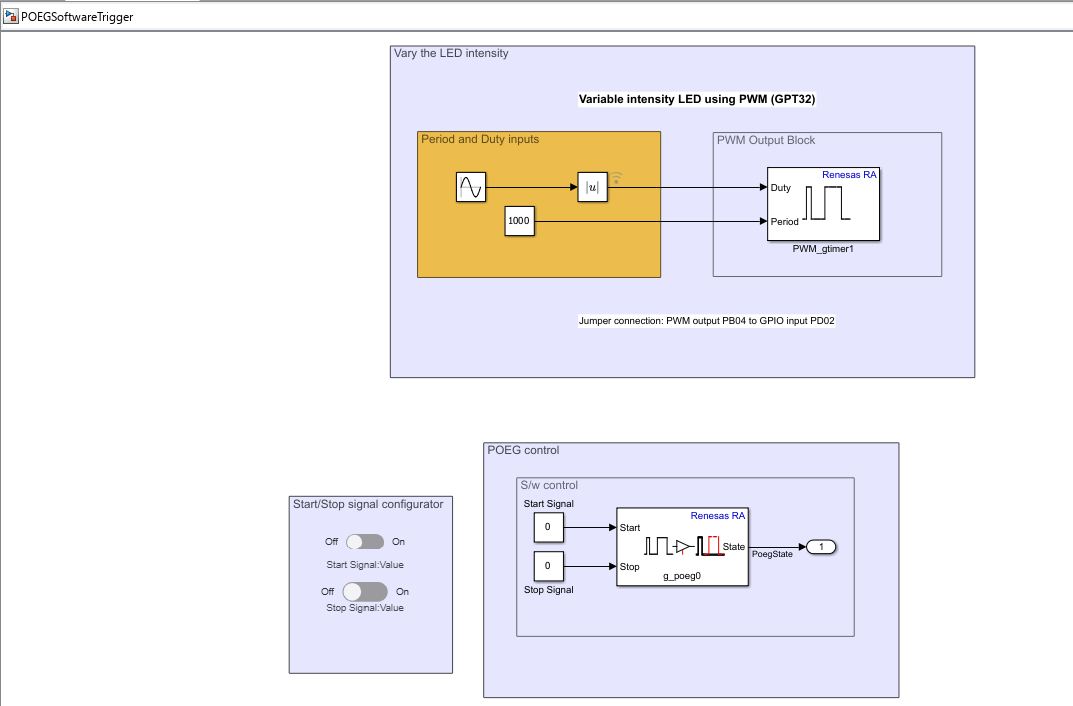
Logical signal that resets the POEG state to enable PWM output after a disable event.

  • 1 (true) — Enable PWM output.

  • 0 (false) — No action.

Dependencies

To enable this port, select the Enable input to start PWM parameter.

Data Types: Boolean

Logical signal that disables PWM output using the POEG mechanism.

  • 1 (true) — Disable PWM output.

  • 0 (false) — No action.

Dependencies

To enable this port, select the Enable input to stop PWM parameter.

Data Types: Boolean

Output

expand all

Outputs the current POEG event state as a uint32. The value indicates whether a disable request is active.

  • 0 — No disable request is active (PWM output is enabled).

  • 8 — Software stop request is active.

  • 65537 — Pin state triggered disable is active.

  • Nonzero (other values) — Disable request is active. Value indicates the specific POEG event state.

Note

The State output reports encoded POEG status information. Values such as 0, 8, and 65537 correspond to software-stop and pin-state conditions.

Dependencies

To enable this port, select the Output POEG state parameter.

Data Types: uint32

Outputs the status of the underlying FSP API operation as a uint32.

  • 0 — Operation completed successfully.

  • Nonzero — An error occurred during the API operation. Value represents the FSP error code.

Dependencies

To enable this port, select the Output FSP status parameter.

Data Types: uint32

Parameters

expand all

Specify the name of the POEG stack instance as configured in the RA Smart Configurator (RASC) project. Click Get Stack Info to retrieve and select from available POEG stack instances defined in the project.

Programmatic Use

To set the block parameter value programmatically, use the set_param function.

To get the block parameter value programmatically, use the get_param function.

Parameter: StackId
Values: character vector
Data Types: char

Select this parameter to add a Start input port. This port accepts a logical signal that resets the POEG state to re-enable PWM output.

Programmatic Use

To set the block parameter value programmatically, use the set_param function.

To get the block parameter value programmatically, use the get_param function.

Parameter: EnableSwStartPWM
Values: character vector
Data Types: char

Select this parameter to add a Stop input port. This port accepts a logical signal that disables PWM output through the POEG mechanism.

Programmatic Use

To set the block parameter value programmatically, use the set_param function.

To get the block parameter value programmatically, use the get_param function.

Parameter: EnableSwStopPWM
Values: character vector
Data Types: char

Select this parameter to add a State output port that reports the current POEG event state as a uint32 value.

Programmatic Use

To set the block parameter value programmatically, use the set_param function.

To get the block parameter value programmatically, use the get_param function.

Parameter: OutputEventState
Values: character vector
Data Types: char

Select this parameter to add a Status output port that reports the API execution result as a uint32.

Programmatic Use

To set the block parameter value programmatically, use the set_param function.

To get the block parameter value programmatically, use the get_param function.

Parameter: OutputFspStatus
Values: character vector
Data Types: char

Version History

Introduced in R2026b

See Also