FPGA Board Manager
R2026bCreate and manage custom FPGA boards for FPGA-in-the-loop workflows
Description
The FPGA Board Manager creates and manages custom FPGA boards for FPGA-in-the-loop workflows.
The FPGA Board Manager enables you to manage FPGA boards for use with SoC Blockset™ for AMD and HDL Coder™ workflows. Use this tool to:
Create new FPGA board definition files.
Edit or clone existing board configurations.
Import boards from XML definition files.
Download and manage FPGA board support packages.
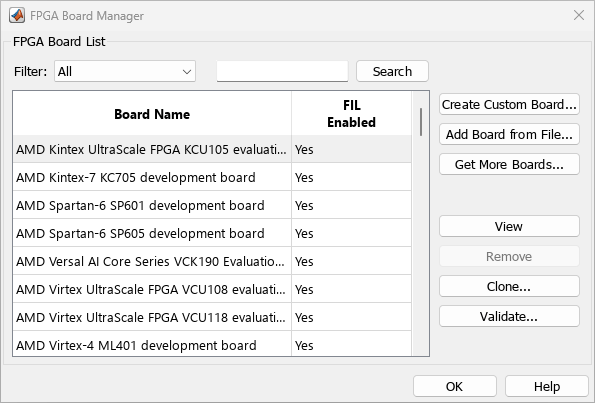
Open the FPGA Board Manager
MATLAB® command prompt: Enter
fpgaBoardManager.FPGA-in-the-Loop Wizard: Click Launch Board Manager on the first page.
HDL Workflow Advisor (when using HDL Coder): In Step 1.1, select
FPGA-in-the-Loopand click Launch Board Manager.
Parameters
Version History
Introduced in R2012b

