Preprocess Battery Data and Initialize Battery Block Parameters for Feature Filling
R2026bTo characterize battery parameters in the MBC Optimization app (CAGE) using feature filling, you must first preprocess the battery data to a format usable by CAGE. Then, initialize block parameters to set state-of-charge (SOC) breakpoints and, if using temperature, temperature breakpoints. You must also initialize the values of the lookup tables.
Select and Open Model
Powertrain Blockset™ and Simscape™ Battery™ models are available to open from the drop-down list. For this example, select the Simscape_Battery.slx model file that contains the Battery Equivalent Circuit (Simscape Battery) block.
 open("Simscape_Battery")
ans = logical
1

Select Data to Preprocess
Select the folder HPPC_data/origData, which contains the original battery data.
rootFolder= "HPPC_data";
addpath(rootFolder);
fileNames=dir(fullfile(rootFolder, 'origData', '*.mat'));
Create a folder named preprocessedData to store processed data files. This example provides a copy of the preprocessed data files in the origPreprocessedData folder, which is used in the next step. You can import and preprocess your own data files to save to the preprocessData folder.
mkdir preprocessedData;Modify Original Data Set
Modify the original data set to add new columns for temperature and weights, rename variables to names recognized by CAGE, calculate the state of charge, calculate weights, and remove irrelevant data.
Note that the weights in this example are specified as time-based to select steady-state portions of the data.
% Preprocess each HPPC test data file.
for i=1:length(fileNames)

    % Load the original data from the HPPC_data/origData folder.
    originalData = ...
        load(fullfile(rootFolder, 'origData/', fileNames(i).name));
    % Data is stored as a table.
    data = originalData.hppcData;
    % Determine temperature from file name.
    % Temperatures can be negative or positive.
    % Temperature format in digits,
    % possibly with a - in front, and 'deg' at end of digits.
    temperature=regexp(fileNames(i).name,'(-*\d+)deg','tokens','once');
    % Add a temperature variable to the table.
    data.temperature = str2double(temperature{1})*ones(size(data,1),1);

    % Name the variables to match standard MBC names.
    data.Properties.VariableNames = ...
        {'time','voltage','current','temperature'};
    % Remove initial part of data where battery is being charged.
    %   Find the first discharge (negative current) after 10000s and then
    %   step back 50 samples.
    t0 = find(data.current<0 & data.time>10e3 ,1,'first')-50;
    data = data(t0:end,:);

    % Calculate SOC by integrating current and normalizing with battery
    % capacity.
    % The battery is assumed to be fully charged at the start,
    % SOC(data.time(1)) = 1.
    % The pre-calculated SOC signal can be used directly in MBC.
    data.soc = 1 + cumtrapz(data.time,data.current)/(AH*3600);

    % Remove the end part of the data which corresponds to SOC<0.
    tend = find(data.soc<0,1,'first');
    if ~isempty(tend)
        data = data(1:tend-1,:);
    end

    % Calculate weights to select steady-state portions of the data. These
    % weights could be used for estimating OCV (Em) with time-based
    % weights.
    data.OCVWeights = [0;diff(data.voltage)<0.0001] & data.current==0;

    % Save the preprocessed data.
    save(fullfile('preprocessedData',fileNames(i).name),'data')
end
Initialize Block Parameters
In this example, the model is configured to load the base workspace with initialized variables for the block parameters.
These parameters are initialized for the Battery Equivalent Circuit (Simscape Battery) block.
Parameter | Description |
|---|---|
Battery capacity | Capacity of the battery when it is fully charged. |
State-of-charge breakpoints, SOC | SOC breakpoints defining the points at which you specify lookup data. |
Temperature breakpoints, T | Temperature breakpoints defining the points at which you specify lookup data. Temperatures correspond to the constant temperature used in each test. |
Open-circuit voltage, V0(SOC,T) | Lookup data for open-circuit voltages across the fundamental battery model at the specified SOC and temperature breakpoints. |
State-of-charge breakpoints for resistance, SOC | SOC breakpoints defining the points at which you specify lookup data for the resistance parameters. |
Temperature breakpoints for resistance, T | Temperature breakpoints at which you specify lookup data for the resistance parameters. |
Instantaneous resistance, R0(SOC,T) | Lookup data for series resistance of the battery at the specified SOC and temperature breakpoints. |
Parallel resistor capacitor pairs | Select the number of RC pairs, then set the initial values for the polarization resistances (R1-R3) and time constants (Tau1-Tau3) |
These parameters are initialized for the Equivalent Circuit Battery (Powertrain Blockset) block.
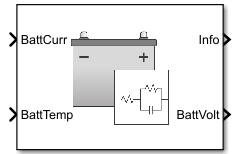
Parameter | Description |
|---|---|
Number of series RC pairs | Define number of series RC pairs. |
Open circuit voltage table data, EM [V] | Lookup table, function of SOC and battery temperature. |
Series charge resistance table data, R0 [Ohm] | Lookup table, function of SOC and battery temperature. |
State of charge breakpoints, SOC_BP [] | SOC breakpoints defining the points at which you specify lookup data. |
Temperature breakpoints, Temperature_BP [K] | Temperature breakpoints defining the points at which you specify lookup data. Temperatures correspond to the constant temperature used in each test. |
Initial battery capacity, BattCapInit [Ah] | Initial battery capacity. |
R and C Table Data | Set initial values for the resistances and capacitances. |
The base workspace is initialized using the script initBatteryParameters.m.
type initBatteryParameters.m;% initBatteryParameters script specify initial parameters
%
% To load these parameters in a Simulink model workspace, use:
% ws=get_param('sl_battery','ModelWorkspace');
% evalin(ws,'initBatteryParameters')
% Copyright 2023-2024 The MathWorks, Inc.
% SOC breakpoints (more at low breakpoints SOC)
SOC_vec = [0:0.05:0.25 0.3:0.1:1] ;
Temperature_vec = [0 10 25 35 45];
% constant initial lookup tables of correct size
v0 = 3.7; % [V]
rc = 0.01; % [Ohms]
tc1 = 1; % [s]
tc2 = 30; % [s]
tc3 = 200; % [s]
% make lookup tables of correct size
numSOCBP = length(SOC_vec);
numTemperatureBP = length(Temperature_vec);
Em = ones(numSOCBP,numTemperatureBP)*v0;
% resistance
R0 = ones(numSOCBP,numTemperatureBP)*rc;
R1 = ones(numSOCBP,numTemperatureBP)*rc;
R2 = ones(numSOCBP,numTemperatureBP)*rc;
R3 = ones(numSOCBP,numTemperatureBP)*rc;
% Time constants
Tau1 = ones(numSOCBP,numTemperatureBP)*tc1;
Tau2 = ones(numSOCBP,numTemperatureBP)*tc2;
Tau3 = ones(numSOCBP,numTemperatureBP)*tc3;
% Capacitance lookup tables for Powertrain Blockset
C1 = Tau1./R1;
C2 = Tau2./R2;
C3 = Tau3./R3;
% Battery Capacity
AH = 2.8; % [Ahr]
Advanced Battery Characterization
If you want to explore advanced characterization of a battery block by enabling the hysteresis and current directionality options, open of these models:
Simscape_Battery_Advanced.slxPowertrainBlockset_Battery_Advanced.slx
The base workspace is initialized using the script initBatteryParametersDischarge.m.
type initBatteryParametersDischarge.m;% initBatteryParametersDischarge script
%
% Run this script to specify initial parameters when current directionality
% is enabled.
%
% To load these parameters in a Simulink model workspace, use:
% ws=get_param('sl_battery','ModelWorkspace');
% evalin(ws,'initBatteryParameters')
% Copyright 2023-2024 The MathWorks, Inc.
% SOC breakpoints (more at low breakpoints SOC)
SOC_vec = [0:0.05:0.25 0.3:0.1:1] ;
Temperature_vec = [0 10 25 35 45];
% constant initial lookup tables of correct size
v0 = 3.7; % [V]
rc = 0.01; % [Ohms]
tc1 = 1; % [s]
tc2 = 30; % [s]
tc3 = 200; % [s]
% make lookup tables of correct size
numSOCBP = length(SOC_vec);
numTemperatureBP = length(Temperature_vec);
Em = ones(numSOCBP,numTemperatureBP)*v0;
% resistance
R0Discharge = ones(numSOCBP,numTemperatureBP)*rc;
R1Discharge = ones(numSOCBP,numTemperatureBP)*rc;
R2Discharge = ones(numSOCBP,numTemperatureBP)*rc;
R3Discharge = ones(numSOCBP,numTemperatureBP)*rc;
R0Charge = ones(numSOCBP,numTemperatureBP)*rc;
R1Charge = ones(numSOCBP,numTemperatureBP)*rc;
R2Charge = ones(numSOCBP,numTemperatureBP)*rc;
R3Charge = ones(numSOCBP,numTemperatureBP)*rc;
% Time constants
Tau1Discharge = ones(numSOCBP,numTemperatureBP)*tc1;
Tau2Discharge = ones(numSOCBP,numTemperatureBP)*tc2;
Tau3Discharge = ones(numSOCBP,numTemperatureBP)*tc3;
Tau1Charge = ones(numSOCBP,numTemperatureBP)*tc1;
Tau2Charge = ones(numSOCBP,numTemperatureBP)*tc2;
Tau3Charge = ones(numSOCBP,numTemperatureBP)*tc3;
% Capacitance lookup tables for Powertrain Blockset
C1Discharge = Tau1Discharge./R1Discharge;
C2Discharge = Tau2Discharge./R2Discharge;
C3Discharge = Tau3Discharge./R3Discharge;
C1Charge = Tau1Charge./R1Charge;
C2Charge = Tau2Charge./R2Charge;
C3Charge = Tau3Charge./R3Charge;
% Hysteresis parameters
HystRate = 0.1;
MaxHystVolt = 0.01*ones(numSOCBP,numTemperatureBP);
InstHystVolt = 0.01*ones(numSOCBP,numTemperatureBP);
% Battery Capacity
AH = 2.8; % [Ahr]
See Also
Calibrate Powertrain Blockset and Simscape Battery Blocks

