Mixed-Signal System Analysis
R2026bAnalyze performance metrics from mixed-signal simulation data. You can get the simulation data from a third-party EDA tool such as Cadence®. You can analyze trends by varying different process parameters and observing the changes in the system behavior.
Apps
| Mixed-Signal Analyzer | Analyze circuit simulation data |
Functions
adeinfo2msa | Extract simulation data from Cadence to Mixed Signal Analyzer app (Since R2022b) |
msaSessionUpdate | Update saved session of Mixed Signal Analyzer app (Since R2023a) |
adeGet | Extract simulation parameters and variables from Cadence Maestro (Since R2023b) |
adeSet | Set simulation parameters and variables in Cadence ADE Maestro (Since R2023b) |
adeSim | Run simulation as setup in the Cadence ADE Maestro view (Since R2023b) |
ade2wave | Extract waveform data from Cadence simulation run (Since R2025a) |
ade2metric | Extract metric data from Cadence simulation run (Since R2025a) |
adeGetSignalList | Get list of signal names from Cadence (Since R2026a) |
Objects
trendChart | Plot trend analysis charts (Since R2024b) |
Featured Examples
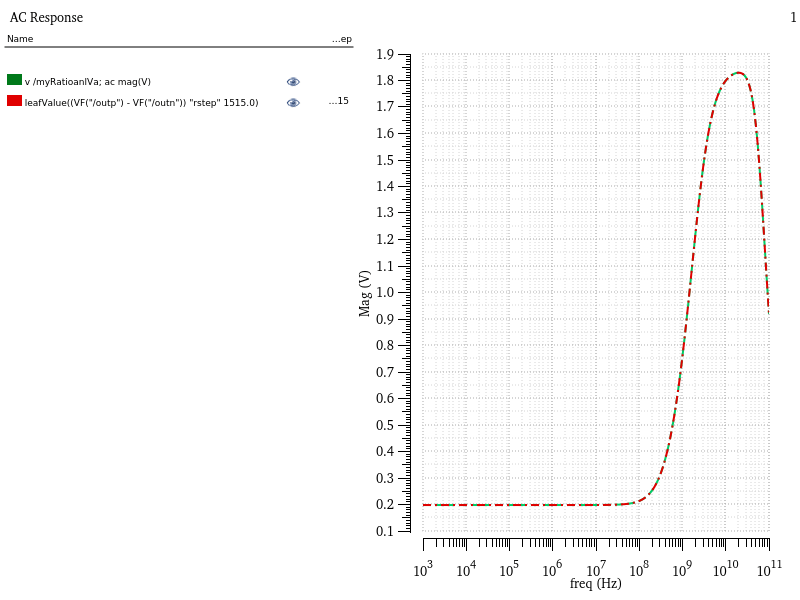
Generate VerilogA Model of CTLE Using Custom Function
Write a custom analysis function to fit the transfer function of a CTLE circuit to a rational function in the Mixed Signal Analyzer app and generate a VerilogA model that can be simulated in Cadence.
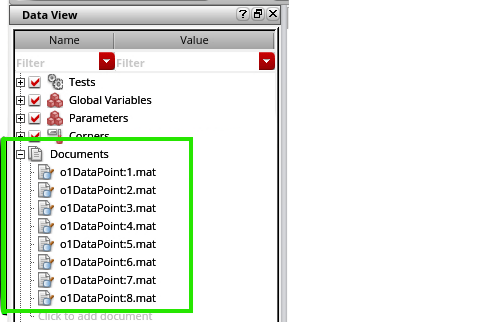
MATLAB-Based Eye Analysis in Cadence ADE
Embed MATLAB expression-based analysis inside Cadence® ADE simulations using Mixed-Signal Blockset™ functions. During ADE runs, a headless MATLAB session executes in the background to extract waveform data and process it to perform eye analysis. As soon as data becomes available, MATLAB pops up figure windows that visualize the eye diagram in real time. Additionally, the workflow can save the raw waveform data (time and amplitude arrays) into the Cadence Maestro documents folder per data point, enabling traceability and offline post-processing. Computed metrics (e.g., eye width and eye height) are returned to ADE for corner/sweep reporting.

