intersect
R2026bDescription

Examples
Find a Boolean intersection of a cylinder and a cuboid.
Create and plot a hollow cylinder geometry.
gcyl = multicylinder([3 4],10,Void=[true,false]);
pdegplot(gcyl,CellLabels="on")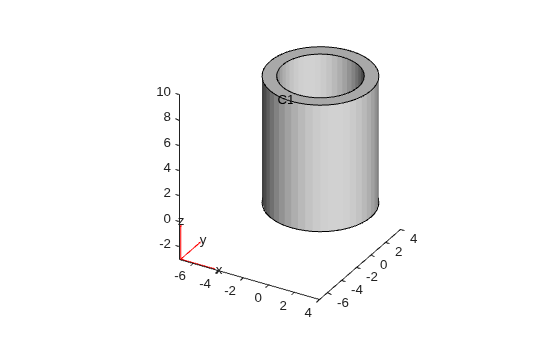
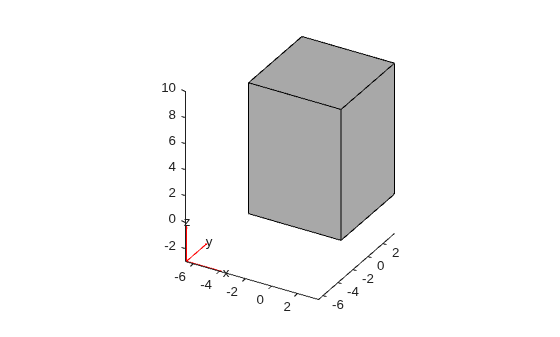
Create and plot a single cuboid geometry.
gcube = multicuboid(sqrt(50),sqrt(50),10);
pdegplot(gcube)
Convert both geometries to fegeometry objects.
gcyl = fegeometry(gcyl);
gcube = fegeometry(gcube);
Find the intersection of the geometries by using the Boolean intersection operation.
g = intersect(gcyl,gcube);
Plot the resulting geometry with cell labels.
pdegplot(g,CellLabels="on",FaceAlpha=0.3)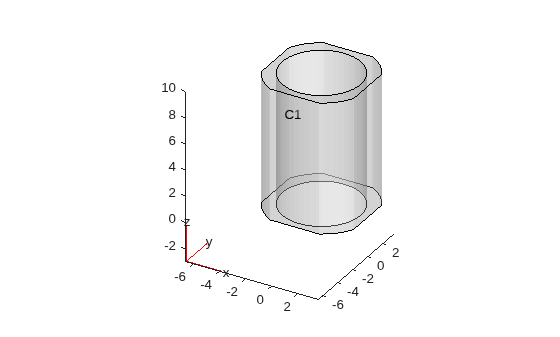
Since R2026a
Intersect multiple cubes.
Create a geometry representing a unit cube.
gmcube = fegeometry(multicuboid(1,1,1));
Create a vector of geometries by rotating the cube by 30 and 60 degrees.
angle = [0 30 60];
for k = 1:numel(angle)
    gv(k) = rotate(gmcube,angle(k));
end
Find the intersection of the geometries specified in the vector.
gm = intersect(gv);
Plot the result.
pdegplot(gm)
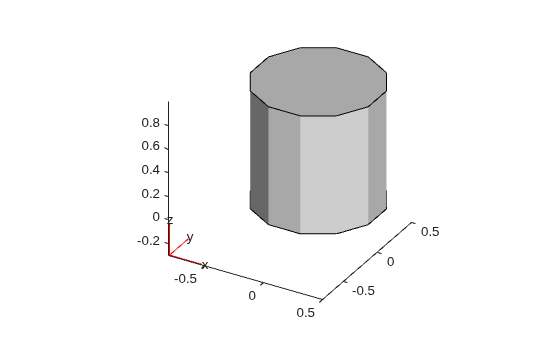
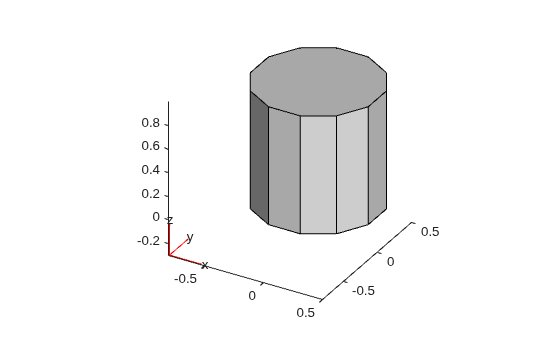
The resulting geometry has one face wrapped around the side. To create a geometry with multiple faces, first create a triangulation object from the resulting geometry gm.
tr = triangulation(gm);
Convert the triangulation object back to an fegeometry object, and specify a small FeatureAngle value, such as, 15 degrees. The default value is 44 degrees.
gm = fegeometry(tr,FeatureAngle=15);
pdegplot(gm)
Since R2026b
Find a Boolean intersection of a square and a circle.
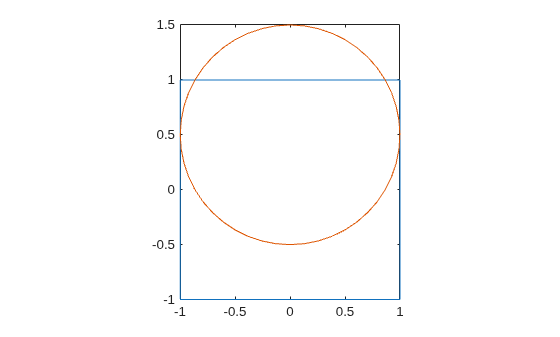
Create and plot the geometries of a square and a circle.
gsquare = fegeometry(@squareg);
gcircle = fegeometry(@circleg);
gcircle = translate(gcircle,[0 0.5]);
pdegplot(gsquare)
hold on
pdegplot(gcircle)
hold off
Find the intersection of the geometries by using the Boolean intersection operation.
g = intersect(gsquare,gcircle);
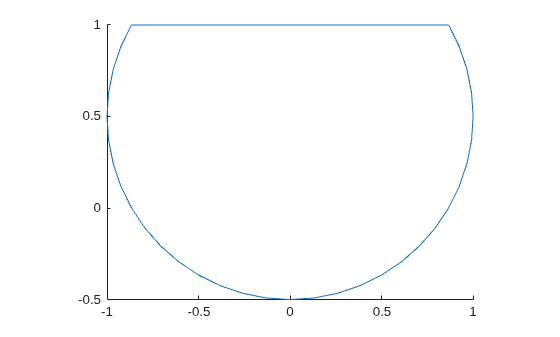
Plot the resulting geometry.
pdegplot(g)
Input Arguments
Output Arguments
Tips
When creating a 3-D geometry,
intersectuses the default threshold of 44 degrees for the dihedral angle between adjacent triangles. If the angle between the triangles exceeds the threshold, the edge becomes a topological (feature) edge separating two faces. If the angle does not exceed the threshold,intersectdoes not create a topological edge with two separate faces, unless the function can create the edge based on other criteria. Instead,intersectcreates one face.To use a different feature angle value, create a triangulation object from the resulting geometry
g3, and then convert the object back to anfegeometryobject. Specify the value of theFeatureAngleargument as a number between 10 and 90. The specifiedFeatureAnglevalue represents degrees.tr = triangulation(g3); g3 = fegeometry(tr,FeatureAngle=15)
The
triangulationfunction accepts only single-domain geometries, sog3must have one cell.Boolean operations on
AnalyticGeometryorDiscreteGeometryobjects return anfegeometryobject.

