MATLAB 帮助中心
Remove current data and add new data to Smith chart
replace(plot,data)
replace(plot,frequency,data)
replace(plot,data) removes all current data from a Smith chart, plot, and adds new data to the Smith chart.
plot
data
example
replace(plot,frequency,data) removes all current data and adds new data to the Smith chart based on multiple data sets containing frequencies corresponding to columns of the data matrix.
frequency
collapse all
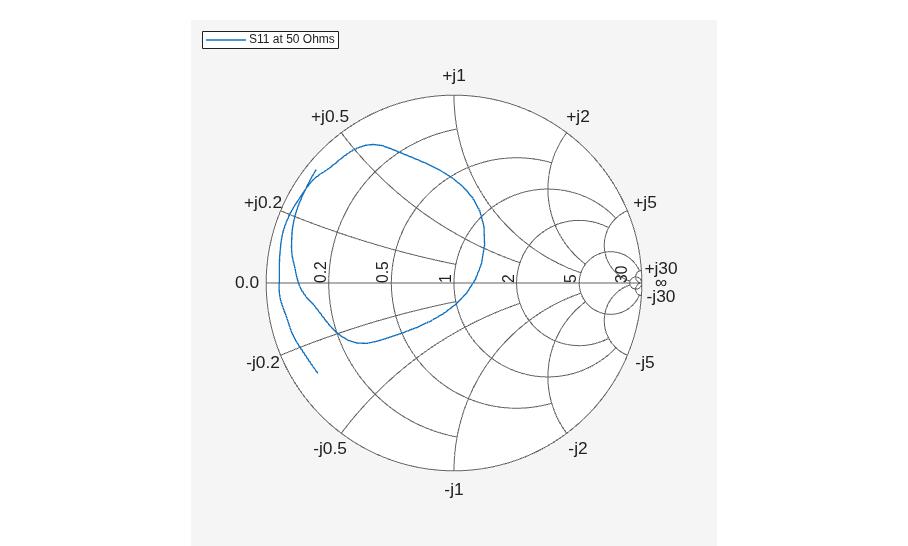
Read S-parameter data.
amp = read(rfckt.amplifier,'default.s2p'); Sa = sparameters(amp); smithplot(Sa,[1,1],'LegendLabels','S11 at 50 Ohms');
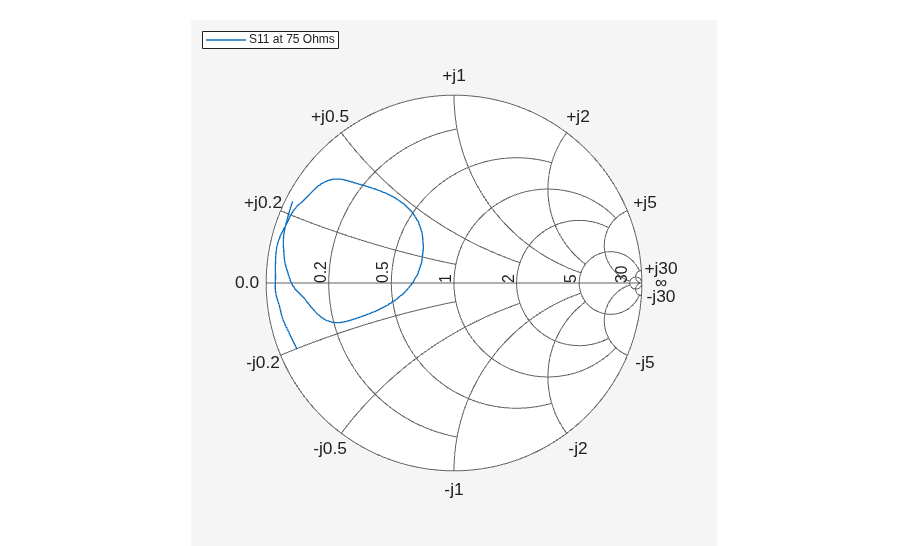
Plot S-parameter object with a new impedance of Z0 = 75 Ohms.
Sa = sparameters(Sa,75); S11 = rfparam(Sa,1,1); Freq = Sa.Frequencies; s = smithplot('gco'); replace(s, Freq, S11); s.LegendLabels = 'S11 at 75 Ohms';
Smith chart handle, specified as a plot handle. If the handle of the Smith chart is not retained during creation, use p = smithplot('gco').
p = smithplot('gco')
Input data, specified as a complex vector or complex matrix.
For a matrix D, the columns of D are independent datasets. For N-by-D arrays, dimensions 2 and greater are independent datasets.
Data Types: double Complex Number Support: Yes
double
Frequency data, specified as a real vector.
Data Types: double
Introduced in R2017b
add | smithplot
add
smithplot
You clicked a link that corresponds to this MATLAB command:
Run the command by entering it in the MATLAB Command Window. Web browsers do not support MATLAB commands.
选择网站
选择网站以获取翻译的可用内容,以及查看当地活动和优惠。根据您的位置,我们建议您选择:。
您也可以从以下列表中选择网站:
如何获得最佳网站性能
选择中国网站(中文或英文)以获得最佳网站性能。其他 MathWorks 国家/地区网站并未针对您所在位置的访问进行优化。
美洲
欧洲
亚太
联系您当地的办事处