主要内容

Chassis To Tree-Frame Motion

R2026b

Transform motion from chassis frame to rigid body tree frame

Since R2026b

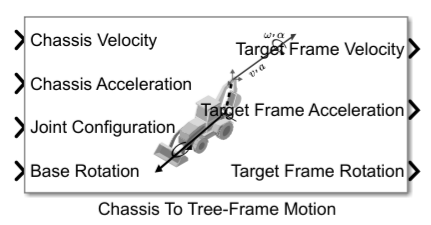
  • Chassis to tree-frame motion block icon

Libraries:
Offroad Autonomy Library / Vehicle Utilities

Description

Add-On Required: This feature requires the Robotics System Toolbox Offroad Autonomy Library add-on.

The Chassis To Tree‑Frame Motion block transforms the velocities and accelerations of a chassis reference frame to a selected target frame on a rigid body tree in the right-handed world frame. You can use this block to get motion quantities at the sensor mounting locations of the vehicle, such as for IMUs, defined on a rigid body tree.

Ports

Input

expand all

Angular and linear velocities in the chassis coordinate frame, specified as a six-element column vector of the form [ωy; ωp; ωr; vx; vy; vz]. Angular velocity values are in radians per second and linear velocity values are in meters per second.

Angular and linear accelerations in the chassis coordinate frame, specified as a six-element column vector of the form [αy; αp; αr; ax; ay; az]. Angular acceleration values are in radians per second squared and linear acceleration values are in meters per second squared.

Joint configuration vector of the rigid body tree, specified as an N-element vector. N is the total number of nonfixed joint degrees of freedom on the rigid body tree.

Rotation of the rigid body tree base frame, specified as a 3-by-3 rotation matrix in the right-handed world frame.

Output

expand all

Target frame angular and linear velocities in the world coordinate frame, returned as a six-element column vector of the form [ωy; ωp; ωr; vx; vy; vz]. Angular velocity values are in radians per second and linear velocity values are in meters per second.

Target frame angular and linear accelerations in the world coordinate frame, returned as a six-element column vector of the form [αy; αp; αr; ax; ay; az]. Angular acceleration values are in radians per second squared and linear acceleration values are in meters per second squared.

Rotation of the target frame, returned as a 3-by-3 rotation matrix in the right-handed world frame.

Parameters

expand all

To edit block parameters interactively, use the Property Inspector. From the Simulink® Toolstrip, on the Simulation tab, in the Prepare gallery, select Property Inspector.

Specify the rigid body tree model as a rigidBodyTree object.

Specify the pose of the chassis frame on the rigid body tree, with respect to the rigid body tree base as a 4-by-4 homogeneous transformation matrix.

Specify the name of the target frame in the rigid body tree.

Version History

Introduced in R2026b