winwrite
R2026bClass: sigwin.blackmanharris
Namespace: sigwin
Save Blackman–Harris window in ASCII file
Syntax
winwrite(H)

winwrite(H,'filename')
Description
winwrite(H) opens a dialog box that enables
you to export the values of the Blackman–Harris window object H to
an ASCII file with filename extension wf.
winwrite(H,'filename') saves the values
of the Blackman–Harris window object H in
the current folder as a column vector in the ASCII file 'filename' with
filename extension wf.
Examples
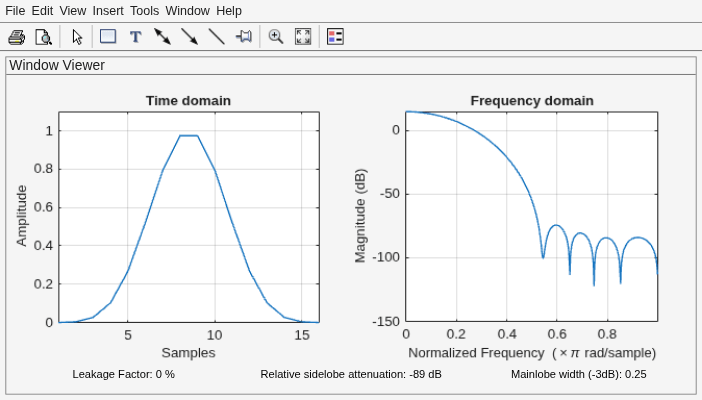
Generate a Blackman-Harris window of length N = 16. Return its values as a column vector. Show information about the window object. Display the window.
H = sigwin.blackmanharris(16);

win = generate(H)
win = 16×1

    0.0001
    0.0036
    0.0267
    0.1030
    0.2680
    0.5206
    0.7938
    0.9749
    0.9749
    0.7938
    0.5206
    0.2680
    0.1030
    0.0267
    0.0036
      ⋮
wininfo = info(H)
wininfo = 4×26 char array
    'Blackman-Harris Window    '
    '----------------------    '
    'Length         : 16       '
    'Sampling Flag  : symmetric'
wvtool(H)