Block Authoring Basics
R2026bPrinciples of extending modeling functionality of Simulink® by authoring blocks
Simulink allows you to extend the built-in modeling functionality by creating your own blocks.
Create a new Simulink block for your needs if the built-in library does not provide a suitable block. You can create new functionality using a MATLAB® function rather than a Simulink block diagram.
Blocks
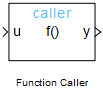 | Function Caller | Call a Simulink function |
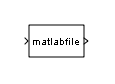 | Level-2 MATLAB S-Function | Use Level-2 MATLAB S-function in model |
 | MATLAB Function | Include MATLAB code in Simulink models |
 | MATLAB System | Include System object in model |
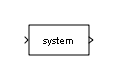 | S-Function | Include S-function in model |
 | S-Function Builder | Integrate C or C++ code to create S-functions |
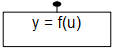 | Simulink Function | Define a function using Simulink blocks |
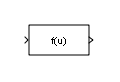 | Fcn | Apply specified expression to input |
Topics
- Choose Tools to Create Reusable Blocks in Simulink Using C/C++ or MATLAB
Select tools to create reusable Simulink blocks using C/C++ or MATLAB based on your modeling requirements.
- Comparison of Custom Block Functionality
Compare and contrast the features of different custom blocks types.

