Use Mask Initialization Code for Per-Instance Variant Control in Variant Blocks
R2026bYou can use mask initialization code to control the active variant choice in a variant block. The initialization code runs for each instance of the masked subsystem, so different instances can independently determine which variant choice is active.
In this example, the mask initialization code sets the variant control value based on the mask configuration. In expression mode, the initialization code defines a variable that Simulink® compares against the variant control expressions to determine which variant choice to activate. In label mode, the initialization code maps the mask selection to a label name and directly sets the active variant choice.
This approach is not recommended for new designs because the variant control variable is defined in procedural code within the Code tab of the Mask Editor. You must edit the initialization script to change variant choices, rather than selecting values from the mask dialog box. For new designs, use mask parameters as variant control variables, which provide a configurable dialog box interface and do not require you to access internal implementation details. See Use Mask Parameter Object to Control Variant Choices in Masked Variant Assembly Subsystem Block.
For information on variant activation times and variant control variable types that the mask workspace supports, see Verify Variable Type Compatibility with Workspace and Variant Activation Time.
For constraints that apply when defining variant control variables in different workspaces, see Workspace Constraints for Variant Control Variables.
Control Active Variant Choices Using Mask Initialization in Expression Mode
When the variant block uses the expression variant control mode, you can define the variant control variable in the mask initialization code. During simulation, Simulink evaluates the variant control expressions using the variable value to determine the active variant choice.
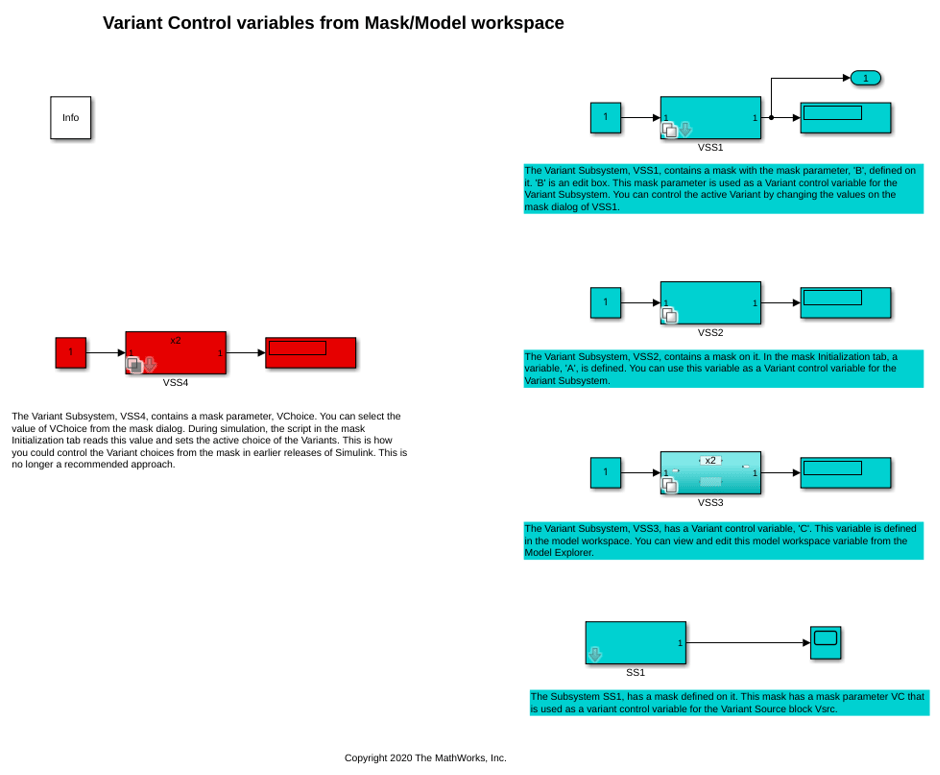
Open the slexVariantSubsystemCtrlFromMaskandModelWks model.
model = "slexVariantSubsystemCtrlFromMaskandModelWks";
open_system(model);
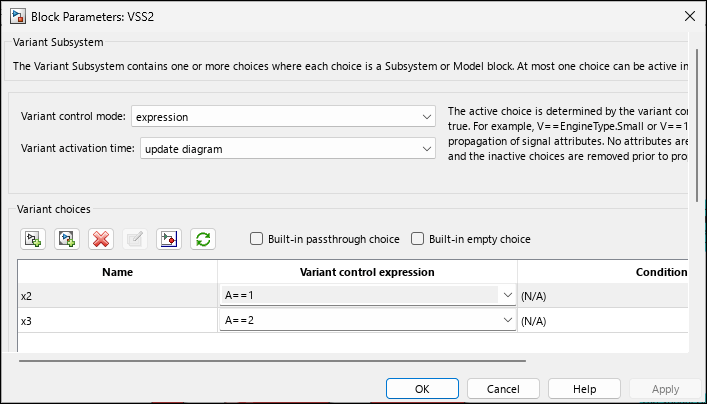
The model contains a masked Variant Subsystem block VSS2. In the Block Parameters dialog box of the VSS2 block, the Variant activation time parameter is set to update diagram. The block has two variant choices x2 and x3 with variant conditions A == 1 and A == 2.
The variant control variable A is a scalar MATLAB® variable defined in the Code tab of the Mask Editor.
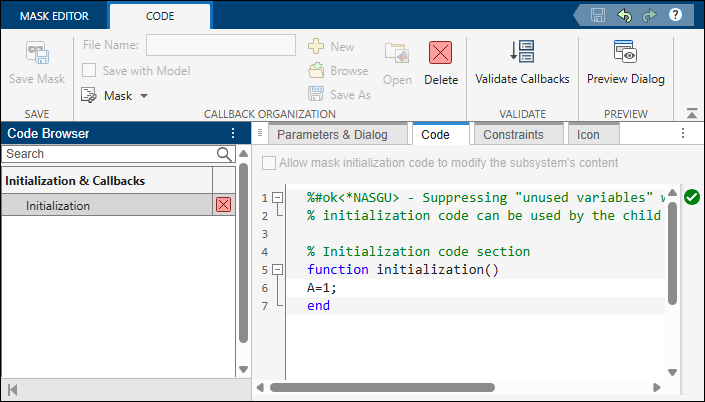
Right-click the VSS2 subsystem and select Edit Mask. On the Code tab, under the Initialization code section, the value of A is set to 1.
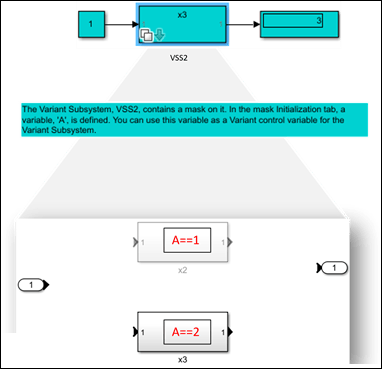
Simulate the model. During simulation, the variant control expression A == 1 evaluates to true. The x2 variant choice becomes active, and the x3 variant choice becomes inactive.
sim(model)
ans =

  Simulink.SimulationOutput:
                   tout: [51x1 double]
                   yout: [51x1 double]

     SimulationMetadata: [1x1 Simulink.SimulationMetadata]
           ErrorMessage: [0x0 char]
To modify the active variant choice, specify the value of A as 2 in the Code tab, and then simulate the model again. During simulation, A == 2 evaluates to true. The x3 variant choice becomes active, and the x2 variant choice becomes inactive.
sim(model)
ans =

  Simulink.SimulationOutput:
                   tout: [51x1 double]
                   yout: [51x1 double]

     SimulationMetadata: [1x1 Simulink.SimulationMetadata]
           ErrorMessage: [0x0 char]
Control Active Variant Choices Using Mask Initialization in Label Mode
When Variant control mode of a subsystem is set to label mode, you can use a mask initialization script to provide a configurable mask interface that maps your selections to label names.
The slexVariantSubsystemCtrlFromMaskandModelWks model contains a masked Variant Subsystem block VSS4.
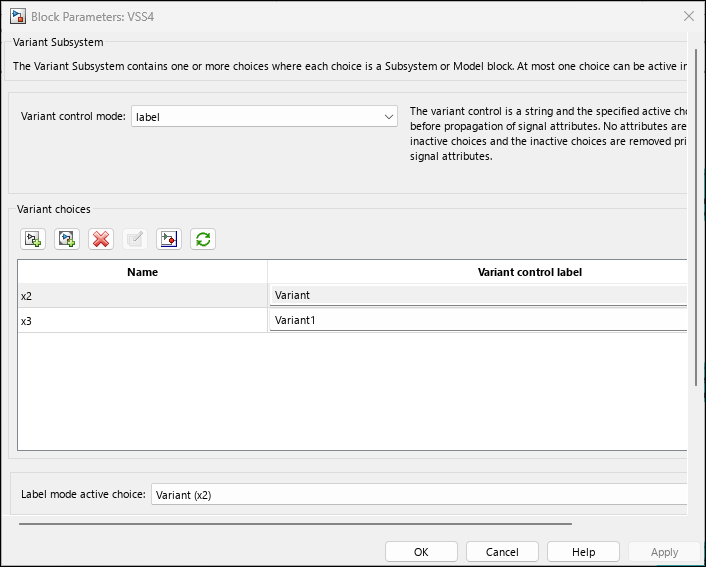
In the Block Parameters dialog box of the VSS4 block, the Variant control mode parameter is set to label. The block has two variant choices x2 and x3 with labels Variant and Variant1.
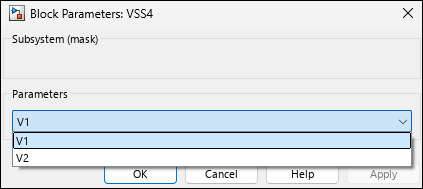
Double-click the VSS4 subsystem to open the mask dialog box. The mask dialog box contains a popup parameter VChoice with options V1 and V2.
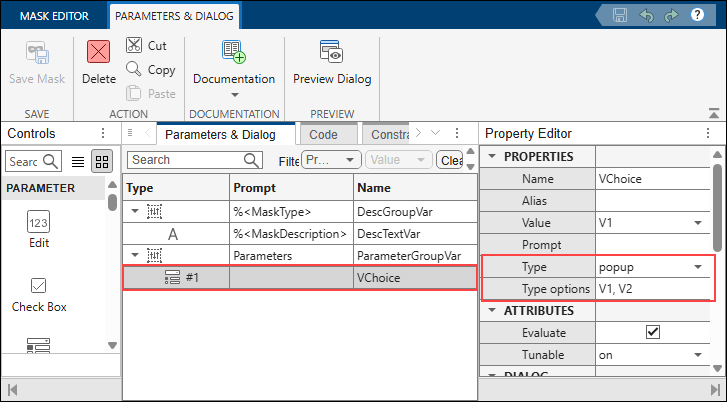
To view the parameter definition, right-click the VSS4 subsystem and select Edit Mask. On the Parameters & Dialog tab, Name is specified as VChoice and Type is set to popup.
When you select a value from the VChoice popup, the mask initialization code maps the selection to a label name and sets the active variant choice. The initialization code is defined on the Code tab of the Mask Editor:
choice = get_param(gcb,'VChoice');
vssBlk = gcb;
if strcmp(choice,'V1')
    set_param(vssBlk,'LabelModeActiveChoice','Variant');
else
    set_param(vssBlk,'LabelModeActiveChoice','Variant1');
end
With VChoice set to V1, simulate the model. The mask initialization sets LabelModeActiveChoice to Variant, making the x2 variant choice active.
To switch the active variant choice, select V2 from the VChoice popup in the mask dialog box, then simulate the model again. The mask initialization sets LabelModeActiveChoice to Variant1 and the x3 variant choice becomes active.
set_param(model + "/VSS4","VChoice","V2")
sim(model);
Note:
The
labelmode does not use workspace variables for variant evaluation. It identifies the active choice by name. Thelabelmode supports only theupdate diagramvariant activation time. For more information, see Variant Control Modes in Variant Blocks.
The mask variable takes precedence over variables with the same name in the model workspace, data dictionary, or base workspace. Verify that you do not have unintended variables with the same name in multiple workspaces.

