Simulation and Analysis
R2026bThis set of steps runs the soc_hwsw_top.slx model created in the
previous steps. A visual of the processor output data shows the complete SoC
application.
In the project folder, open the model
soc_hwsw_top.slx.Using a Scope (Simulink) block and Rate Transition (Simulink) block, update the model as shown in this diagram.
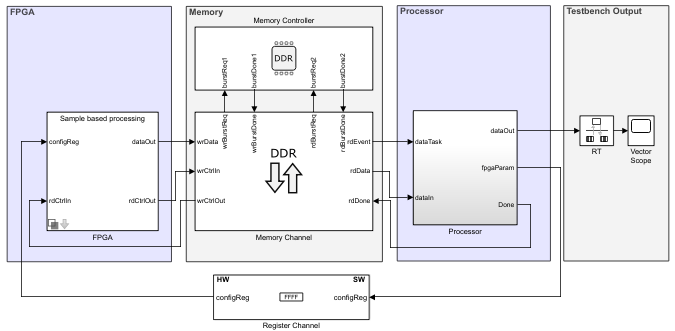
Run the model and open the
Vector Scope.
The display in the Vector Scope shows the counter output.
See Also
Use Template to Create SoC Model | Stream from FPGA to Processor Template

