使用自定义策略自动连接端口
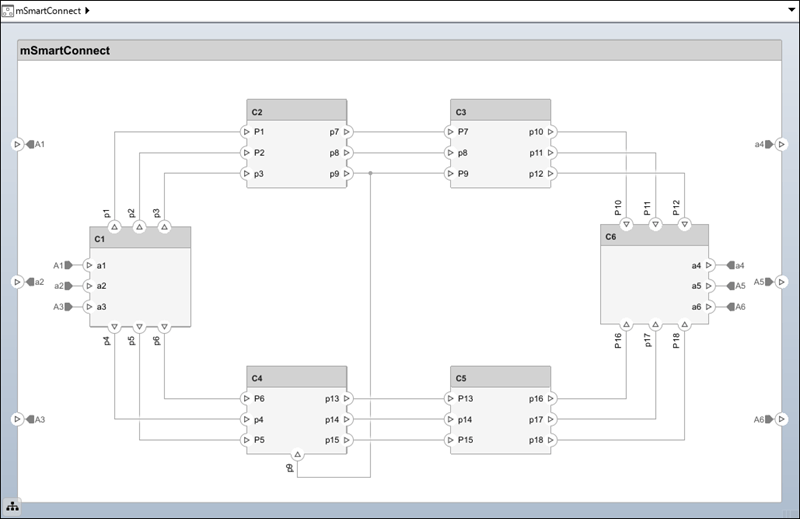
R2026a此示例演示了如何使用自定义端口连接策略连接架构模型 mSmartConnect.slx 中的端口。首先,智能连接使用默认端口连接策略。然后,经过一些调试,过渡到自定义端口连接策略。
使用默认端口连接策略连接端口
打开 mSmartConnect.slx 架构模型。
systemcomposer.openModel("mSmartConnect");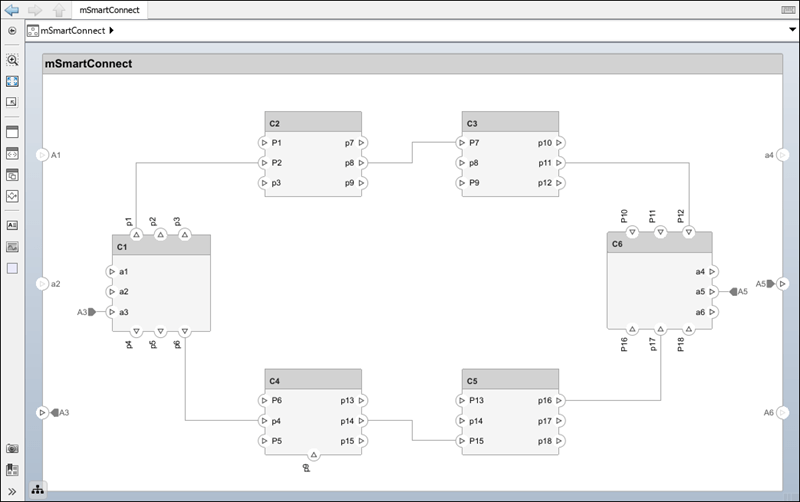
从工具栏的连接选项卡中,选择智能连接。连接使用默认端口连接策略进行,在同名端口之间建立连接。
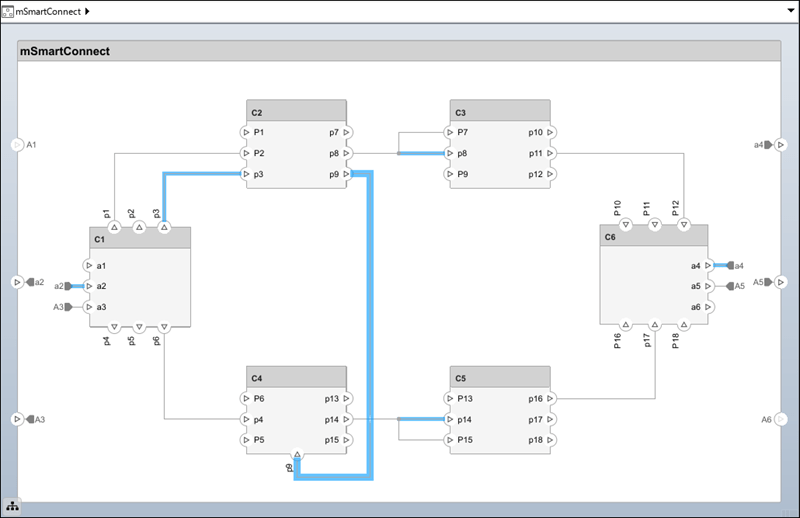
调试图和需要考虑的端口和连接高亮显示
默认端口连接策略未完成所有连接,因此需要自定义端口连接策略。首先,使用以下方法清理图。
从工具栏的连接选项卡中,选择智能连接下的下拉菜单。选择突出显示未连接的端口。许多端口仍然未连接。
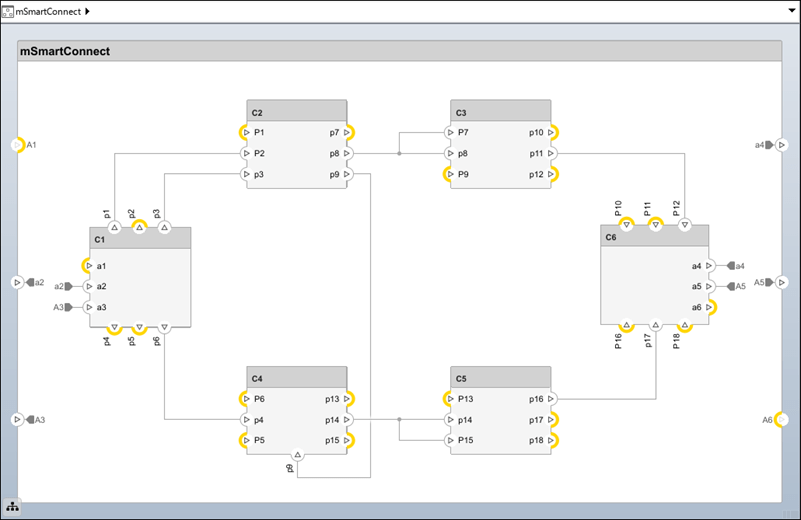
接下来,清除突出显示未连接的端口并选择突出显示无效连接器。您可以看到端口名称必须匹配。
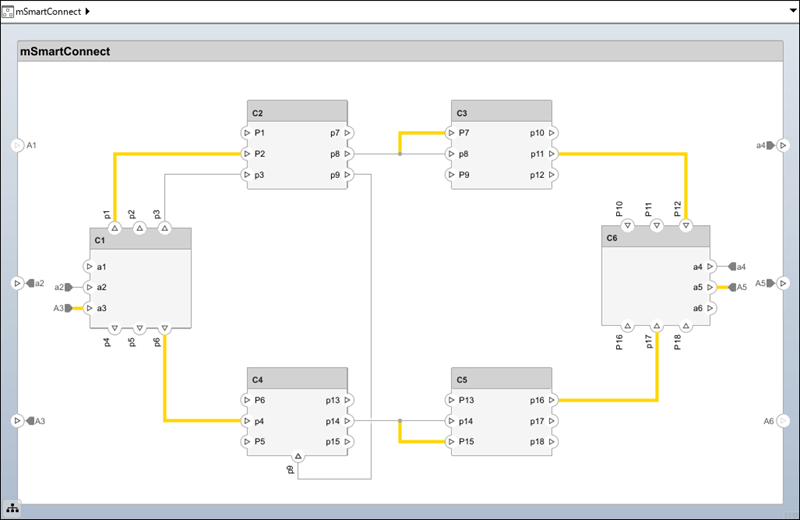
现在,不匹配的连接已高亮显示,请选择删除无效连接器以删除它们。
创建自定义端口连接策略
此模型需要自定义端口连接策略,以便智能连接能够创建所有正确的连接。
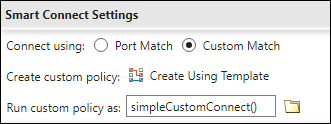
要设置自定义端口连接策略,在智能连接下选择向下箭头以访问智能连接设置,然后选择自定义匹配的单选按钮。要创建自定义端口连接策略,请选择使用模板创建。选择一个文件名来保存您的模板。一个新的 systemcomposer.arch.SmartConnectPolicy 类模板以编辑模式打开。编辑模板以自定义显示。
classdef simpleCustomConnect < systemcomposer.arch.SmartConnectPolicy
% A simple smart connect policy that removes case sensitivity.

%   Copyright 2024 The MathWorks, Inc.

    properties
    end

    methods
        function obj = simpleCustomConnect()
            % Calling base class constructor
            obj@systemcomposer.arch.SmartConnectPolicy();
        end

        function initialize(obj)
            % Called at the beginning of smart connect
        end

        function token = getPortToken(obj, port)
            % Called by smart connect to get port tokens
            token = lower(port.Name);
        end

        function terminate(obj)
            % Called at the end of smart connect
        end
    end

end
此新自定义端口连接策略使用 lower() 函数使连接不区分大小写。
定义函数 initialize 以打开连接。接下来,定义 getPortToken 函数,使用文件导入、Excel® 导入、数据库连接和 MATLAB® 中的表来自定义端口名称匹配。在建立连接时,getPortToken 函数会被多次调用。最后,使用 terminate 函数关闭连接和文件。
在“智能连接设置”中,将自定义策略函数插入到运行自定义策略文本框中,以使用该函数。
然后,点击智能连接按钮。组件之间的连接不区分大小写,从而创建更多预期的连接。